Best Open Source OCR Tools & Models in 2026 — Developer’s Guide
Table of Contents
Introduction
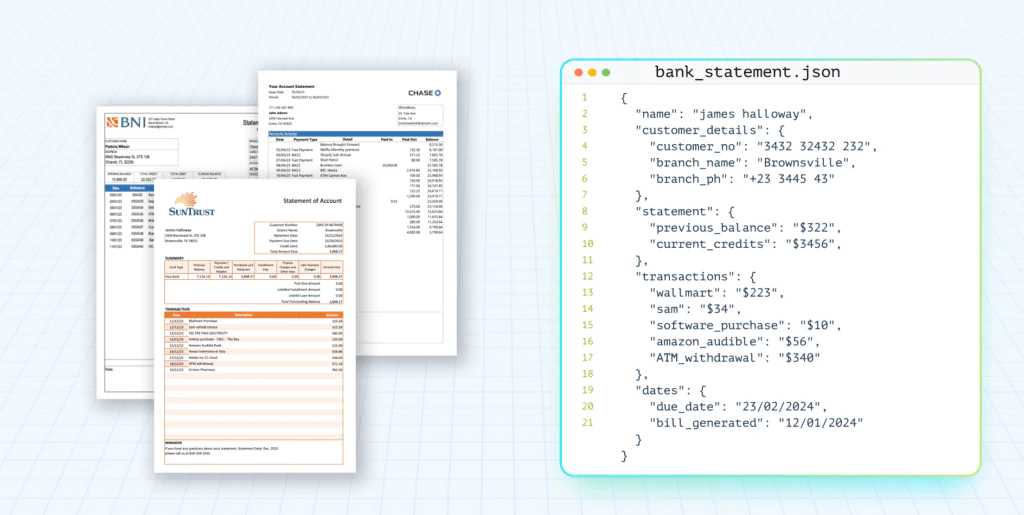
Every data pipeline that ingests documents hits the same bottleneck: extracting structured text from unstructured inputs. Whether you’re building a RAG system, automating invoice processing, or parsing scanned forms at scale, the quality of your OCR layer determines the quality of everything downstream.
That’s where open source OCR tools come in. Instead of paying per-page API costs or sending sensitive documents through third-party services, developers and data engineers can self-host, fine-tune, and integrate OCR directly into their pipelines.
Open-source OCR libraries and engines have matured significantly over the past few years. From battle-tested engines like Tesseract and PaddleOCR to modern LLM-based models like MistralOCR, olmOCR, and Qwen2.5-VL, the ecosystem now covers everything from lightweight local inference to high-accuracy multimodal document understanding. These tools are free, auditable, and — critically — self-hostable, which matters when data privacy, compliance, or per-page API costs are a constraint.
This guide benchmarks the best open source OCR libraries available in 2026. We cover traditional OCR engines and LLM-powered approaches, testing each against real-world document types — clean PDFs, scanned invoices, complex tables, checkboxes, and handwritten forms. The goal is to give you the data you need to pick the right engine for your stack, whether you’re prototyping a proof-of-concept or deploying to production.
What is Open-Source OCR?
At its core, OCR converts text embedded in images, scanned documents, or PDFs into machine-readable strings. It’s the layer that turns a scanned contract into searchable text, an invoice into structured JSON, or a historical archive into a queryable dataset.
When we talk about open source OCR engines, we mean libraries you can pip install, clone from GitHub, and run on your own infrastructure. They’re free to use, transparent in how they process documents, and customizable to your domain. You can wrap them in a FastAPI service, plug them into an Airflow DAG, fine-tune them on your own document types, or swap detection and recognition backbones without waiting on a vendor’s roadmap.
The trade-offs are real, though. Open source OCR libraries require you to handle preprocessing, model selection, and post-processing yourself. Performance varies widely — some engines excel at clean printed text but fall apart on low-resolution scans or complex layouts. Community maintenance ranges from actively developed with regular releases to largely dormant. That’s exactly why this guide exists: to cut through the noise and help you evaluate which open source OCR tool fits your use case.
If you’re weighing open-source OCR tools against commercial OCR solutions, our guide to the best OCR software covers cloud APIs and managed tools for teams that prefer not to maintain their own infrastructure.
Top Open-Source OCR Tools Selected for Evaluation:
Tesseract
PaddleOCR
Docling
EasyOCR
Surya OCR
Mistral OCR (LLM-based OCR)
olmOCR (LLM-based OCR)
Qwen 2.5-VL (LLM-based OCR)
Dots.OCR
DeepSeek OCR
GLM-OCR
RolmOCR
TL;DR: We installed, coded, and benchmarked 12 open-source OCR tools — from Tesseract to Qwen2.5-VL — against real-world documents (tables, forms, scans, and handwriting). You’ll see the exact setup commands, Python snippets, and raw extraction outputs so you can evaluate accuracy, GPU requirements, and pipeline integration before committing to a stack.
How We Evaluated the OCR Tools
To make this guide practical, we focused on how each open-source OCR tools performs against real-world document challenges rather than running exhaustive benchmarks.
Our evaluation centered on three key criteria:
Tables – Can the tool correctly recognize and preserve tabular structures?
Forms – How well does it handle checkboxes, radio buttons, and handwriting elements commonly found in forms?
Complex layouts – Does it cope with multi-column text, mixed fonts, and non-standard document designs?
In terms of approach, we’re not re-testing every tool from scratch. For OCR engines we’ve already explored in a previous article, we will provide a summary of past results. For the others, we conducted fresh evaluations.
It’s worth noting that this is not intended as a comprehensive benchmark study. Instead, our goal is to deliver a practical guide that helps developers, researchers, and teams quickly understand which open-source OCR tools might fit their use cases and what trade-offs they should expect.
TL;DR: Best Open-Source OCR Picks (2026)
If you only read one section, start with the Results & Insights and use the notes below to choose a default:
Best “classic” default (printed text, broad languages, easy ops): PaddleOCR
Best lightweight Python OCR for quick prototypes: EasyOCR
Best layout-aware extraction (open-weight VLMs): start with Dots.OCR or DeepSeek-OCR, then validate numerics on your own docs
Best for messy layouts / handwriting (VLM-style OCR): olmOCR / Qwen2.5-VL class models (higher compute; validate outputs)
Table 1: Best Traditional/Legacy Open-Source OCR Libraries Vs. LLMWhisperer
Best for: developers self-hosting OCR in Python pipelines, teams avoiding cloud dependencies.
Feature
Tesseract
PaddleOCR
Docling
EasyOCR
Surya OCR
LLMWhisperer
Type
Traditional OCR
Traditional OCR
Document Parser (with OCR)
Traditional OCR
ML-based OCR
LLM-optimized OCR
Accuracy
High
Very High
High
High
Very High
Superior
Language Support
100+
100+ (109-111)
Depends on OCR backend
80+
90+
300+
Complex Layouts
Moderate
High
Very High
Moderate
High
Superior
Structured Data Extraction
Low
Moderate
High
Low
Moderate
Superior
Deployment
Local / On-Prem
Local / On-Prem
Local / On-Prem
Local / On-Prem
Local / On-Prem
Cloud (API) / On-premise
Ease of Use
Moderate
Easy
Easy
Very Easy
Easy
Very Easy
Cost
Free
Free
Free
Free
Free*
Paid (Free tier)
License
Apache 2.0
Apache 2.0
MIT
Apache 2.0
GPL-3.0 + Rail-M*
Proprietary
Custom Training
Yes (tesstrain)
Yes
Limited
Yes
Yes
No
* Surya OCR — Code: GPL-3.0. Model: AI Pubs Rail-M license (free for research and startups under $2M revenue; commercial use requires separate license).
** LLMWhisperer is a proprietary cloud API, not an open-source library. Included here as a benchmark reference — useful if you want to know where the open-source stack stands relative to a production-grade managed OCR service.
Table 2: Best LLM-Based Open-source OCR Models Vs. LLMWhisperer
Best for: teams needing highest accuracy on complex documents, handwriting, and mixed layouts.
Feature
MistralOCR
olmOCR
Qwen2.5-VL
DotsOCR
DeepSeek OCR
GLM-OCR
RolmOCR
LLMWhisperer
Type
LLM-based OCR (API) / local VLM
LLM-based OCR
LLM-based VLM (general-purpose)
OCR VLM / layout parser (open weights)
Open-weight OCR VLM
Open-weight OCR VLM
Open-weight OCR VLM
LLM-optimized OCR (proprietary)
Accuracy
Extremely High
Very High
Extremely High
High
High
Very High
Very High
Superior
Language support
Multi-language
Multi-language
Multi-language
Multi-language
Multi-language
Multi-language
Multi-language
Multi-language
Complex layouts
Very High
Very High
Very High
Very High
High
Very High
Very High
Superior
Hallucination risk
High
High
High
High
High
High
High
No Hallucination
Structured data extraction
Very High
High
Very High
Very High
High
Very High
High
Superior
Deployment
Cloud API / local (Pixtral-12B)
Local + cloud
Local + cloud
Local (HF) + vLLM
Local (HF) + vLLM
Local + vLLM
Local + vLLM
Cloud (API) / on-prem
Ease of use
Easy
Moderate
Moderate
Moderate
Moderate
Moderate
Moderate
Easy
Cost
Paid (API) / free (Pixtral-12B)
Free
Free
Free
Free
Free
Free
Paid (free tier)
License
Proprietary (API) / Apache 2.0 (Pixtral-12B)
Apache 2.0
Apache 2.0 (7B / 32B)
MIT
MIT
MIT
Apache 2.0
Proprietary
Custom training
No
Yes
Yes
Yes (fine-tune; check model variant license)
Yes (fine-tune)
Yes (fine-tune)
Yes (fine-tune)
No
** Qwen2.5-VL license varies by model size: Apache 2.0 for 7B and 32B variants; research-only license for 3B; commercial license required for 72B above 100M MAU.
** Mistral OCR is a proprietary commercial API. The underlying Pixtral-12B model is open-weight (Apache 2.0) and self-hostable, but is a general-purpose vision model — not the specialized OCR service.
** LLMWhisperer is not open-source or LLM-based — it uses a proprietary OCR engine purpose-built for accuracy, layout preservation, and zero hallucination risk. While open-source tools offer flexibility and customization, LLMWhisperer is designed for production workloads where extraction quality and compliance cannot be compromised.
If your solution involves using Large Language Models(LLMs) to process and extract document data:
LLMs are powerful, but their output is as good as the input you provide. Documents can be a mess: widely varying formats and encodings, scans of images, numbered sections, and complex tables.
LLMWhisperer is a technology that presents data from complex documents to LLMs in a way they’re able to best understand it.
Traditional open-source OCR engines form the base of many document digitization workflows. These tools have been battle-tested across countless projects, from academic research to enterprise automation, and remain some of the most reliable free options available. While they may lack the adaptability of newer LLM-based approaches, they excel in stability, performance, and community support.
In this section, we’ll first provide a brief recap of the tools we’ve already evaluated in detail, before moving on to highlight new additions worth exploring.
Tesseract remains one of the most widely used and battle-tested open-source OCR engine — 73,000+ GitHub stars, Apache 2.0 licensed, backed by Google, and actively maintained by the community. For developers and ML engineers evaluating self-hosted OCR, it is almost always the starting point: free, integrates cleanly into Python and document AI pipelines via pytesseract or tesserocr, and has a mature ecosystem of wrappers and training tools.
It runs via command line with no built-in GUI, making it well-suited for server-side deployment and scripted pipelines. Tesseract 4+ ships with an LSTM-based engine (--oem 1) that significantly outperforms the legacy Tesseract 3 engine. For teams needing higher accuracy, Google maintains tessdata-best and tessdata-fast variants — a useful lever when tuning for production. Custom training via tesstrain allows fine-tuning on domain-specific fonts, handwriting, or languages.
Strengths:
Solid accuracy with clean, well-structured documents.
Extensive language support — 100+ languages out of the box with tessdata.
Apache 2.0 license — safe for commercial and production use.
Custom training via tesstrain for domain-specific use cases.
Lightweight and easy to integrate into Python and ML pipelines.
Weaknesses:
Struggles with complex layouts, tables, and formatting-heavy documents.
Poor performance on handwritten text.
Requires image preprocessing — accuracy degrades significantly on low-resolution input.
No native PDF support — requires a conversion step via pypdfium2 or pdf2image.
Developed by Baidu and built on the PaddlePaddle deep learning framework, PaddleOCR is a production-grade open-source OCR library with 76,000+ GitHub stars — making it the closest open-source competitor to Tesseract in terms of adoption. Unlike Tesseract, which relies on classical LSTM architecture, PaddleOCR ships with PP-OCRv4 — a lightweight yet accurate model series available in both mobile (edge deployment) and server (high-accuracy) variants, giving developers explicit control over the accuracy/speed tradeoff.
Where PaddleOCR significantly outperforms Tesseract is in multilingual documents (80+ languages including strong CJK support), complex layouts (tables, mixed columns), and inference speed — making it a practical choice for teams building real-time document processing pipelines or deploying OCR on resource-constrained environments. It also ships with PP-Structure, a layout analysis module that detects tables, figures, and text regions independently — useful for developers who need structured extraction beyond raw text.
Strengths:
Excels at multi-language recognition.
Handles complex layouts better than Tesseract.
Lightweight and fast, suitable for real-time use cases.
Weaknesses:
Structured data extraction is less advanced compared to enterprise cloud services.
IBM’s Docling is designed for converting documents into lightweight, markdown-like formats. It’s particularly effective when dealing with digital-born PDFs where the layout is relatively simple. Its strength lies in its ability to output clean, human-readable markdown, which makes it appealing for workflows that rely on lightweight text processing. However, its markdown-first design limits its ability to preserve complex layouts or extract structured data, and it struggles with scanned or handwritten inputs.
Struggles with non-digital inputs (scans, handwriting).
Open-Source OCR Comparison: Updated with New tools and models
EasyOCR
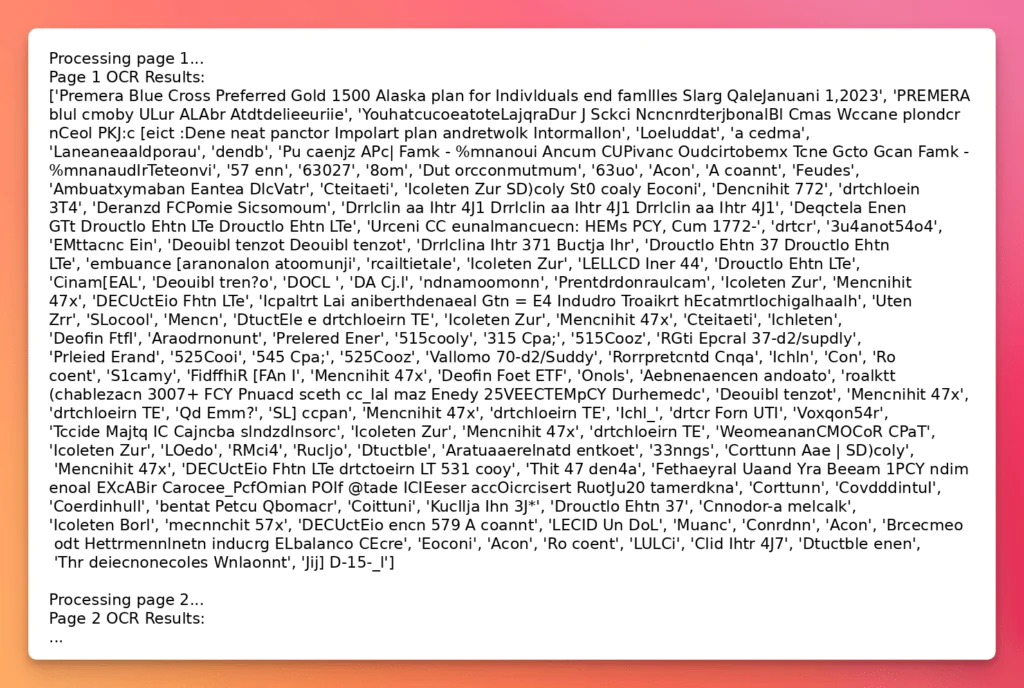
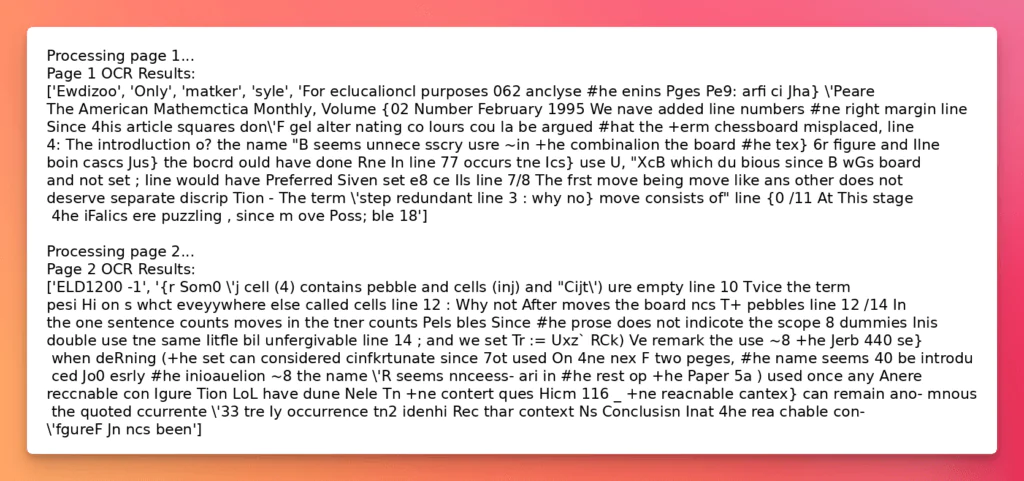
EasyOCR is one of the most widely used open-source OCR libraries, with support for 80+ languages. Built on PyTorch, it’s straightforward to install and use; developers can get started with just a few lines of Python. It works well for quick text extraction tasks and provides decent results on scanned documents and images with standard fonts.
Installation:
pip install easyocr pypdfium2
If on Windows, torch and torchvision must be installed first, as per PyTorch documentation.
Usage:
import easyocr
import pypdfium2 as pdfium
import sys

# Create a reader object (multiple languages can be specified, and here it will run on GPU)
reader = easyocr.Reader(['en'], gpu=True)

# Process the pdf file
def process_pdf(pdf_path):
    # Load a document
    pdf = pdfium.PdfDocument(pdf_path)

    # Loop over pages and render
    for i in range(len(pdf)):
        page = pdf[i]
        image = page.render(scale=1).to_pil()

        # Save image
        file_name = f"docs/output/page_{i+1}.png"
        image.save(file_name)

        # Read the text from the image
        print(f"Processing page {i+1}...")
        result = reader.readtext(file_name, detail=0, paragraph=True)

        # Print the result
        print(f"Page {i+1} OCR Results:")
        print(result)

    # Close the PDF
    pdf.close()

# Main function, receives the path to the pdf file
if __name__ == "__main__":
    process_pdf(sys.argv[1])
This script demonstrates how to run EasyOCR on PDF files by first converting each page into an image with pypdfium2, then passing the images to EasyOCR for text extraction. It supports multiple languages (configurable at initialization), runs on GPU by default, and outputs recognized text per page.
Surya OCR
Surya is a modern, open-source OCR system designed for document layout analysis and advanced text extraction. It supports 90+ languages and is built to handle complex documents with tables, multi-column layouts, and varied formatting. Unlike simpler OCR libraries, Surya emphasizes structural understanding of documents, making it more useful for use cases where layout preservation is important.
Installation:
pip install surya-ocr pypdfium2
Usage:
from surya.foundation import FoundationPredictor
from surya.recognition import RecognitionPredictor
from surya.detection import DetectionPredictor
import pypdfium2 as pdfium
import sys


# Process the pdf file
def process_pdf(pdf_path):
    # Load a document
    pdf = pdfium.PdfDocument(pdf_path)

    # Loop over pages and render
    for i in range(len(pdf)):
        page = pdf[i]
        image = page.render(scale=1).to_pil()

        print(f"Processing page {i+1}...")
        foundation_predictor = FoundationPredictor()
        recognition_predictor = RecognitionPredictor(foundation_predictor)
        detection_predictor = DetectionPredictor()

        predictions = recognition_predictor([image], det_predictor=detection_predictor)
        print(f"Page {i+1} OCR Results:")
        for prediction in predictions:
            for text_lines in prediction.text_lines:
                print(text_lines.text)

    # Close the PDF
    pdf.close()

# Main function, receives the path to the pdf file
if __name__ == "__main__":
    process_pdf(sys.argv[1])
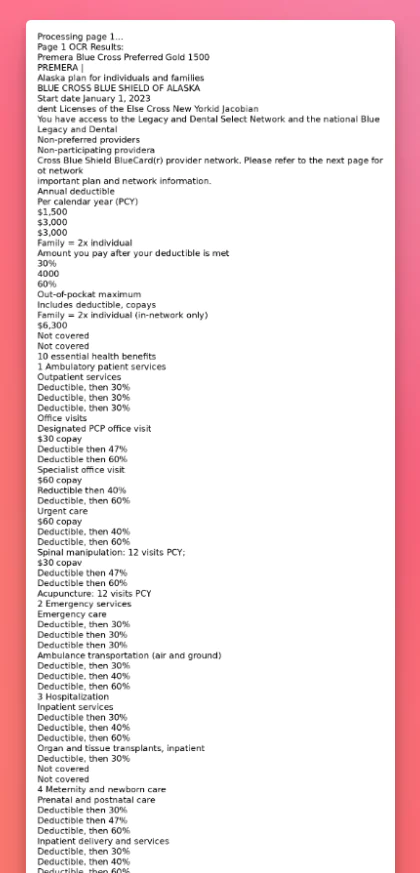
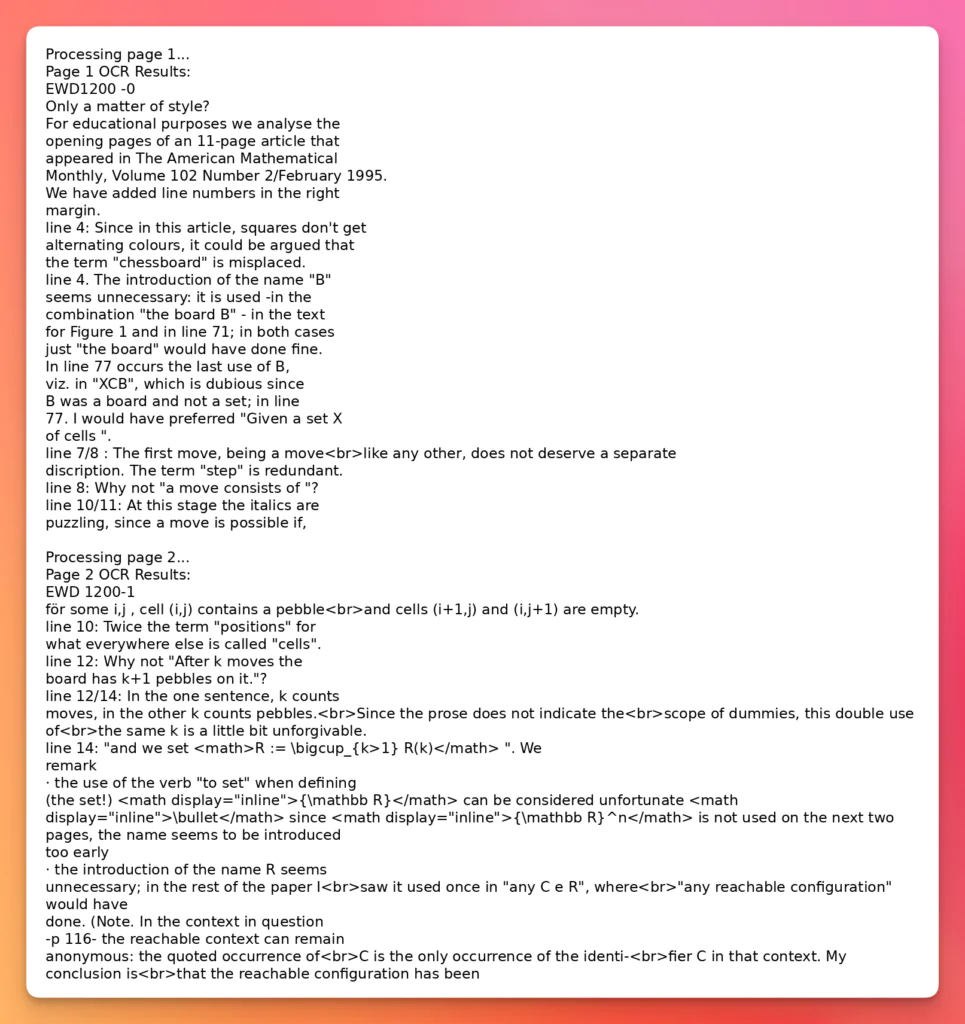
This script shows how to apply Surya OCR to PDF documents by rendering each page into an image with pypdfium2 and then passing it through Surya’s Foundation, Recognition, and Detection predictors. The pipeline first analyses the page layout, detects text regions, and then recognizes the textual content line by line.
docTR OCR
docTR (Document Text Recognition) is a deep-learning–based OCR library that integrates text detection and recognition into a single pipeline. Built on TensorFlow and PyTorch, it is designed for handling scanned documents, multi-column layouts, and mixed formatting, making it suitable for more complex document processing tasks than traditional OCR engines.
Installation:
pip install python-doctr
Usage:
from doctr.io import DocumentFile
from doctr.models import ocr_predictor
import sys

# Process the pdf file
def process_pdf(pdf_path):
    model = ocr_predictor(pretrained=True)
    # PDF
    doc = DocumentFile.from_pdf(pdf_path)
    # Analyze
    result = model(doc)
    # Export the result
    json_output = result.export()
    for page in json_output['pages']:
        for block in page['blocks']:
            for line in block['lines']:
                for word in line['words']:
                    print(word['value'])

# Main function, receives the path to the pdf file
if __name__ == "__main__":
    process_pdf(sys.argv[1])
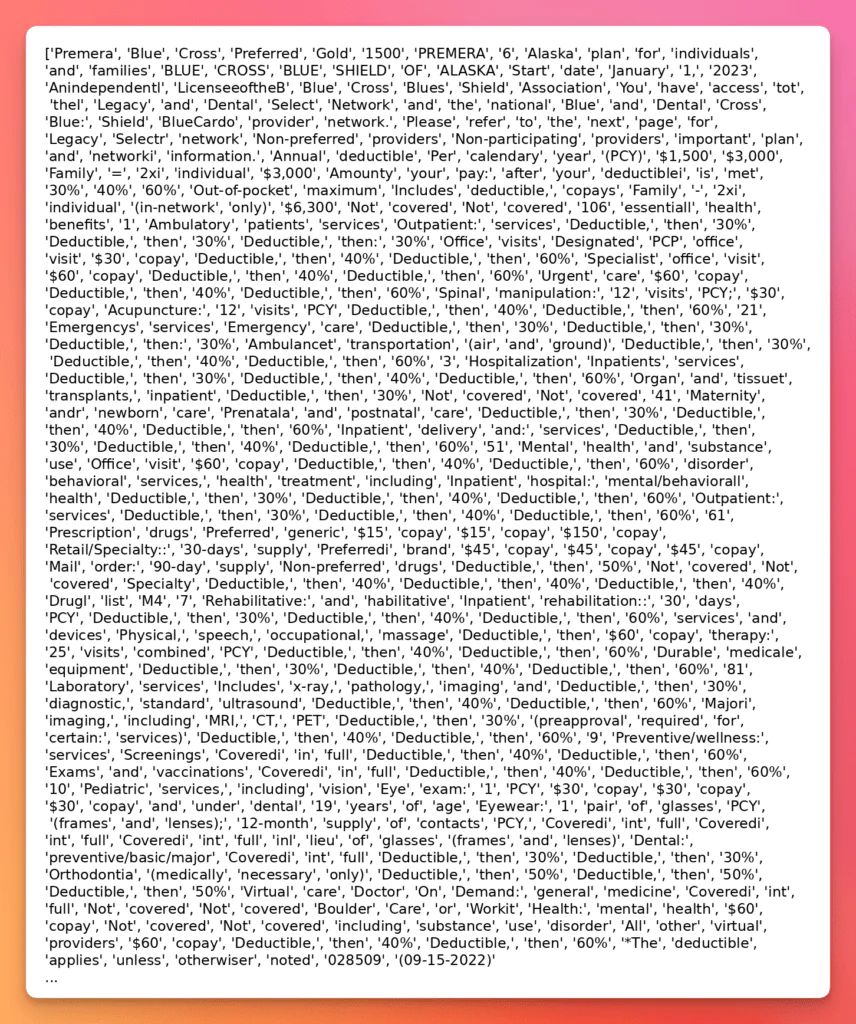
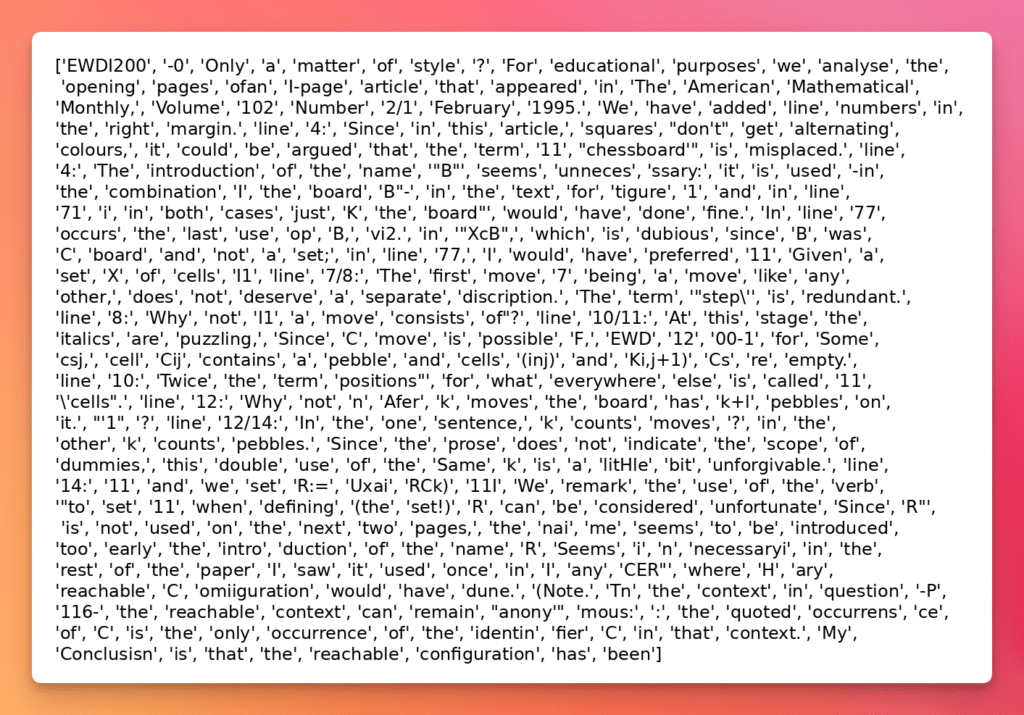
This script demonstrates how to use docTR for PDF OCR by loading the file with DocumentFile, running it through a pretrained ocr_predictor, and exporting the recognized content as structured JSON. The pipeline captures text at multiple levels (blocks, lines, words), allowing granular access to document content. In this example, the recognized words are iterated and printed directly.
Modern LLM-Based Open-Source OCR Models
Large Language Models (LLMs) are beginning to reshape how OCR is performed. Unlike traditional OCR engines, which focus on character recognition, LLM-based ocr can interpret context, adapt to irregular layouts, and even infer structure when documents don’t follow a standard pattern. These approaches are still new and come with trade-offs, such as higher resource demands and the risk of hallucinations, but they represent a significant step forward in OCR capabilities.
Recap of Past Evaluations
MistralOCR
MistralOCR is a modern LLM-based open-source OCR model designed to extract text from documents while interpreting context and layout. Unlike traditional OCR tools, it leverages large language models to understand structure and content, providing better results on irregular layouts and mixed-format documents. However, as with most LLM-based systems, it has limitations, especially with structured data, handwriting, and low-quality scans.
When to Use Mistral OCR:
✅ For clean, digital documents (e.g., basic PDFs with standard fonts and layout).
⚡ When you need fast Markdown output without additional processing.
Suitable for simple extraction tasks where layout fidelity and field grouping aren’t critical.
When not to use Mistral OCR:
Useful in document-heavy domains like logistics, legal, healthcare, and finance where accuracy and data structure are essential.
For scanned, skewed, or handwritten documents requiring layout-aware parsing.
When tables, checkboxes, or multi-format inputs (PDF, DOCX, XLSX) are involved.
Ideal for automation pipelines where structured or schema-mapped output is required.
In the following examples, both olmOCR and Qwen2.5-VL will be executed using the Hugging Face Transformers library. This ensures standardized model loading, tokenization, and inference across different architectures, while making it easy to swap between models or run them locally/with GPU acceleration.
olmOCR
olmOCR is an open-source OCR system developed by Allen AI, built upon the Qwen-2-VL 7B vision-language model. It specializes in converting rasterized PDFs and scanned documents into clean, structured text, preserving layout, tables, equations, and even handwriting. Unlike many proprietary solutions, olmOCR is fully open-source, offering transparency in training data, code, and methodologies.
Installation:
pip install transformers pypdfium2
Usage:
import base64
from transformers import AutoProcessor, AutoModelForVision2Seq
import sys
import pypdfium2 as pdfium
import torch
from transformers import AutoProcessor, AutoModelForImageTextToText

# Process the pdf file
def process_pdf(pdf_path):
    # Load a document
    pdf = pdfium.PdfDocument(pdf_path)

    # Loop over pages and render
    image_list = []
    for i in range(len(pdf)):
        page = pdf[i]
        image = page.render(scale=1).to_pil()

        # Save image
        file_name = f"docs/output/page_{i+1}.png"
        image.save(file_name)

        # Encode image to base64
        with open(file_name, "rb") as image_file:
            encoded_string = base64.b64encode(image_file.read()).decode('utf-8')

        # Load the model
        model_id = "allenai/olmOCR-7B-0725"
        processor = AutoProcessor.from_pretrained(model_id)
        model = AutoModelForImageTextToText.from_pretrained(model_id, torch_dtype=torch.float16).to("cuda").eval()

        # Define the prompt
        PROMPT = """
                Attached is one page of a document that you must process.
                Just return the plain text representation of this document as if you were reading it naturally.
                Convert equations to LateX and tables to markdown.
                Return your output as markdown
            """

        # Define the messages
        messages = [
            {
                "role": "user",
                "content": [
                    {
                        "type": "image",
                        "image": encoded_string,
                    },
                    {"type": "text", "text": PROMPT},
                ],
            }
        ]

        # Apply the chat template
        inputs = processor.apply_chat_template(
            messages,
            add_generation_prompt=True,
            tokenize=True,
            return_dict=True,
            return_tensors="pt"
        ).to(model.device)
# Generate the output
        output_ids = model.generate(**inputs, max_new_tokens=1000)
        generated_ids = [output_ids[len(input_ids):] for input_ids, output_ids in zip(inputs.input_ids, output_ids)]
        # Decode the output
        output_text = processor.batch_decode(generated_ids, skip_special_tokens=True, clean_up_tokenization_spaces=True)
        # Print the output
        print(output_text)

    # Close the PDF
    pdf.close()

# Main function, receives the path to the pdf file
if __name__ == "__main__":
    process_pdf(sys.argv[1])
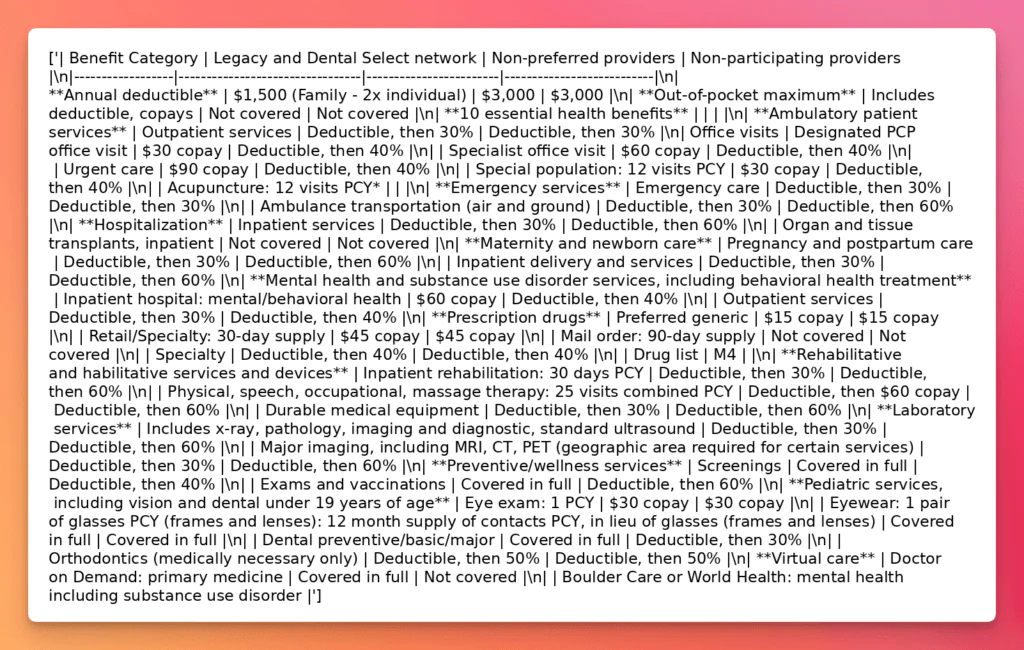
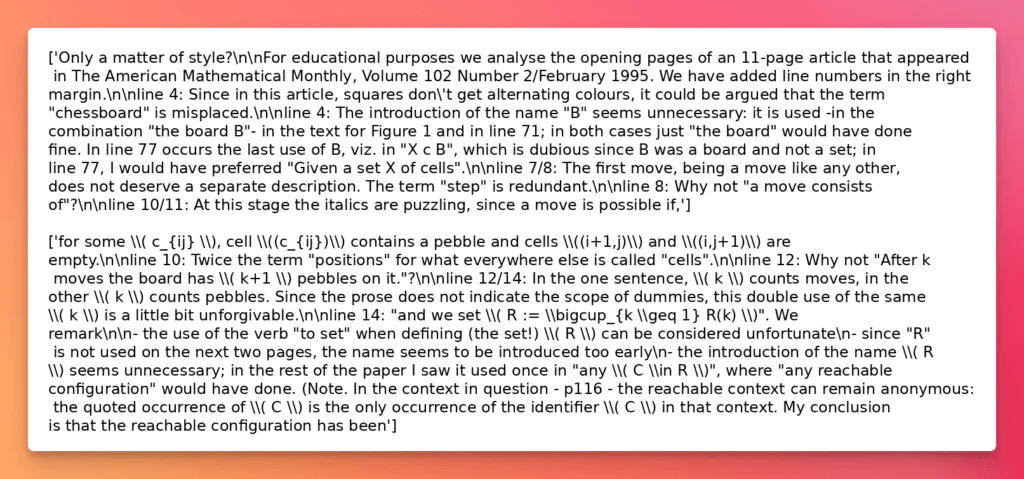
This script showcases how to use olmOCR-7B by converting PDF pages into images, encoding them in Base64, and sending them with a natural language prompt to the multimodal model. Unlike traditional OCR software, olmOCR interprets the document contextually, returning plain text output in Markdown (defined in this prompt). Running on GPU via Hugging Face’s transformers, it leverages the AutoProcessor and AutoModelForImageTextToText pipeline to generate rich, structured text representations directly from scanned PDFs.
Qwen2.5vl
Qwen2.5-VL is a state-of-the-art vision-language model developed by Alibaba Group. It integrates advanced visual perception with deep language understanding, enabling it to process and interpret images and documents at native resolutions. The model is designed to handle complex document layouts, multi-language text, and various orientations, making it highly effective for OCR tasks.
Installation:
pip install transformers pypdfium2
Usage:
import base64
from transformers import AutoProcessor, AutoModelForVision2Seq
import sys
import pypdfium2 as pdfium
import torch
from transformers import AutoProcessor, AutoModelForImageTextToText

# Process the pdf file
def process_pdf(pdf_path):
    # Load a document
    pdf = pdfium.PdfDocument(pdf_path)

    # Loop over pages and render
    image_list = []
    for i in range(len(pdf)):
        page = pdf[i]
        image = page.render(scale=1).to_pil()

        # Save image
        file_name = f"docs/output/page_{i+1}.png"
        image.save(file_name)

        # Encode image to base64
        with open(file_name, "rb") as image_file:
            encoded_string = base64.b64encode(image_file.read()).decode('utf-8')

        # Load the model
        model_id = "Qwen/Qwen2.5-VL-7B-Instruct"
        processor = AutoProcessor.from_pretrained(model_id)
        model = AutoModelForImageTextToText.from_pretrained(model_id, torch_dtype=torch.float16).to("cuda").eval()

        # Define the prompt
        PROMPT = """
                Attached is one page of a document that you must process.
                Just return the plain text representation of this document as if you were reading it naturally.
                Convert equations to LateX and tables to markdown.
                Return your output as markdown
            """

        # Define the messages
        messages = [
            {
                "role": "user",
                "content": [
                    {
                        "type": "image",
                        "image": encoded_string,
                    },
                    {"type": "text", "text": PROMPT},
                ],
            }
        ]

        # Apply the chat template
        inputs = processor.apply_chat_template(
            messages,
            add_generation_prompt=True,
            tokenize=True,
            return_dict=True,
            return_tensors="pt"
        ).to(model.device)

        # Generate the output
        output_ids = model.generate(**inputs, max_new_tokens=1000)
        generated_ids = [output_ids[len(input_ids):] for input_ids, output_ids in zip(inputs.input_ids, output_ids)]
        # Decode the output
        output_text = processor.batch_decode(generated_ids, skip_special_tokens=True, clean_up_tokenization_spaces=True)
        # Print the output
        print(output_text)

    # Close the PDF
    pdf.close()

# Main function, receives the path to the pdf file
if __name__ == "__main__":
    process_pdf(sys.argv[1])
This script demonstrates how to use Qwen2.5-VL-7B-Instruct via Hugging Face Transformers for document OCR and structured extraction. Each page of a PDF is rendered to an image with pypdfium2, encoded to base64, and passed along with a text prompt that instructs the model to output markdown-formatted text.
Additional open-weight / open source OCR models (2026 update)
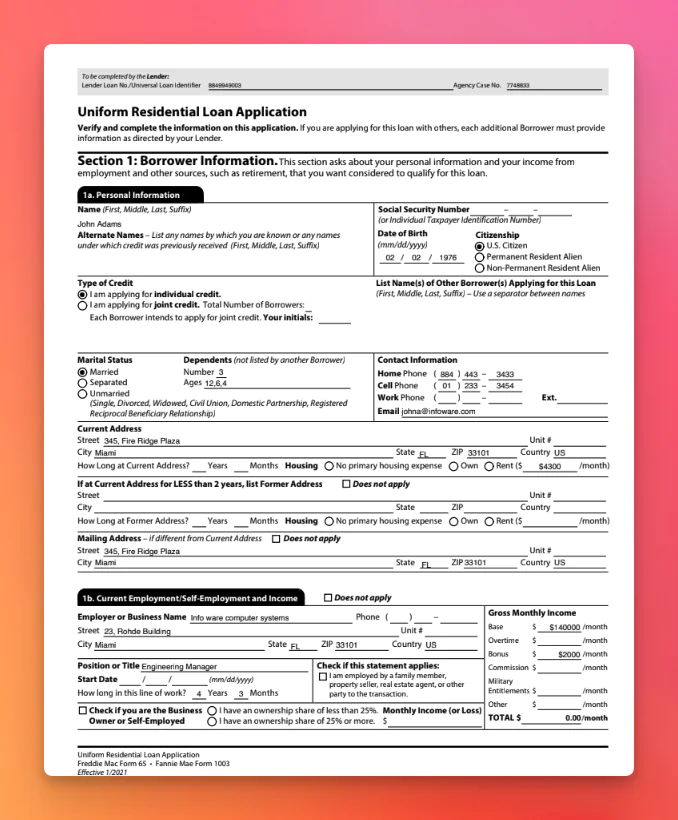
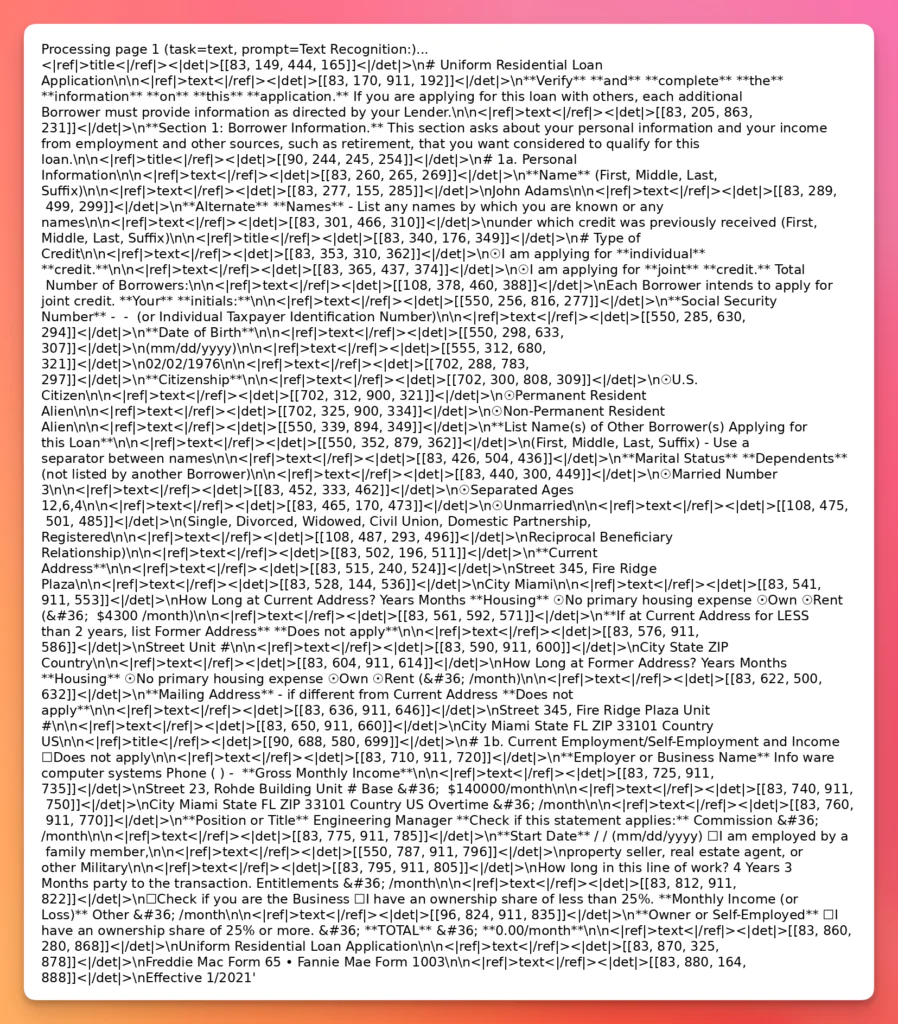
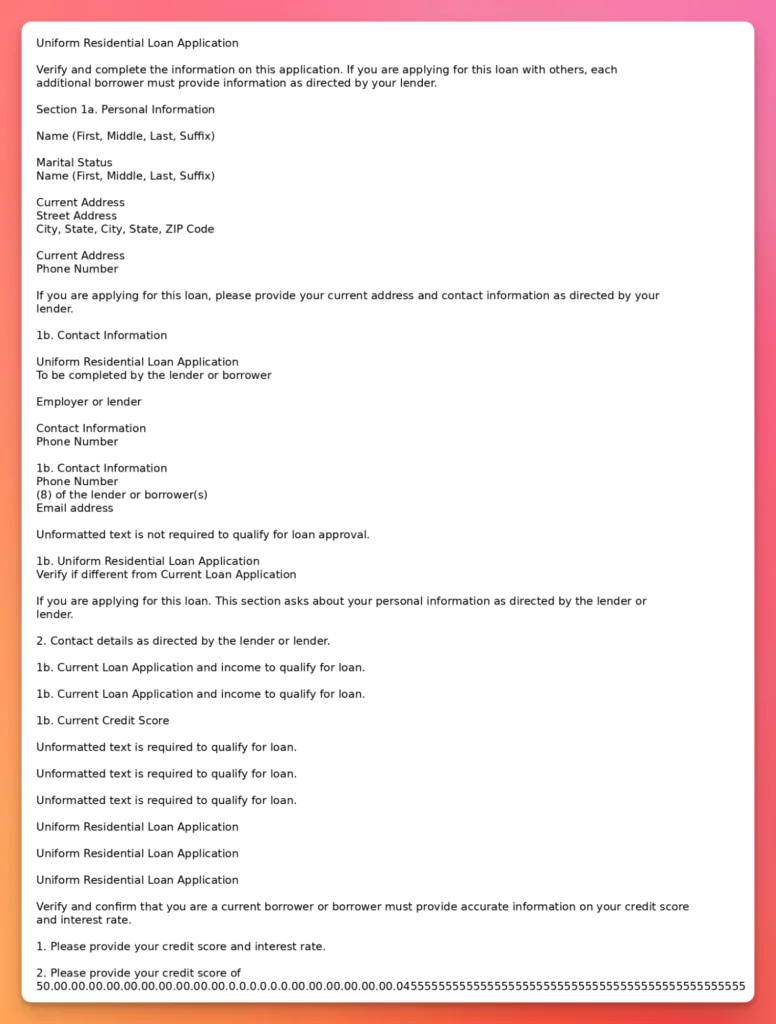
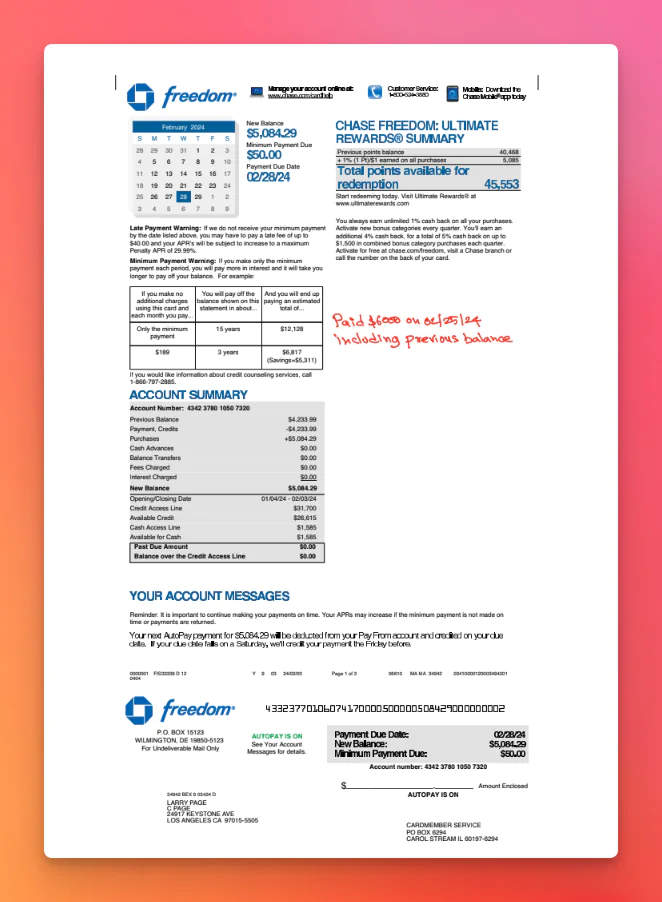
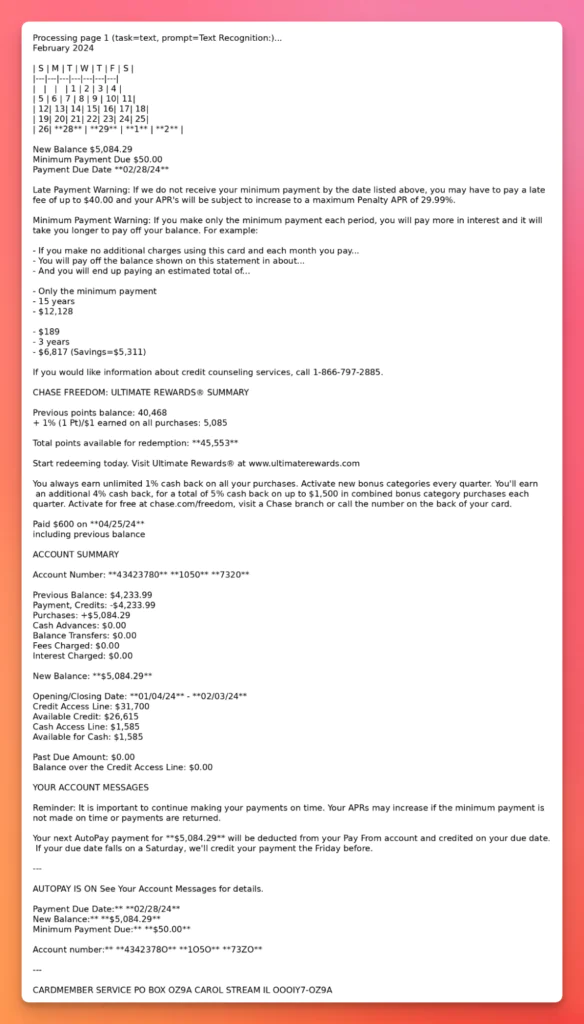
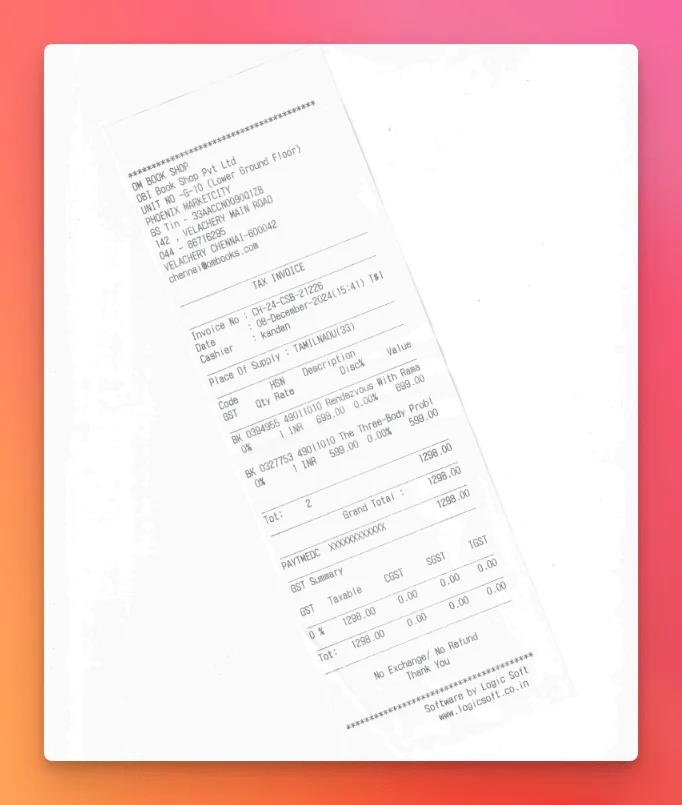
The evaluation below covers Dots.OCR, DeepSeek-OCR, GLM-OCR, and RolmOCR across five document types that reflect production complexity rather than clean lab scans: insurance tables, loan checkboxes, bank-statement layout, skewed receipts, and handwritten pages.
Before diving into per-document behaviour, it helps to understand where each model sits in the 2026 open-weight field.
All these examples can share the same PDF→image preprocessing.
import sys
import pypdfium2 as pdfium
import torch
from PIL import Image
from transformers import AutoProcessor, AutoModelForImageTextToText

MODEL_NAME=""

# Process the pdf file
def process_pdf(pdf_path):
    device = "cuda" if torch.cuda.is_available() else "cpu"
    dtype = torch.bfloat16 if device == "cuda" else torch.float32

    processor = AutoProcessor.from_pretrained(MODEL_NAME)
    model = (
        AutoModelForImageTextToText.from_pretrained(MODEL_NAME, torch_dtype=dtype, device_map="auto" if device == "cuda" else None)
        .to(device)
        .eval()
    )

    pdf = pdfium.PdfDocument(pdf_path)
    for i in range(len(pdf)):
        page = pdf[i]
        image: Image.Image = page.render(scale=2).to_pil().convert("RGB")

        file_name = f"docs/output/page_{i+1}.png"
        image.save(file_name)

        PROMPT = (
            "You are given one document page image.\n"
            "Return a faithful transcription as Markdown.\n"
            "- Preserve reading order\n"
            "- Convert tables to Markdown tables\n"
            "- Convert equations to LaTeX\n"
            "- Do not invent content\n"
        )

        messages = [
            {
                "role": "user",
                "content": [
                    {
                        "type": "image",
                        "image": image,
                    },
                    {"type": "text", "text": PROMPT},
                ],
            }
        ]

        inputs = processor.apply_chat_template(
            messages,
            add_generation_prompt=True,
            tokenize=True,
            return_dict=True,
            return_tensors="pt"
        ).to(model.device)

        output_ids = model.generate(**inputs, max_new_tokens=2048, do_sample=False, temperature=0.0)
        generated = output_ids[0][inputs["input_ids"].shape[1]:]
        output_text = processor.decode(generated, skip_special_tokens=True)
        print(output_text)

    pdf.close()

# Main function, receives the path to the pdf file
if __name__ == "__main__":
    process_pdf(sys.argv[1])
Then configure the proper model by replacing MODEL_NAME to the corresponding model, as described in each model section.
Dots.OCR
Dots.OCR is a layout-aware document parser that emits structured Markdown/JSON, not just raw text. In March 2026 the project was rebranded to dots.mocr, with weights published on Hugging Face; the Transformers path typically uses trust_remote_code=True.
MODEL_NAME="rednote-hilab/dots.mocr"
DeepSeek OCR
DeepSeek-OCR 2 was released in late January 2026 and continues DeepSeek’s optical context compression line, optimized for grounded Markdown conversion and efficient throughput. In practice, it’s one of the most reliable open-weight options for “PDF page → Markdown” when you can run on a modern GPU.
MODEL_NAME="deepseek-ai/DeepSeek-OCR-2"
GLM-OCR
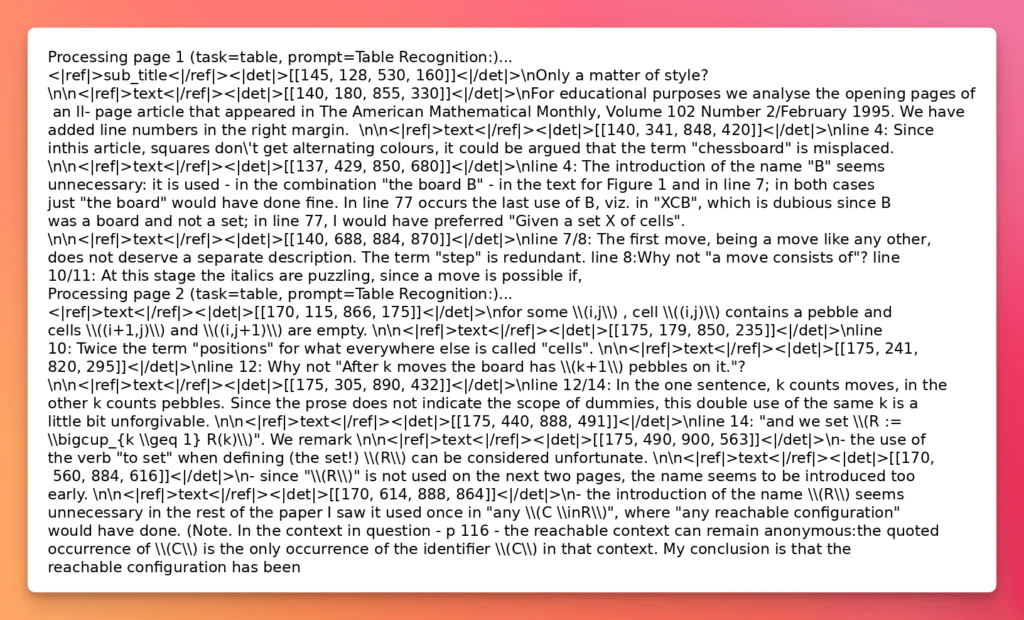
GLM-OCR is a 0.9B model built around a CogViT visual encoder and efficient token downsampling. It supports task-style prompting for text, formula, and table recognition (commonly via prompts like “Text Recognition:”, “Formula Recognition:”, “Table Recognition:”).
MODEL_NAME="zai-org/GLM-OCR"
RolmOCR
RolmOCR is a fine-tune of Qwen2.5-VL-7B trained on the same dataset as olmOCR, intended as a faster, lower-memory drop-in alternative. It achieves VLM-level text recognition without the resource demands of 30B+ models and is practical for GPU-constrained or local deployments.
MODEL_NAME="reducto/RolmOCR"
The Role of LLMs in OCR
Large Language Models bring a fundamentally different approach to OCR. Instead of only recognizing characters, they can interpret structure, context, and intent, making them especially effective for documents with irregular layouts, multi-column text, or a mix of tables, handwriting, and images. In essence, LLMs can “read” documents more like humans do, reconstructing meaning rather than just transcribing shapes.
Advantages
Context-aware extraction – LLMs understand not just words, but how they relate, enabling better handling of tables, forms, and multi-modal inputs.
Flexible layouts – Work well with semi-structured or messy documents where traditional OCR struggles.
Beyond text – Can interpret metadata, infer relationships, and sometimes even detect errors or missing content.
Drawbacks
But these strengths come with real challenges:
Hallucinations – LLMs may invent words, numbers, or structures not present in the source. For example, an invoice total might be “corrected” incorrectly because the model inferred a pattern.
Resource intensive – Running LLM-based OCR often requires GPUs, large memory, and careful optimization, making it harder to deploy at scale.
Unpredictable outputs – Unlike traditional OCR, which is deterministic, LLMs may produce slightly different results for the same input. This is problematic in compliance-heavy industries.
Maintenance complexity – Fine-tuning or prompting strategies may be needed to keep accuracy consistent across diverse document types.
When to Use LLM/AI-based OCR (and When Not To)
LLM-based OCR is best suited for R&D, experimental projects, or innovation-driven use cases where flexibility and interpretive power matter more than strict reproducibility. It’s a great choice when documents are highly varied or contain unstructured information.
However, for enterprise-scale, compliance-driven, or mission-critical workflows, relying solely on LLMs is risky. In those cases, a hybrid approach, using traditional OCR for core text extraction, with LLMs layered on top for context-aware interpretation, often strikes the best balance.
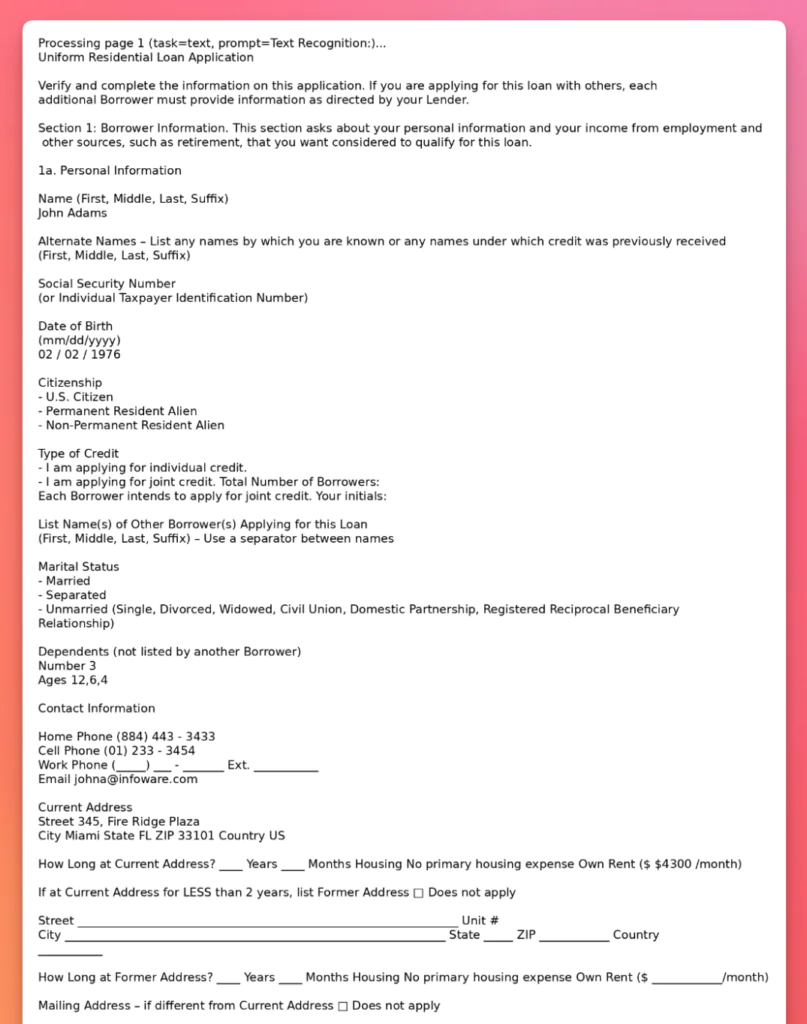
LLMWhisperer: Best OCR for PDF Checkbox Extraction
PDF forms have checkboxes and radiobuttons that can be filled out by the user. These form elements are used to collect data from the user. In this video, we will show how to extract these form elements using LLMWhisperer in a way that LLMs can understand.
Best Open-Source OCR: Results & Insights
For evaluating and comparing the different open-source OCR tools, we selected a set of test documents designed to reflect real-world challenges and common use cases.
How to Read the Results
These comparisons are meant to be practical, not academic. When you look at each output panel, focus on:
Reading order: does the output preserve the top-to-bottom / left-to-right intent, especially on multi-column pages?
Structure: are tables emitted as tables (not flattened), and are form fields kept near their labels?
Numerical integrity: totals, dates, account numbers, and IDs are where OCR failures hurt the most – verify these even when the Markdown looks “clean”.
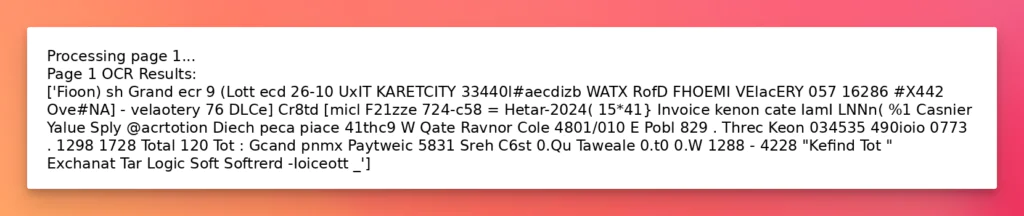
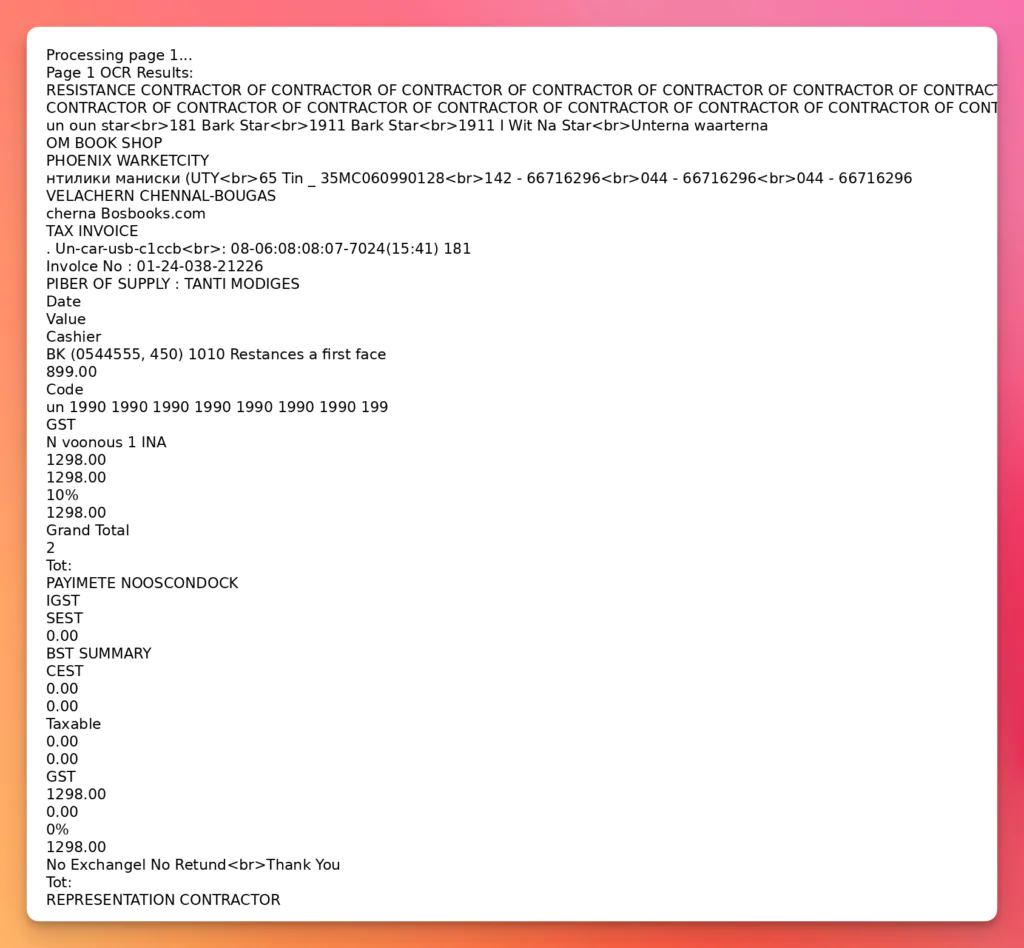
Noise tolerance: skew, blur, and scan artifacts are the fastest way to separate robust pipelines from demo-only ones.
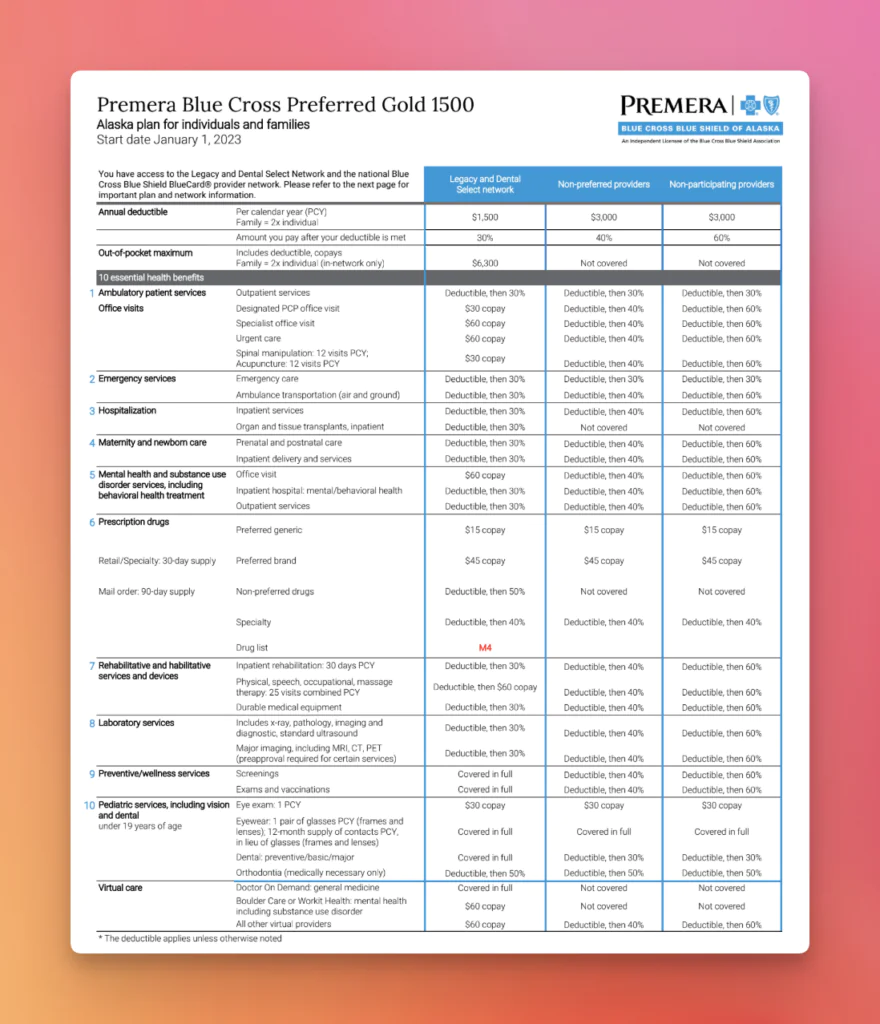
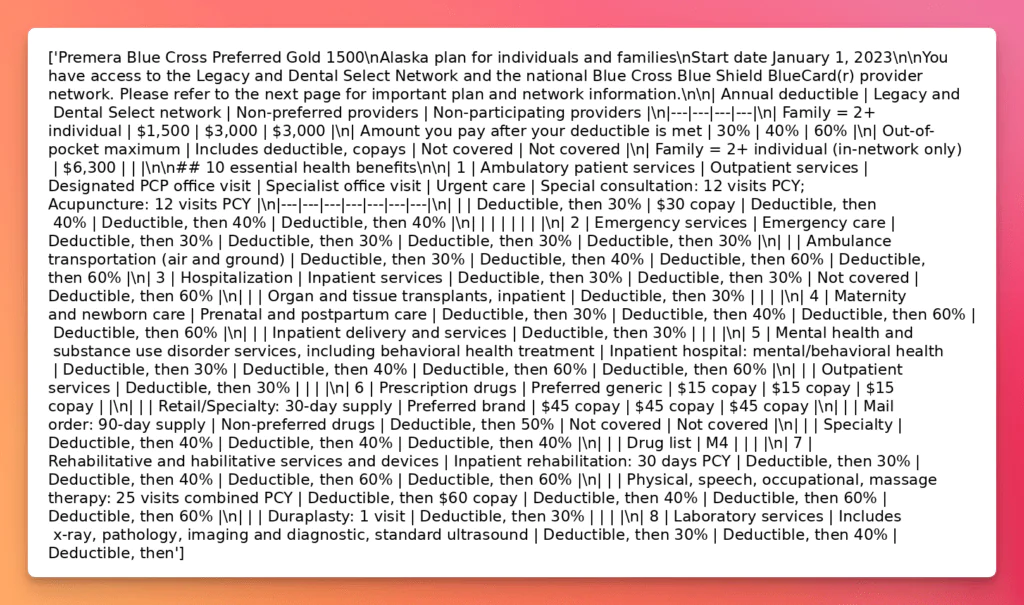
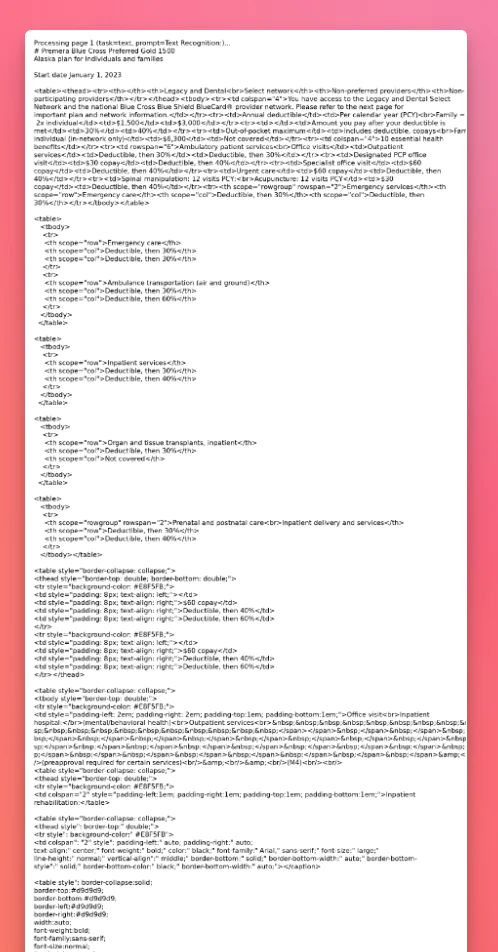
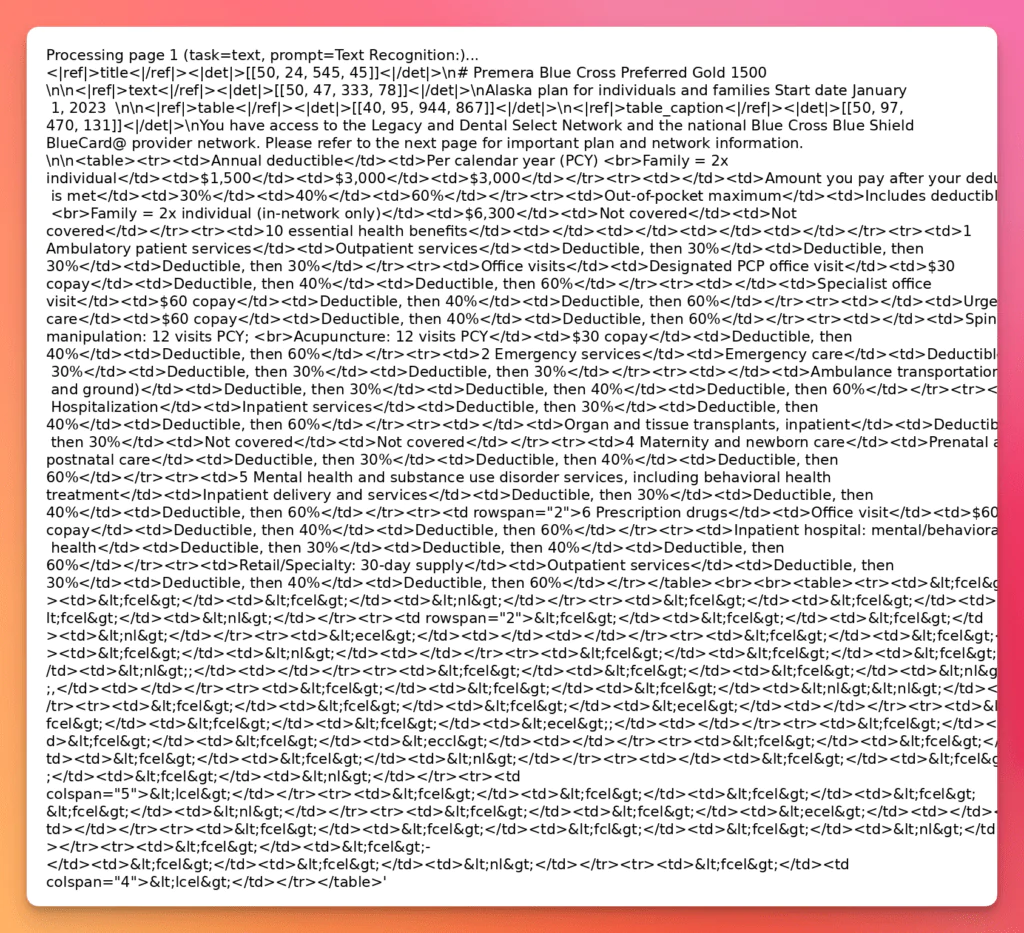
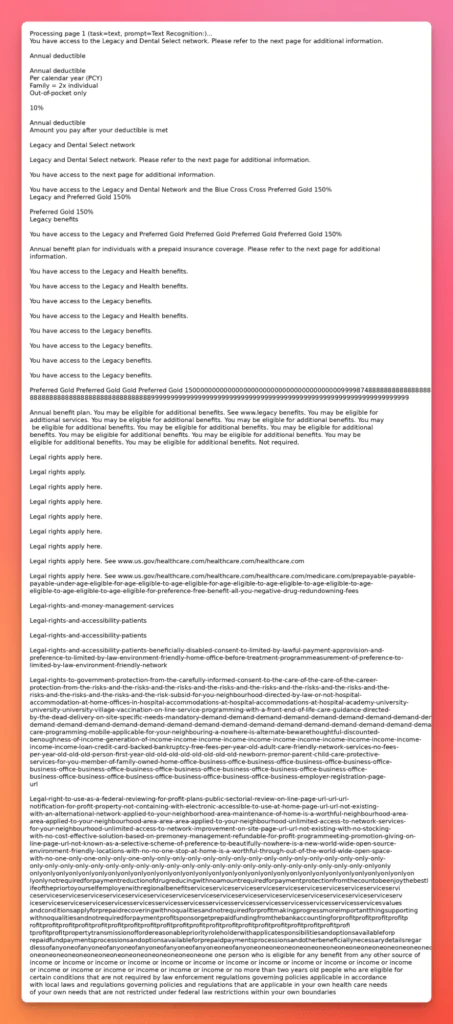
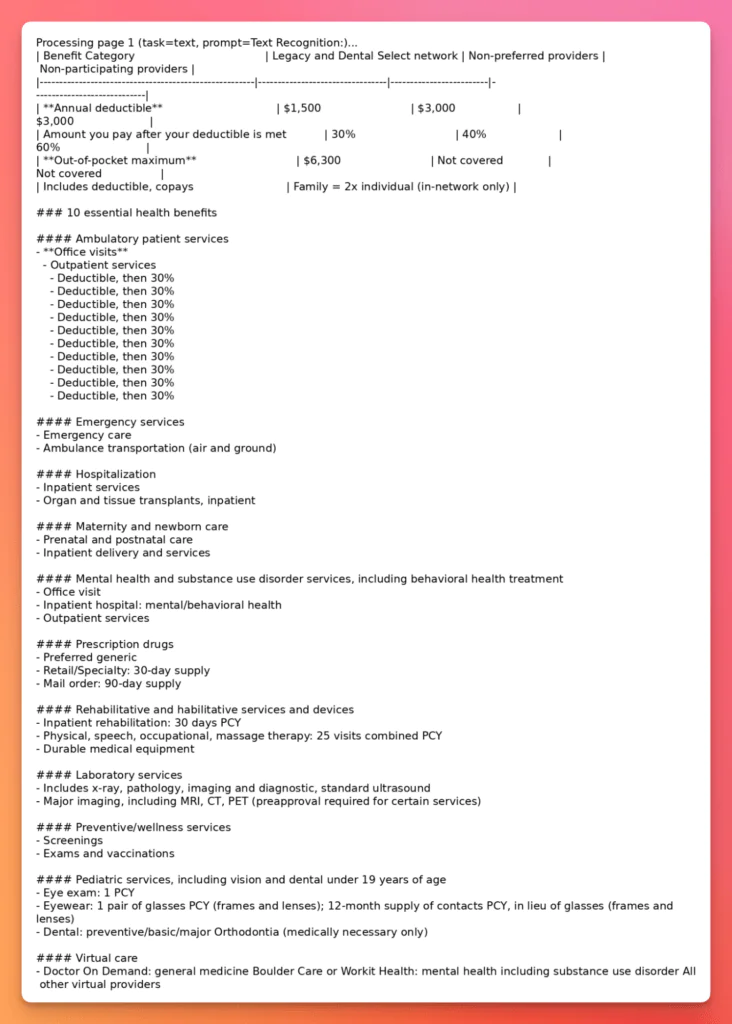
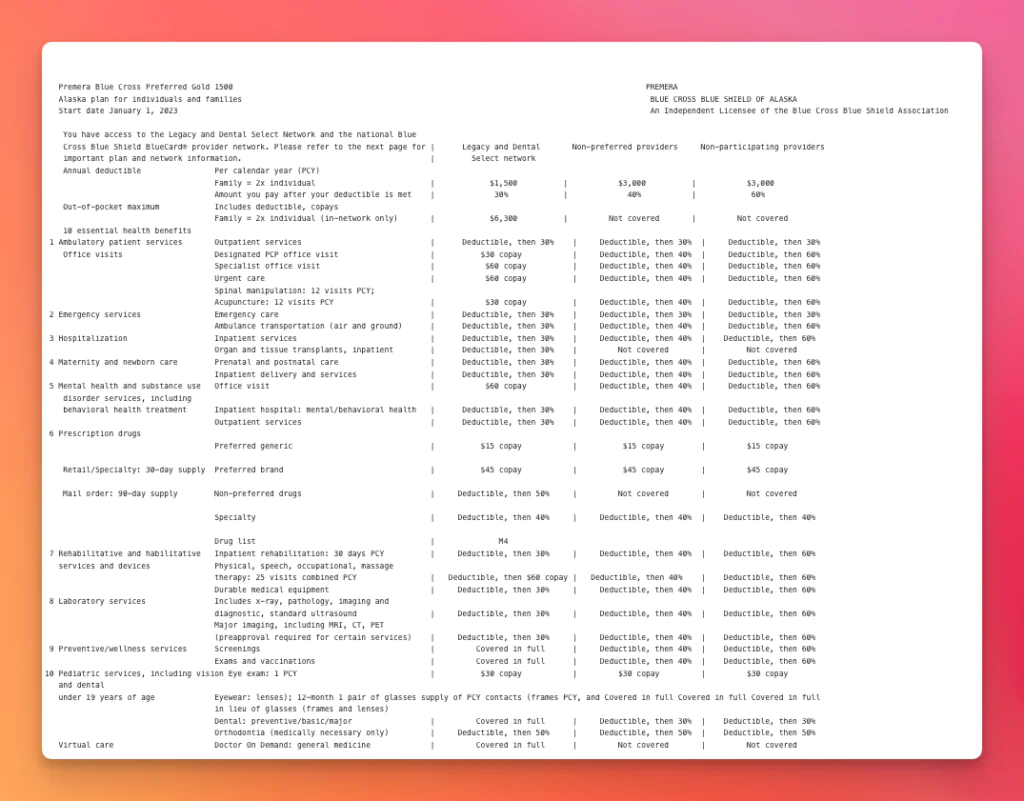
Insurance Plan – Complex Tables
Tests the ability to correctly extract structured data from multi-row, multi-column tables with nested details.
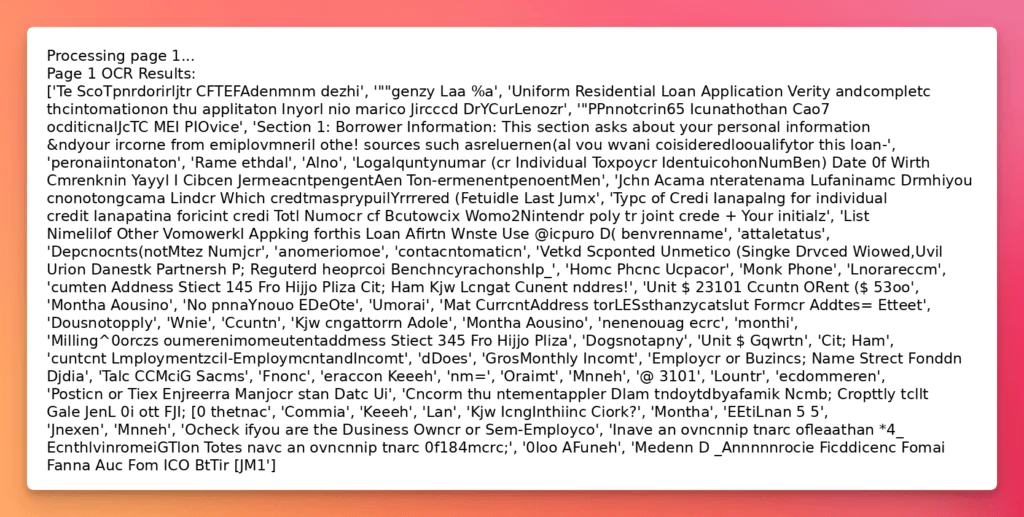
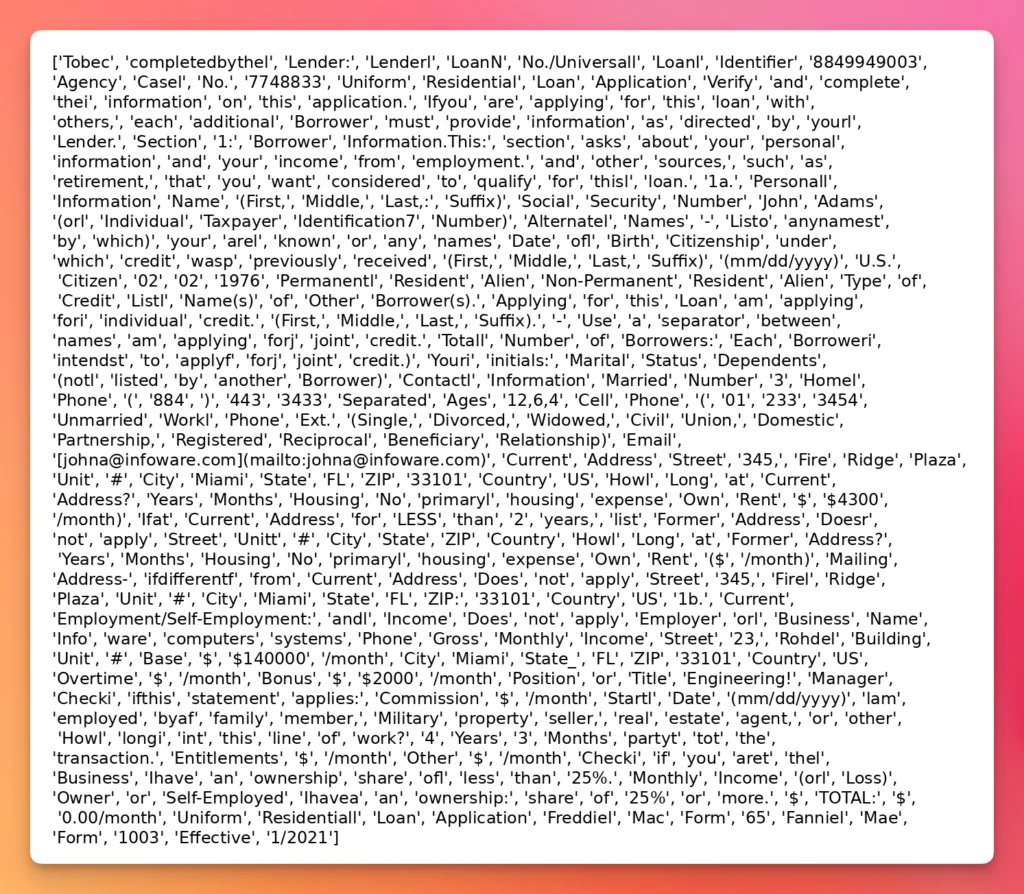
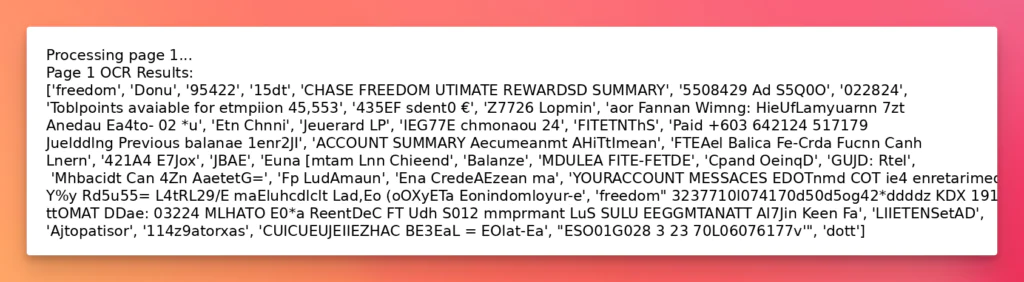
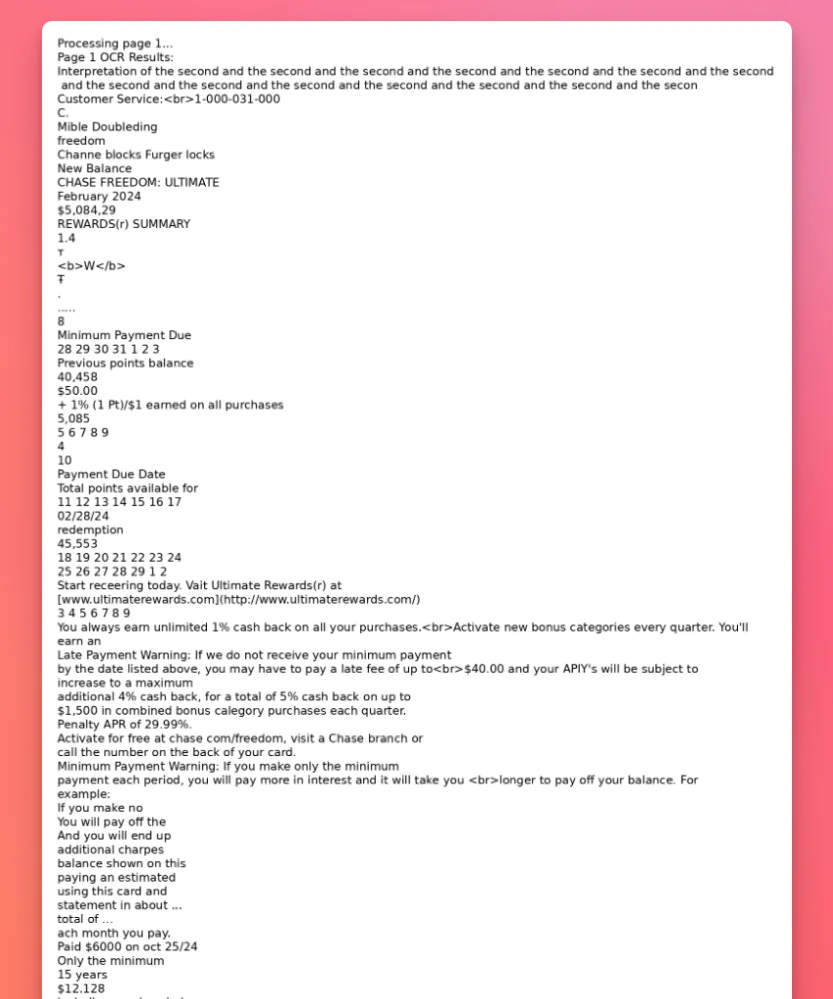
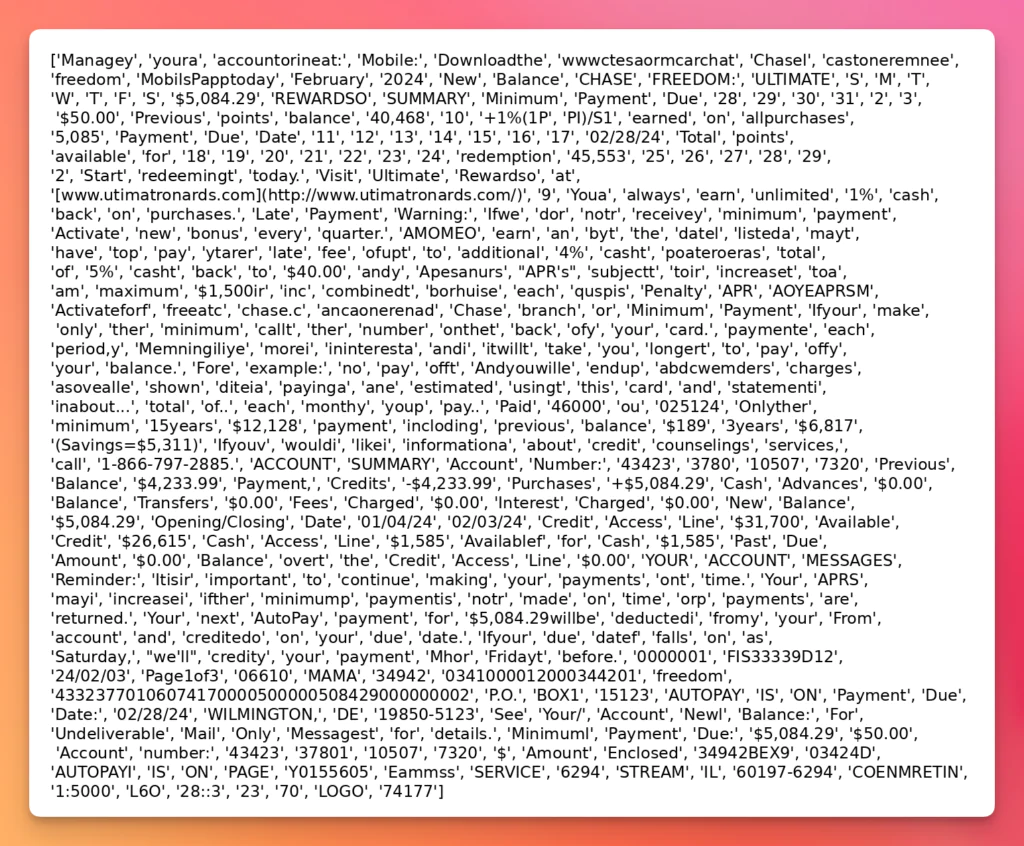
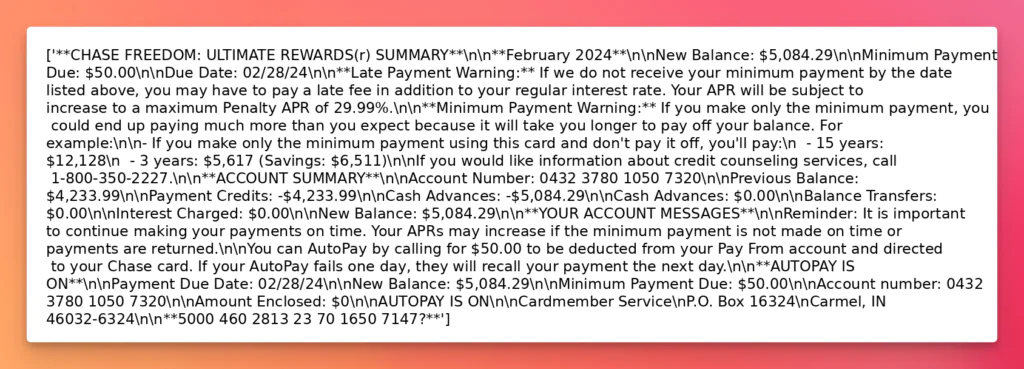
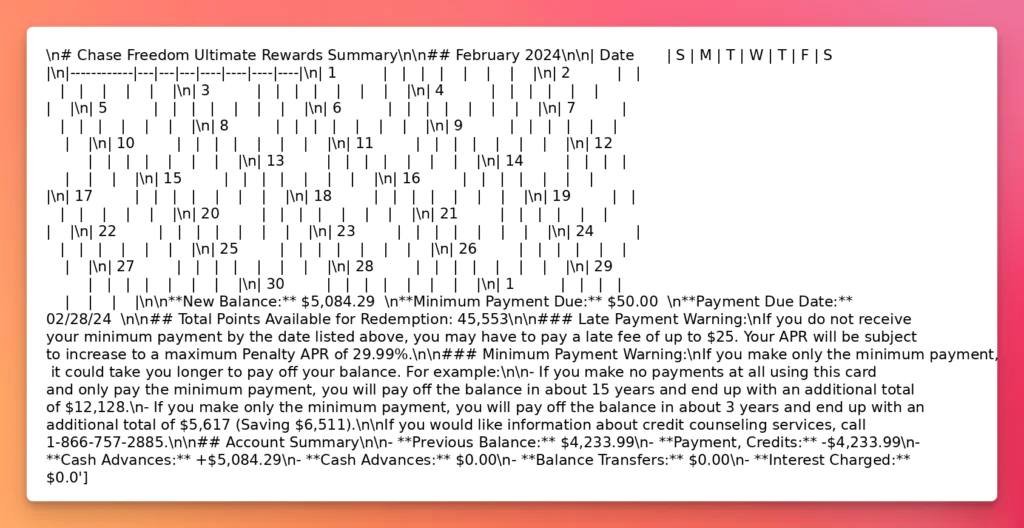
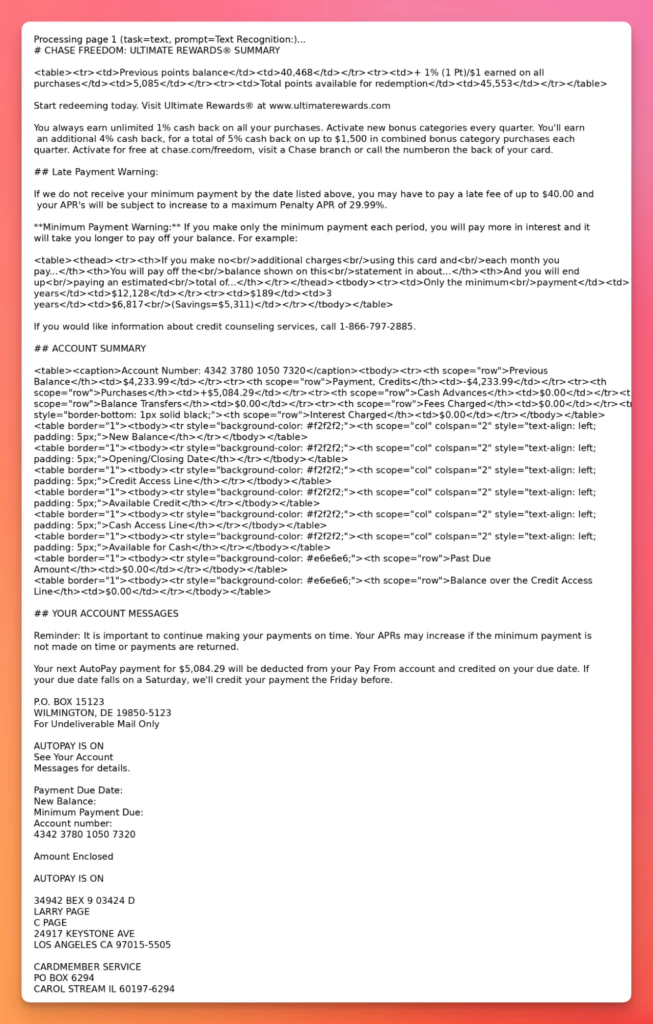
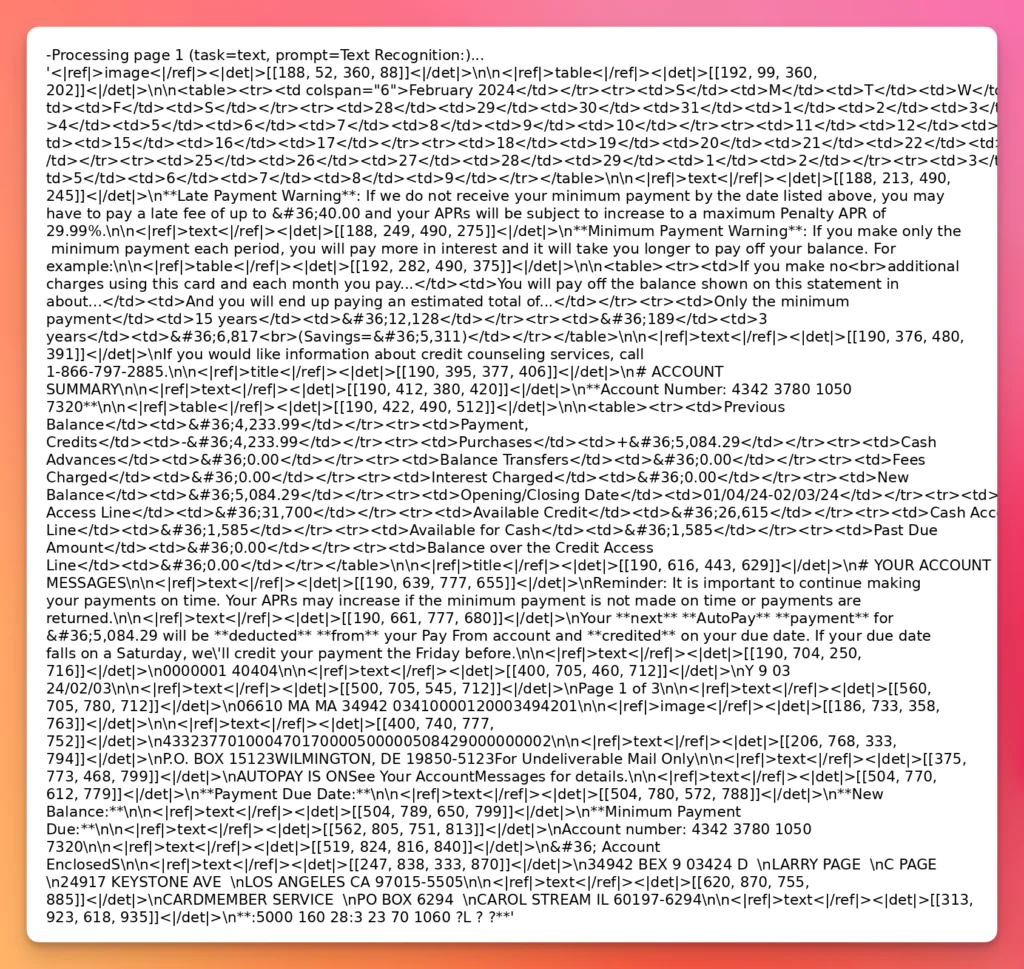
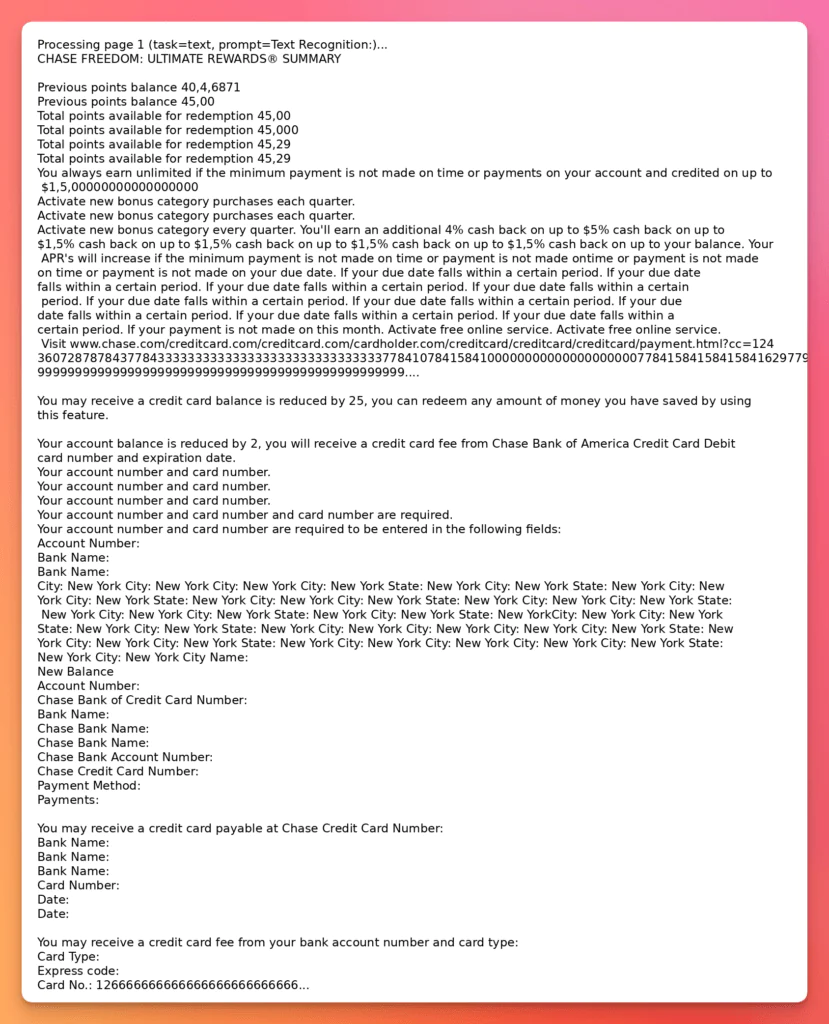
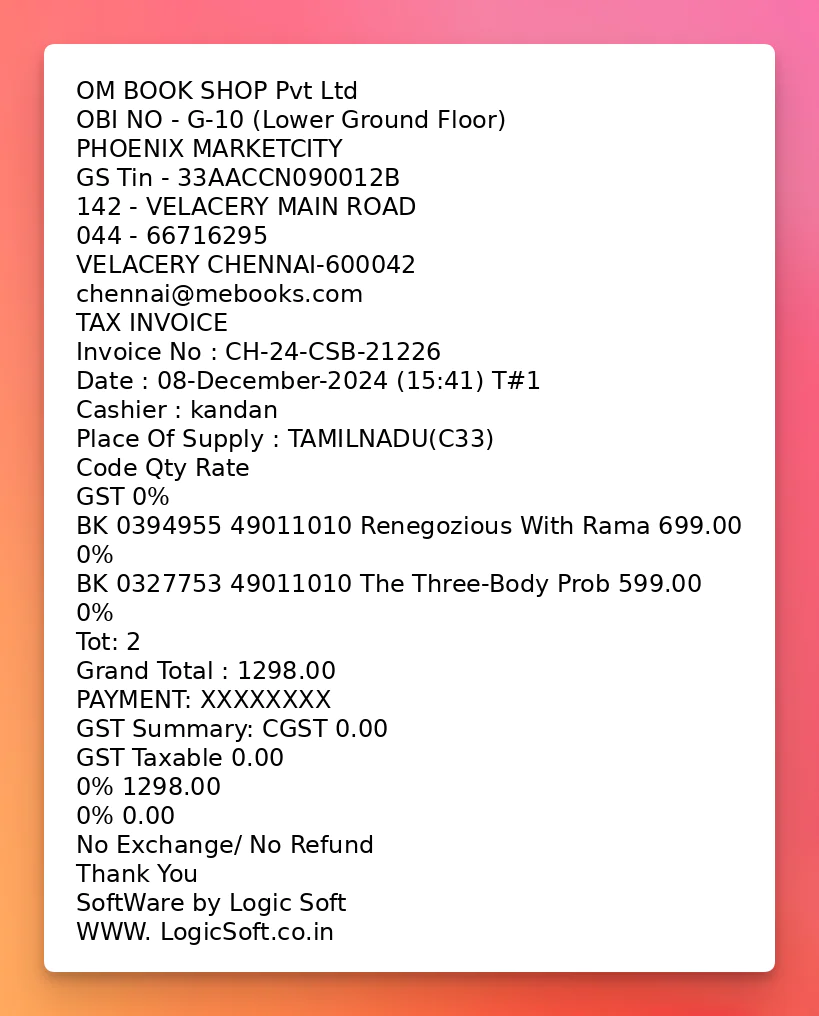
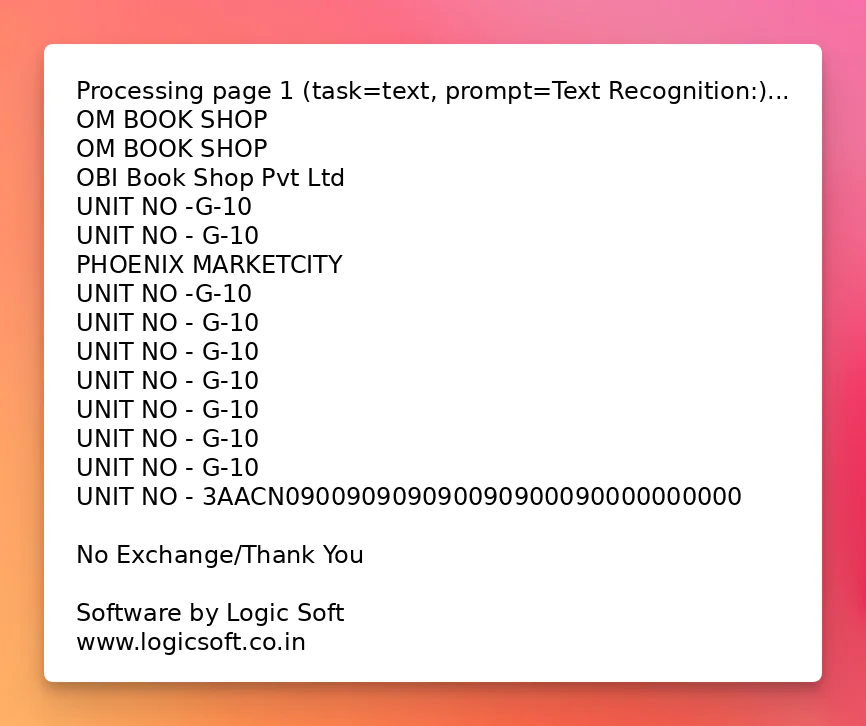
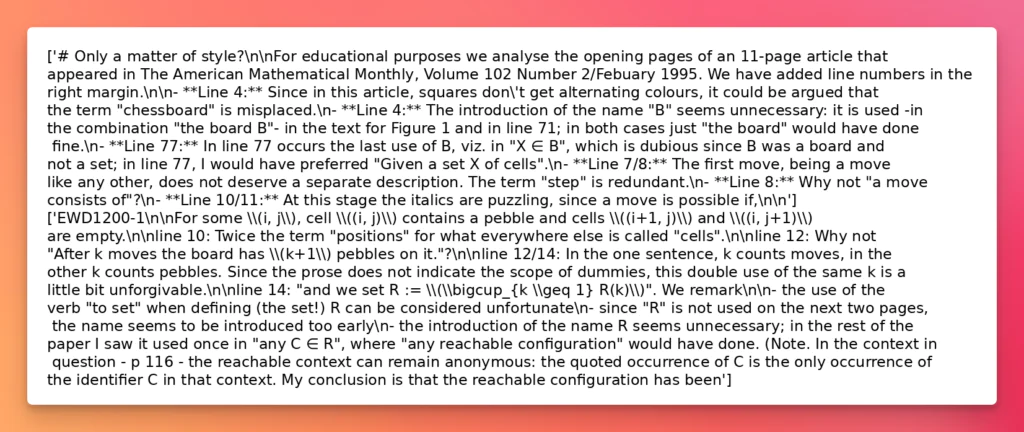
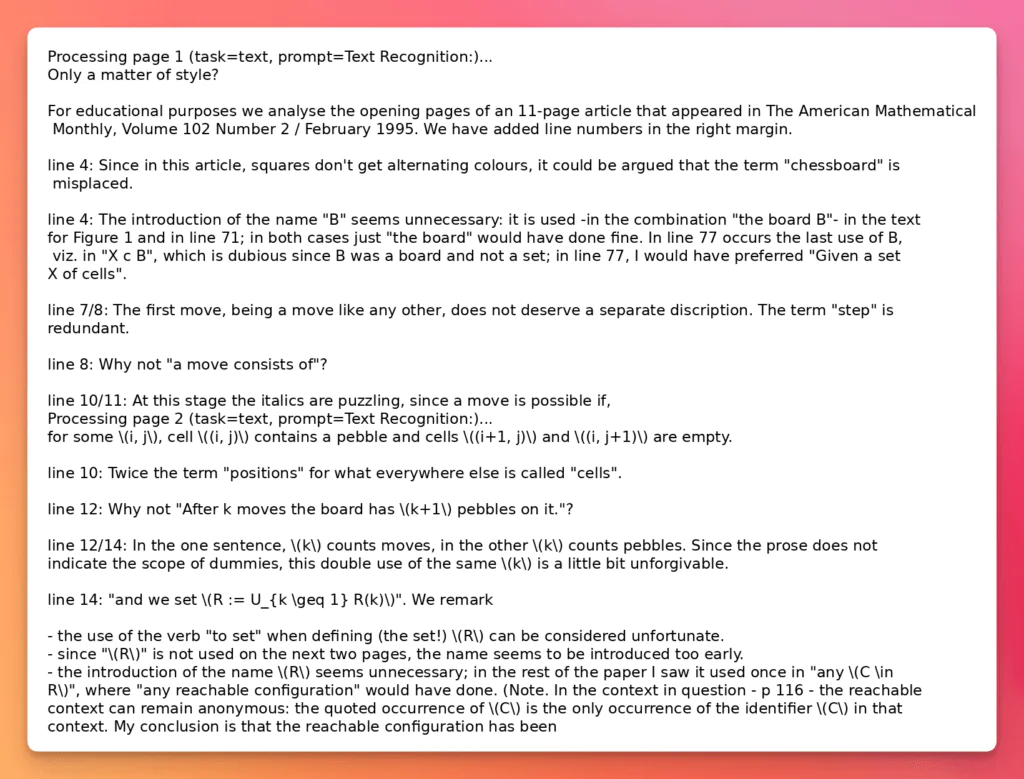
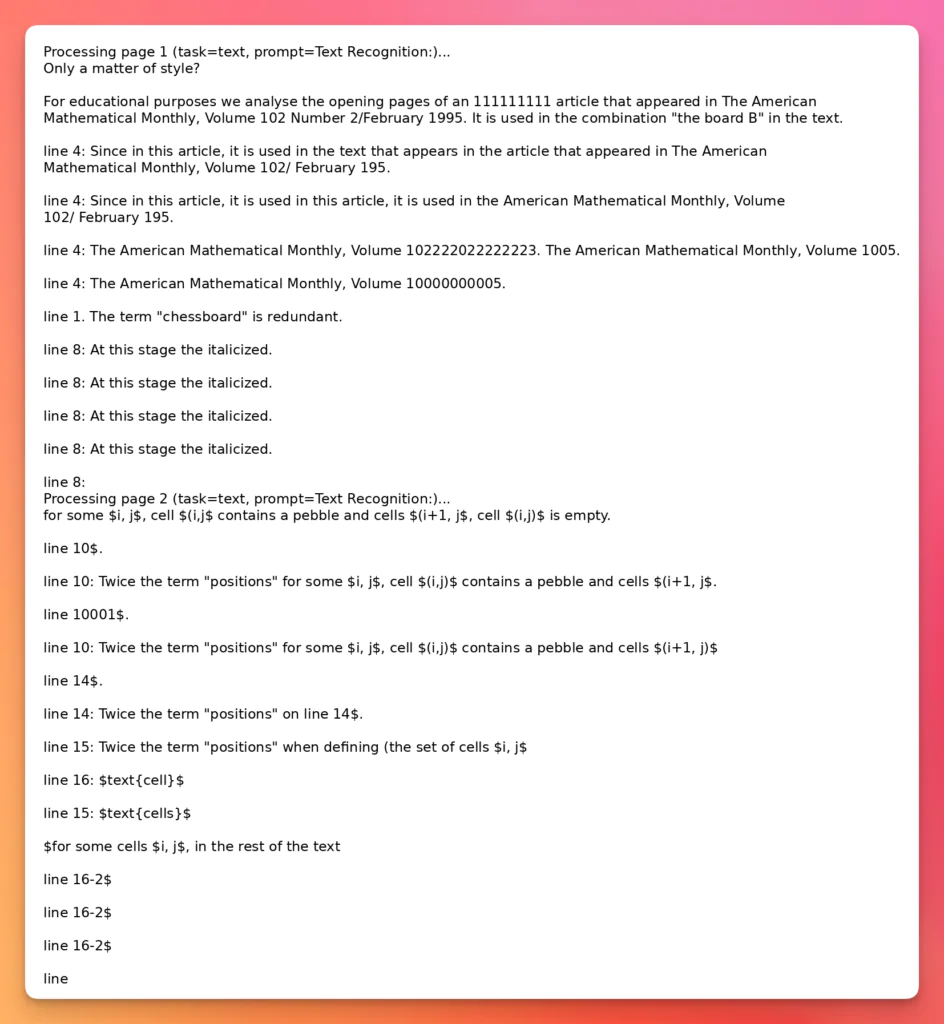
The results show clear differences between traditional OCR engines (e.g., EasyOCR) and modern LLM-driven OCR models (e.g., Qwen2.5-VL).
Observed Strengths & Weaknesses
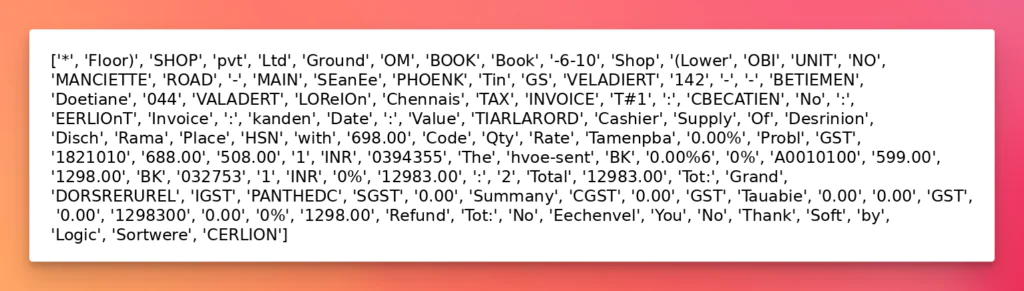
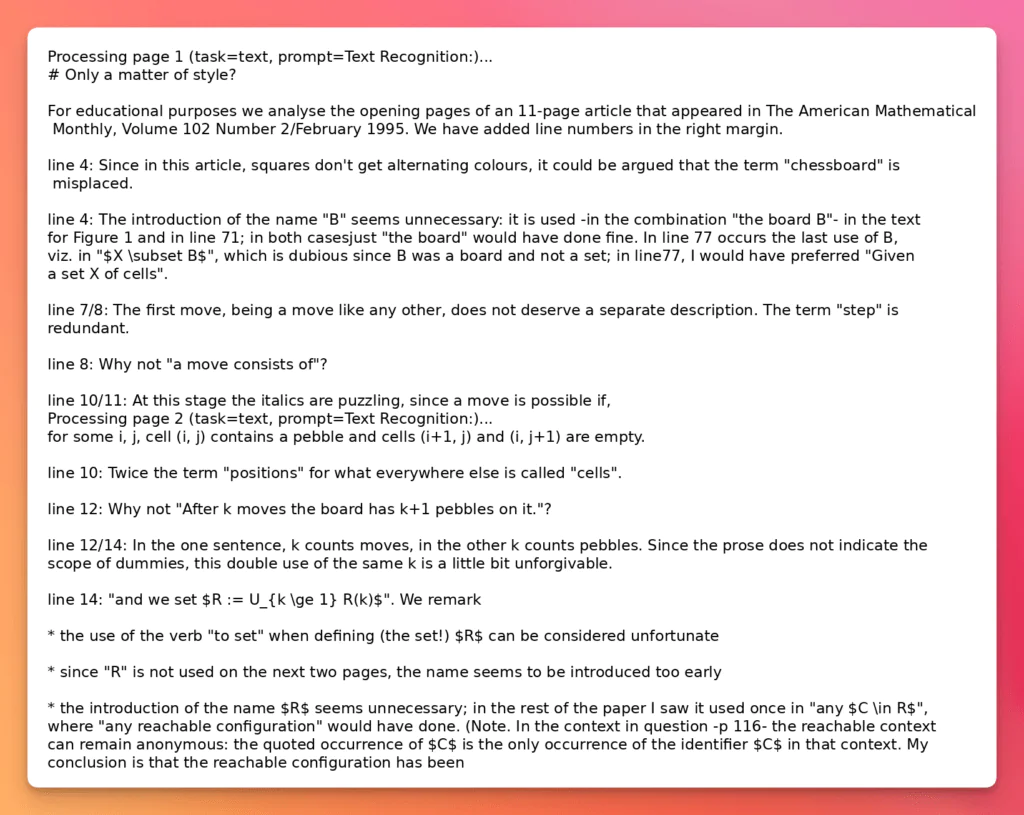
Traditional OCR Engines (EasyOCR, Surya, docTR) are lightweight, fast, and well-suited for clean, digital documents with simple layouts. However, they struggle with layout-heavy inputs, handwritten text, and low-quality scans.
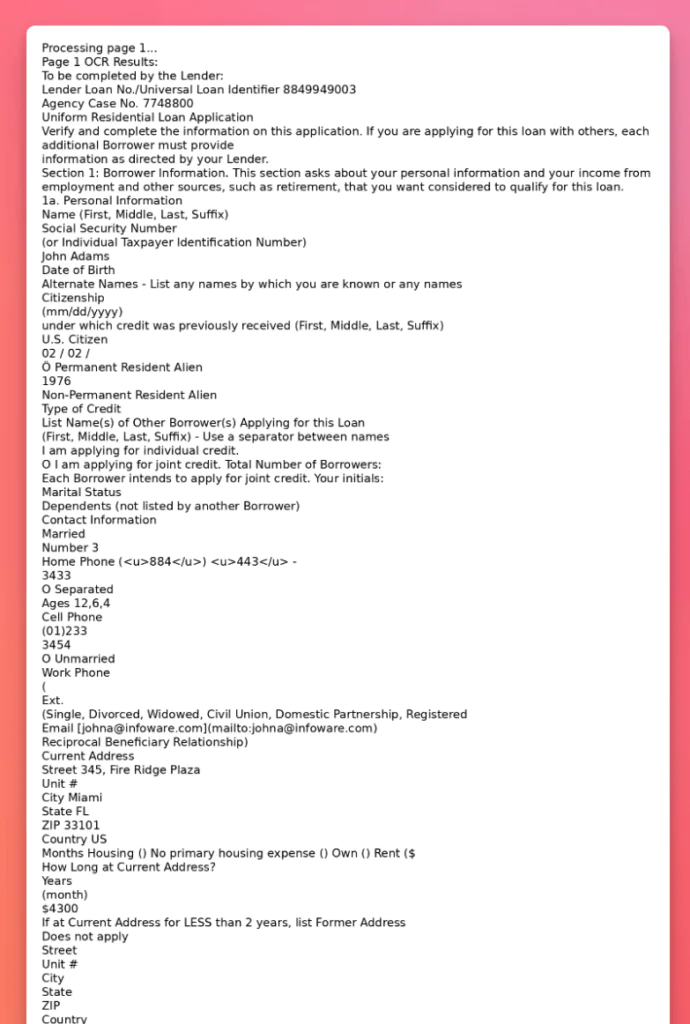
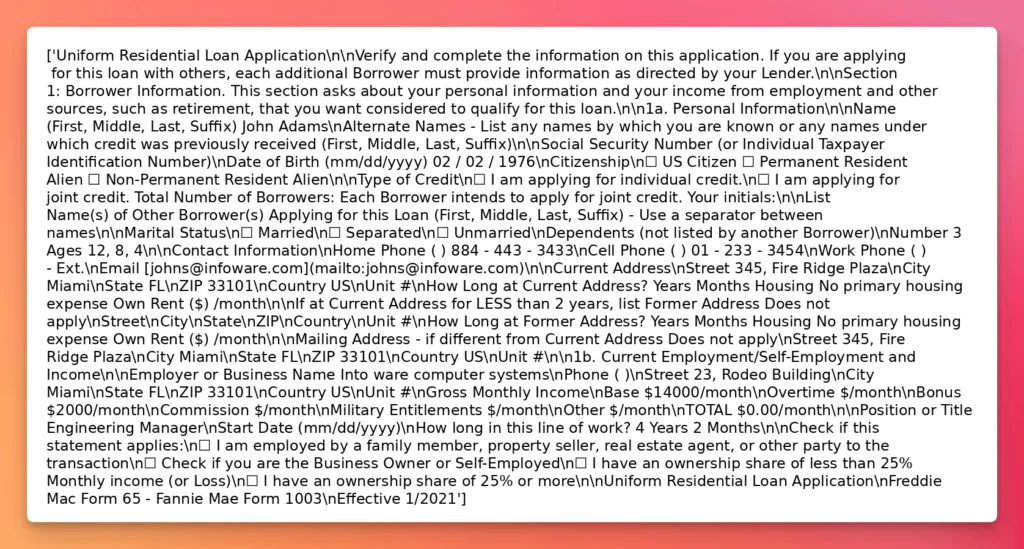
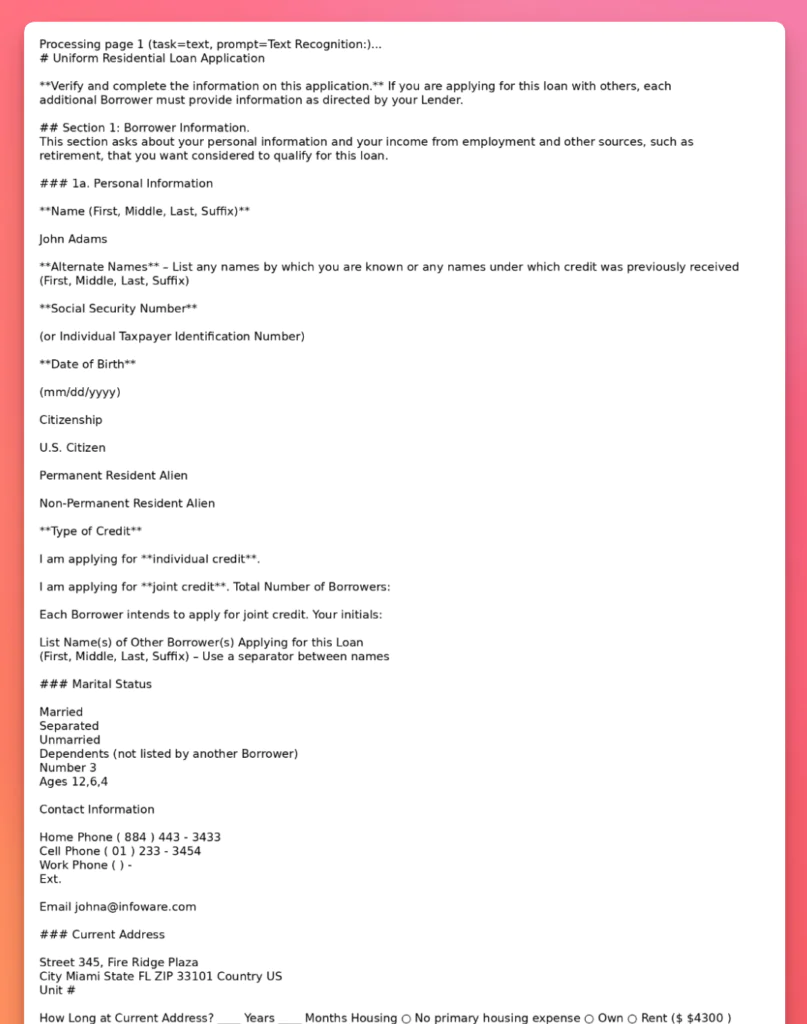
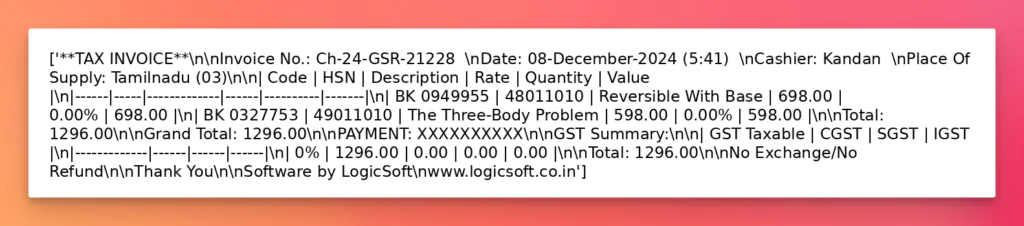
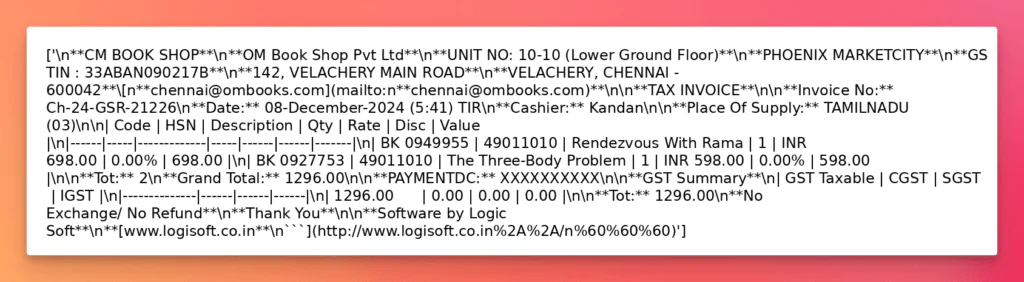
LLM-Enhanced OCR models (olmOCR, Qwen2.5-VL) excel at reconstructing complex layouts, preserving semantic structure, and interpreting handwritten or noisy documents. Their primary drawbacks are higher computational requirements and potential risks of hallucination if not carefully controlled.
Notable Trends
A clear trade-off exists between speed/efficiency (traditional OCR) and accuracy/semantic richness (LLM-based OCR).
Layout preservation emerges as the biggest differentiator: traditional engines flatten documents, while LLM-based approaches maintain sections, headers, and structured tables.
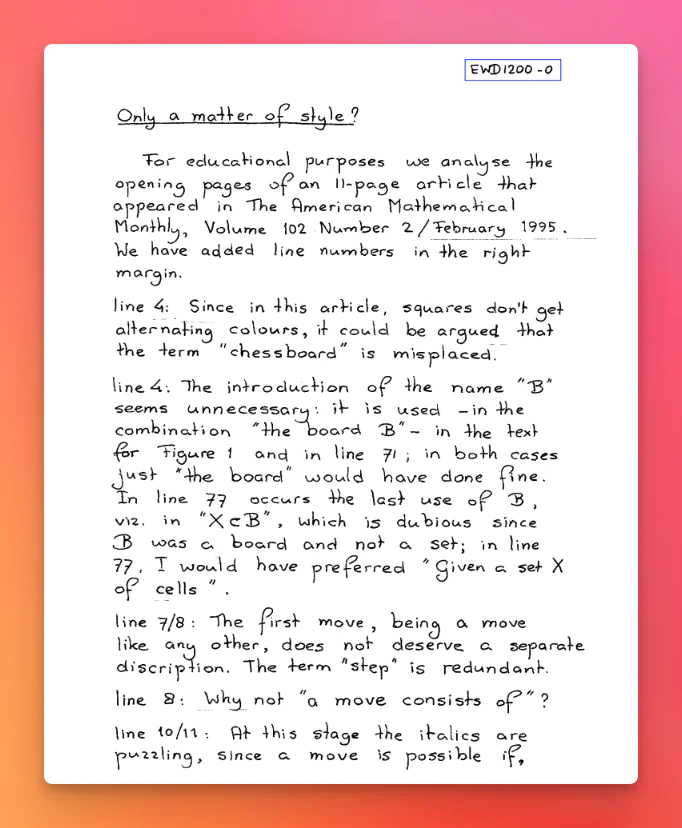
Handwriting recognition remains a weak spot for most traditional tools, with notable improvements only in advanced LLM-enhanced solutions.
Structured output formats (e.g. schema-aware tables) are becoming standard in newer tools, highlighting the shift from plain-text OCR toward document intelligence.
When Open-Source OCR Isn’t Enough
Open-source OCR models are excellent for experimentation, prototyping, and smaller-scale projects. They provide developers with flexibility, researchers with a testbed for innovation, and organizations with a cost-effective way to start digitizing their documents. For many use cases, such as extracting tables from PDFs or automating simple form data entry, these solutions can work remarkably well.
At the same time, open-source OCR has matured significantly, with both traditional engines and modern LLM-based approaches offering practical options. Tools like Tesseract, PaddleOCR, and Docling remain strong choices for structured, predictable documents, while MistralOCR and other LLM-driven solutions shine when dealing with irregular layouts or complex content.
The trade-off is clear:
Traditional OCR engines deliver speed, stability, and simplicity.
LLM-based OCR models offer flexibility and context awareness, but may struggle with consistency and efficiency at scale.
Looking ahead, the future of open-source OCR is likely to be hybrid models that combine the efficiency of traditional engines with the adaptability of AI-driven methods. This will reduce trade-offs and bring more balance between accuracy, speed, and scalability.
However, for enterprise-scale operations, the limitations of open-source OCR become more evident. High document volumes, compliance-heavy industries, and mission-critical workloads demand guaranteed reliability, uptime, and dedicated support, which are areas where community-driven projects may fall short. Using LLMWhisperer is as simple as signing up for an account (100 free pages per day), getting the API key, and installing the SDK:
pip install llmwhisperer-client
And using this code:
import os
import sys
import pypdfium2 as pdfium
from unstract.llmwhisperer import LLMWhispererClientV2


client = LLMWhispererClientV2(
    base_url=os.environ.get("LLMWHISPERER_BASE_URL", "https://llmwhisperer-api.us-central.unstract.com/api/v2"),
    api_key=os.environ.get("LLMWHISPERER_API_KEY", ""),
)

# LLMWhisperer modes: high_quality (default), form, low_cost, native_text
DEFAULT_MODE = os.environ.get("LLMWHISPERER_MODE", "high_quality")
# output_mode: layout_preserving (default) or text
DEFAULT_OUTPUT_MODE = os.environ.get("LLMWHISPERER_OUTPUT_MODE", "layout_preserving")


def ocr_page(pdf_path: str, page_num_1_indexed: int) -> str:
    """
    Synchronous LLMWhisperer extraction for a specific page.
    Returns layout-preserving plain text (often close to Markdown) suitable for LLM post-processing.
    """
    result = client.whisper(
        file_path=pdf_path,
        wait_for_completion=True,
        wait_timeout=int(os.environ.get("LLMWHISPERER_WAIT_TIMEOUT", "200")),
        mode=DEFAULT_MODE,
        output_mode=DEFAULT_OUTPUT_MODE,
        pages_to_extract=str(page_num_1_indexed),
    )
    extraction = result.get("extraction") or {}
    return extraction.get("result_text") or ""


def process_pdf(pdf_path: str) -> None:
    pdf = pdfium.PdfDocument(pdf_path)
    os.makedirs("docs/output", exist_ok=True)

    for i in range(len(pdf)):
        page_num = i + 1
        print(
            f"Processing page {page_num} (mode={DEFAULT_MODE}, output_mode={DEFAULT_OUTPUT_MODE})...",
            file=sys.stderr,
        )
        output_text = ocr_page(pdf_path, page_num_1_indexed=page_num)
        print(output_text)

    pdf.close()


if __name__ == "__main__":
    process_pdf(sys.argv[1])
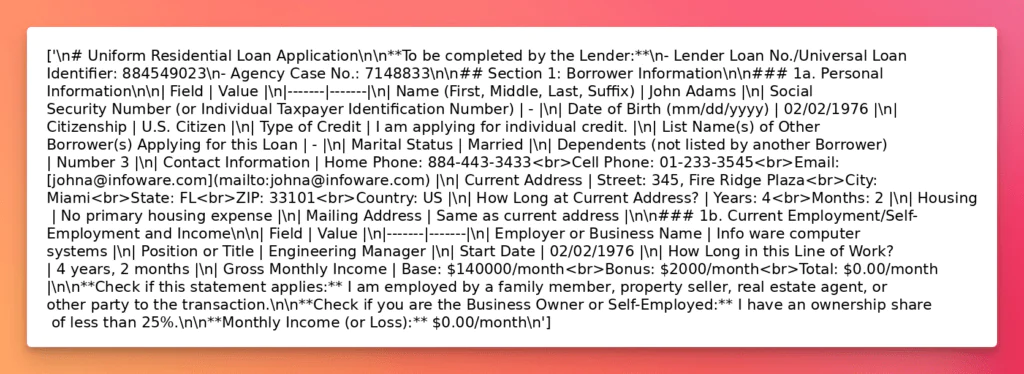
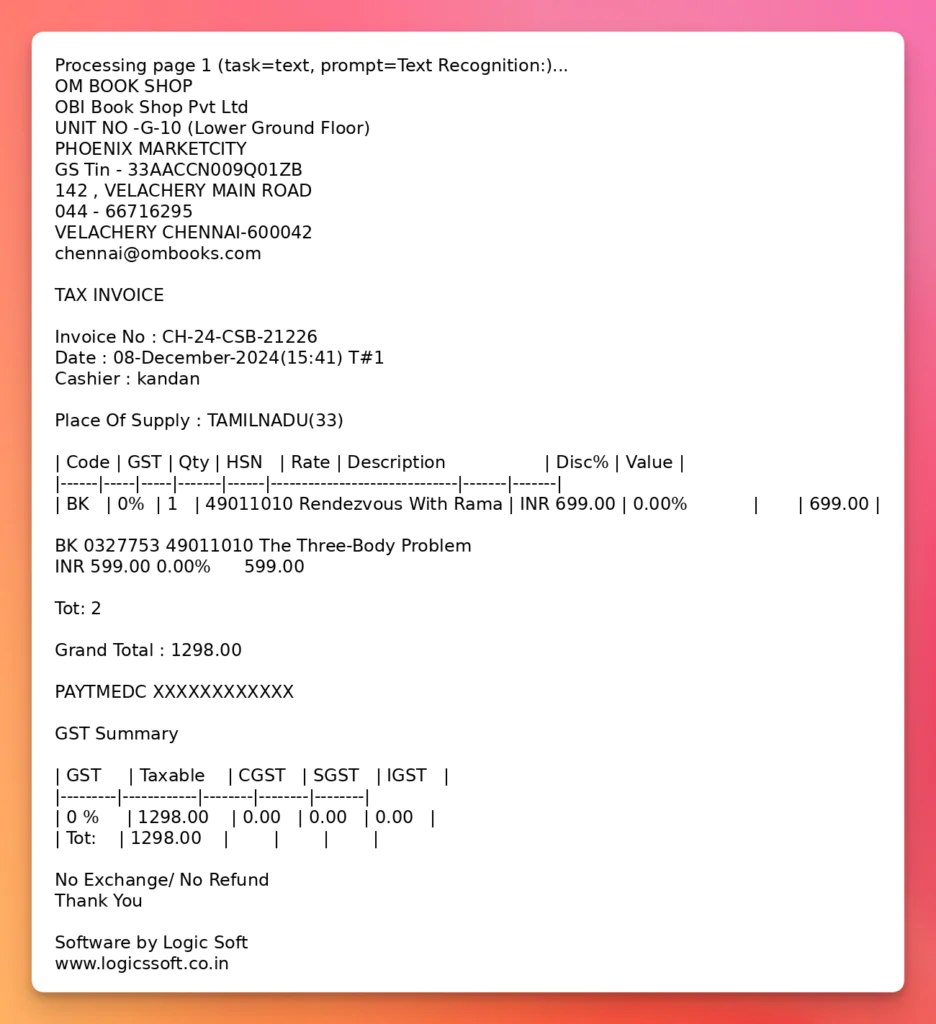
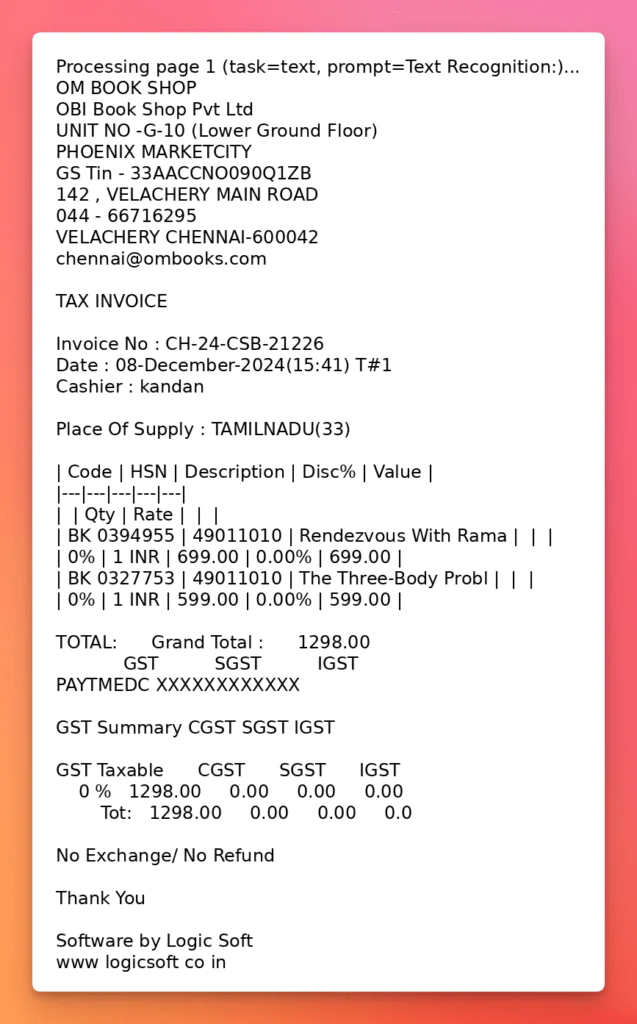
Let’s see how LLMWhisperer handles the same cases shown above.
Insurance Plan – Complex Tables
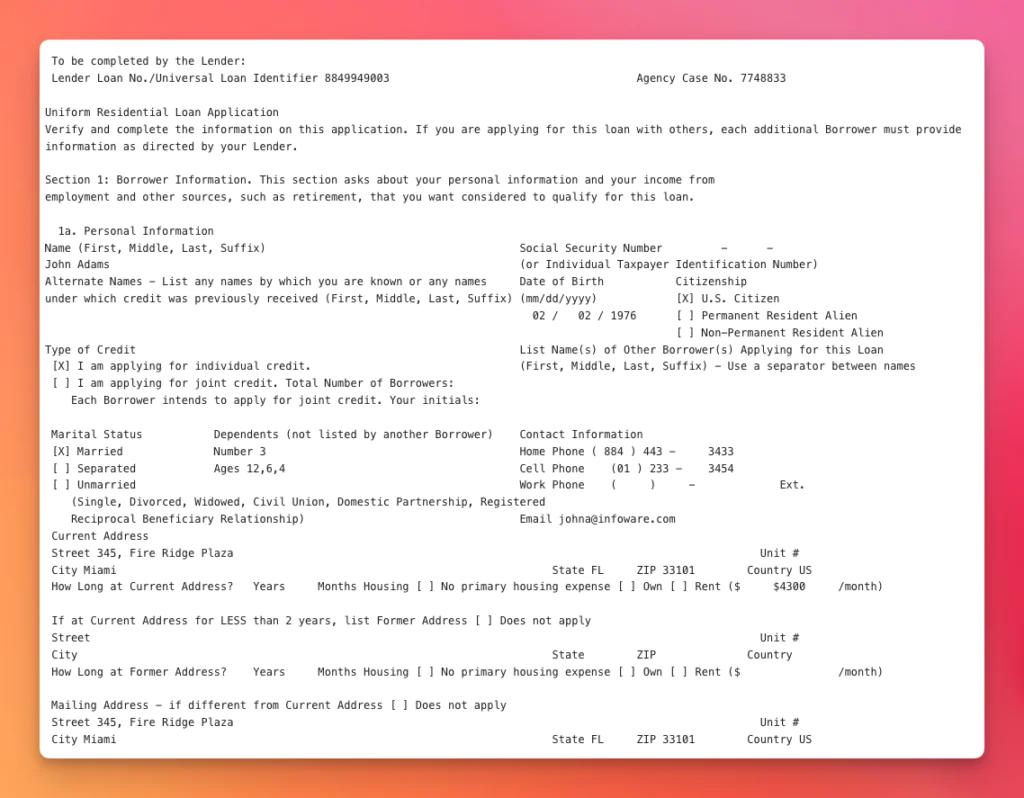
Loan Application – Checkboxes
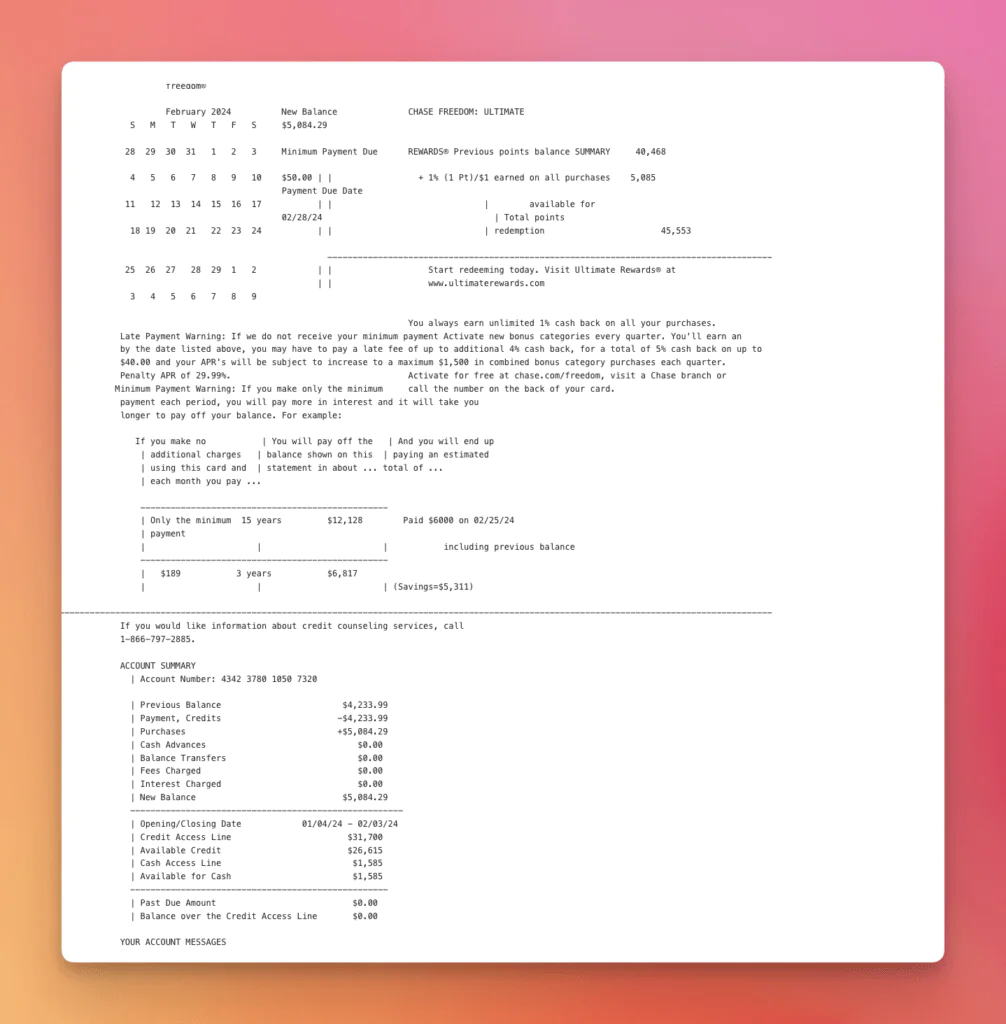
Bank Statement – Complex Layout
Receipt – Scan and Poorly Aligned
Handwritten Document
That’s why many organizations turn to LLMWhisperer as the next step. It builds on the strengths of open-source OCR while providing a scalable, production-ready pipeline designed for enterprise needs. With managed infrastructure, compliance features, and the ability to process millions of documents efficiently, LLMWhisperer transforms OCR from a helpful tool into a mission-critical capability.
For teams exploring open-source OCR today, the path is clear: start with open source, experiment, learn, and when the time comes to scale, move forward with solutions like LLMWhisperer.
Get Started with LLMWhisperer OCR in Minutes
Best Open-Source OCR Tools 2026: FAQ
Which open source OCR engines does the comparison highlight as the strongest performers in 2026?
The article lists several open source OCR software—Tesseract, PaddleOCR, EasyOCR, Surya, and docTR on the traditional side, plus olmOCR and Qwen2.5-VL on the LLM side. Each shines in a different area: for instance, PaddleOCR handles complex layouts well, while olmOCR preserves tables and markdown structure via multimodal LLMs.
How do the newest AI open source OCR models differ from older engines?
Traditional engines focus on pixel-level character extraction, whereas the latest open source OCR models (like Qwen2.5-VL or olmOCR) integrate vision-language LLMs. These models understand context, infer structure, and can even interpret handwriting, but they require more GPU resources and careful prompt design to avoid hallucinations.
When should a team move from a basic open source OCR tool to something more robust, like LLMWhisperer OCR?
According to the article, a basic open source OCR solution is great for prototypes or low-volume workloads. However, once you face millions of pages, strict compliance, or 24/7 uptime requirements, you’ll need managed infrastructure, stronger SLAs, and advanced post-processing—features that community projects seldom guarantee.
Is LLMWhisperer OCR better than traditional open source OCR tools?
Yes, LLMWhisperer OCR is better than traditional open source OCR models in contexts requiring semantic understanding, layout preservation, and handling of irregular documents. While traditional models are faster and more deterministic, LLMWhisperer offers superior accuracy and contextual interpretation, making it ideal for complex real-world use cases.
When should I consider an open source OCR engine over a commercial one?
An open source OCR solution is ideal for prototyping, research, or projects with limited budgets. It offers flexibility and customization. However, for enterprise-scale, high-volume, or compliance-critical applications, a commercial solution like LLMWhisperer OCR may be more suitable.
Best Open-Source OCR Models for LLM/AI Document Processing: Related topics to explore
Nuno Bispo is a Senior Software Engineer with more than 15 years of experience in software development.
He has worked in various industries such as insurance, banking, and airlines, where he focused on building software using low-code platforms.
Currently, Nuno works as an Integration Architect for a major multinational corporation.
He has a degree in Computer Engineering.