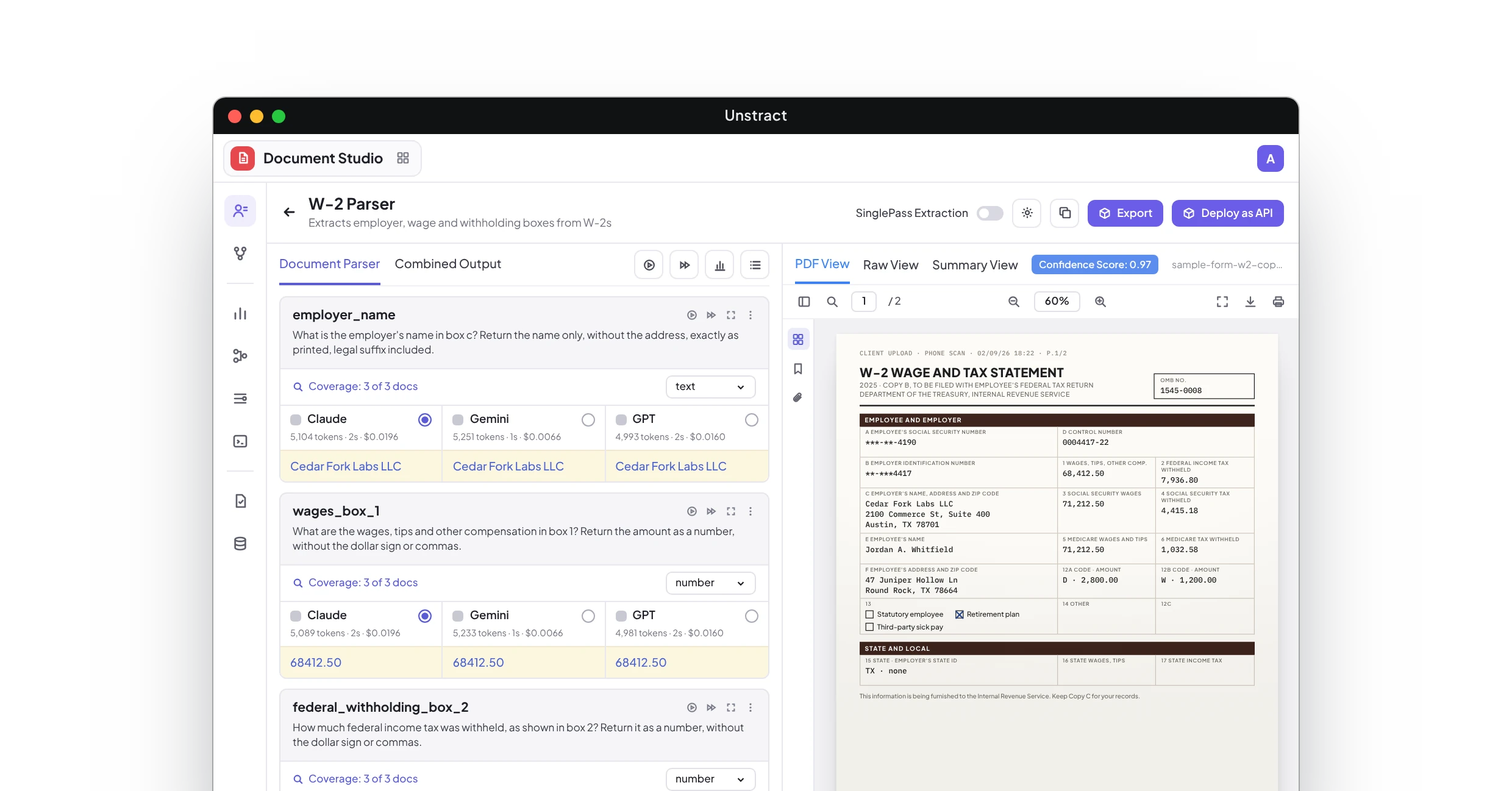
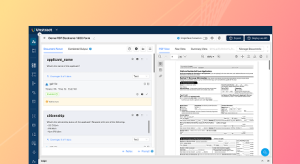
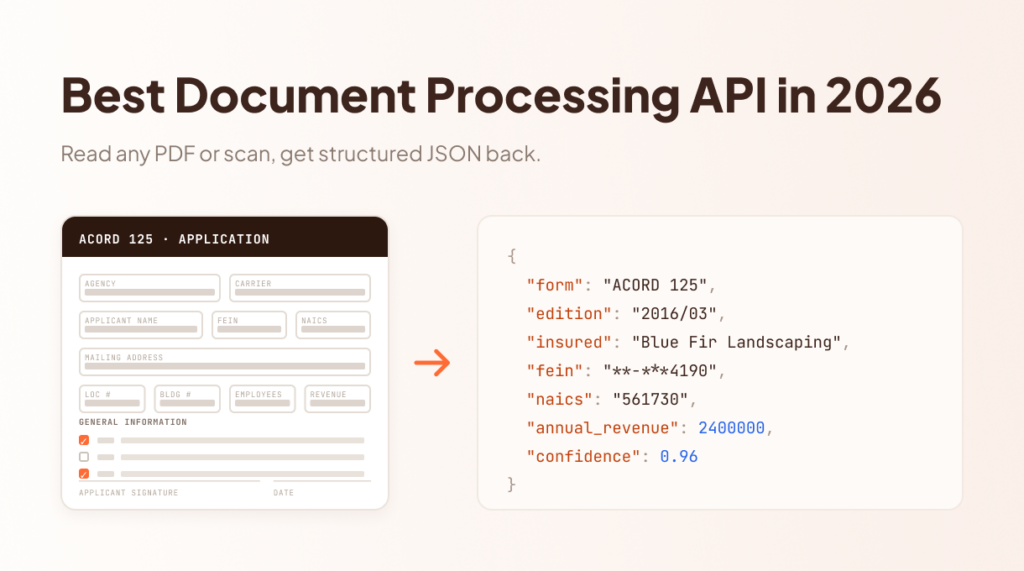
Unstract reads W-2s, 1099s, K-1s, brokerage statements and IRS notices as they arrive, checks them against last year’s return and the client’s organizer, and delivers checked data to the systems your teams already work in.
The client fills in last year's organizer in pen, crosses out a dependent, writes a new address in the margin and adds a 1099 amount nobody can find a form for.
Thirty forms in one phone scan
A client photographs every W-2, 1099 and 1098 on the kitchen table and uploads one 30-page PDF, some pages upside down, some cut off at the bottom box.
Every brokerage formats its 1099
A consolidated 1099 runs 40 pages in one broker's format and 12 in another's, with the 1099-B detail, wash sales and adjustments in a different place every time.
Hundreds of clients, one tax season
Every client sends a different mix of forms from different payers, in the same ten weeks, and preparers key each box into the tax software before they can start a return.
A CP2000 the return doesn't explain
The IRS proposes $99 more tax because the 1099-INT reported $5,610 of interest. The return shows $5,160, and someone has to find which figure was keyed wrong.
The K-1 that came last year
Last year's return had a K-1 from a rental partnership. This year's upload has every form except that one, and nobody notices until the return is ready to file.
Automated tax form data extraction has to start with what arrives, and most of it looks like this. Every page is read, keyed in and checked against last year’s return and the client’s organizer before a preparer or a reviewer can act on it. Unstract takes that on, so the file is read, checked and in your system before anyone opens it.
Tax automation software with OCR capabilities, on one platform: parse any tax form, extract the fields you need, and run the whole process, connected to the tax software and practice management system you already use.
Parse any tax document
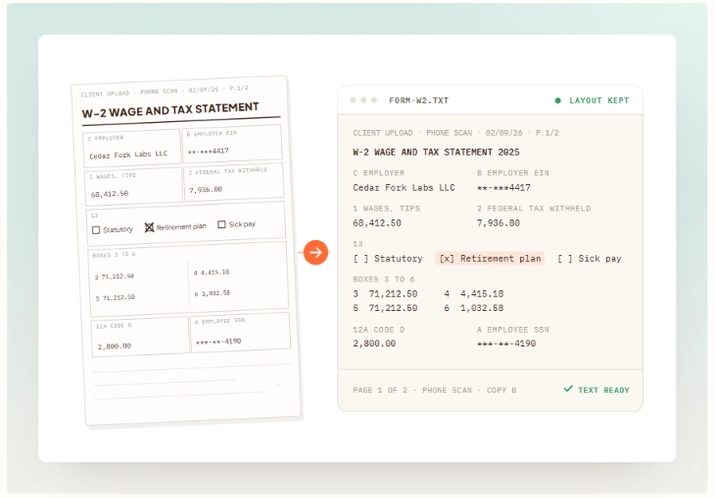
LLMWhisperer captures the full text of whatever reaches your desk, a W-2 photographed on a phone, a 40-page consolidated 1099, an IRS notice scanned upside down, with the layout preserved. Each amount stays in its numbered box, a checked box keeps its label, and a state line is never read as federal.
Document Studio turns every document into clean, structured JSON from a prompt that describes the fields you want, whichever payer, broker or tax year it came from. A new brokerage’s consolidated 1099 doesn’t need a new template, and a value that fails a check arrives flagged.
Flow picks up client uploads and IRS notices from your portal, inbox and scanned mail, checks them against last year’s return, the organizer and the filed return, and posts the data to your tax software and practice management system. Only the files that meet your human-in-the-loop conditions stop for a person, with the reason attached.
from client upload to checked data in your tax software
%
1
of forms posted without a person touching them; preparers review 1 in 12
%
1
fewer hours on keying and checking in the first tax season
x
2
faster turnaround from client upload to a return ready for review
Our firm is using it for a custom AI bot tool that helps us with financial accuracy of financial statements, as well as analyzing various accounting documents related to auditing.
We get old faxed documents and poor quality scans but it extracts clean text without breaking. The layout and structure stays intact which is crucial for us when we extract data from forms and invoices.
It's remarkably accurate—so much so that I no longer feel the need to double-check the extracted data.
Tax forms carry Social Security numbers, wages and account numbers; IRS notices carry balances due and the client’s filing history. Unstract is SOC 2, ISO 27001, GDPR and HIPAA compliant: documents are encrypted in transit and at rest, never used to train models, and retained only as long as you choose.
It starts with tax data extraction, reading the W-2s, 1099s, K-1s, returns and IRS notices a firm receives into checked, structured data without templates, and then running the process around them: the checks against last year’s return and the organizer, the exceptions that stop for a person, and the post to your tax software or practice management system. Unstract covers the fourteen document types and two processes on this page.
02How should we scan tax documents, and does it read handwritten organizers?
Any way your clients already do, whether that’s a scanner, a phone photo or a fax. LLMWhisperer reads handwriting, faxes and rotated pages with the form’s layout kept, so each amount is read from the box it belongs to, and every field carries a confidence score. A value below the threshold you set stops for a preparer with the page beside it rather than going into the tax software as a guess.
03What tools do tax firms use for automating IRS forms?
Most run tax preparation software such as UltraTax CS or Lacerte and a practice management system such as TaxDome or Drake Workflow, which expect data to arrive already keyed or imported. Unstract sits in front of them, turns the phone photos, brokerage statements and IRS letters into checked data, and posts it through the connectors above.
04Does it check documents against each other and against our records?
Yes, and the checks follow the process. A client’s upload is checked against last year’s return and this year’s organizer, so a missing 1099 or K-1 is listed, and a consolidated statement is checked against its own totals. An IRS notice is checked against the filed return and the client’s documents, so the preparer sees which items it says are missing. A file that passes keeps moving; one that doesn’t stops with both values side by side.
05What happens when a file doesn't match?
It stops in a review queue, where the right person, a preparer, a reviewer or a partner for collection notices, sees the field, the page it was read from and the record it disagrees with, side by side. They confirm, correct or send it back to the client, the decision is recorded against the return or the notice, and everything else keeps moving.
06Where does the data go?
Wherever your teams already work: tax preparation software such as UltraTax CS or Lacerte, your workpapers, and a practice management system such as TaxDome or Drake Workflow, where notices become tasks with their deadlines and clients get one list of what’s still missing. Flow posts it as part of the run through the connectors above, so there is nothing to download and re-key.
07Is it safe to upload tax forms and IRS notices?
Unstract is SOC 2, ISO 27001, GDPR and HIPAA compliant: documents are encrypted in transit and at rest, never used to train models, and retained only as long as you choose. Self-hosted options are available for firms that need processing inside their own environment; details are in the Trust Center .
08Do we need developers, and how fast can we be live?
Not for Flow: in a process call we build the process around your own files, your checks and your tax software, and most teams run their first live files within days. To try extraction today, start for free and upload a W-2, a consolidated 1099 or an IRS notice.
Next step
Bring a week of client uploads to the process call
The phone photo of a W-2, the 40-page brokerage statement, the CP2000. We run them live and show every field, check and exception.