[00:00:00]
Hi everybody. Uh, I’m Mahashree,i product marketing specialist at Unstract and I’ll be a host for this session. So thank you everybody for joining us today. Uh, before I get started, here are a few housekeeping items or session essentials that I’d like to quickly go over. So this will be a listen only webinar and all attendees will automatically be on mute.
In case you have any questions, please do drop them in the q and a tab at any time during the session. Our team is working in the
[00:00:30]
backend and they’ll be able to get back to you with the answers via text. You can also use the chat tab to interact with fellow attendees, and this is also where you let us know in case you run into any technical glitches during the session, and we’ll be able to help you sort it out.
As a final point, when you exit this webinar, you’ll be redirected to a feedback form where I request you to leave a review on so that we can continue to improve our sessions going forward. So that said, uh, thanks again for joining this session today. This is our first
[00:01:00]
webinar of the year, and in this webinar we’ll tackle a not so obvious document extraction problem, but one that could be seen as a silent productivity killer.
And we’re talking about document bundles or more commonly known as PDF packets across industries, whether it is insurance, finance, or banking. We see businesses incurring documents in mixed messy bundles, which means that a single PDF could contain multiple documents, which in most cases need to
[00:01:30]
be processed in separate workflows.
But because they come in one large single file document, extraction systems can often struggle with accurately splitting these documents individually and routing them to relevant workflows. So you might have an extremely efficient document processing system in place, but that would only be of value if this major bottleneck is first taken care of, and that will be the primary focus and premise of this webinar.
So to help you navigate this challenge better,
[00:02:00]
we’ve broken today’s session into four key areas. First, we’ll define the packet problem and where we see it. Why bundle documents are a hurdle and where do we see them in real world scenarios. Second, we will look at what are some traditional methods of handling document bundles and what are the limitations that they bring with them.
Thirdly, we’ll introduce what Unstract has to bring to the table, and that is the PDF Splitter API, and we’ll be taking a look at how this works with a live
[00:02:30]
demonstration. And finally, we’ll conclude this session with an interactive Q&A where one of our experts will be on air to take your questions and, uh, make any clarifications.
So that said, let’s take a look at some of the real world scenarios where the document bundle problem actually lives. And as I mentioned earlier, this isn’t an isolated issue. It is a systemic friction point across almost every document heavy industry. So over here, folks, we’ve outlined some of the
[00:03:00]
major hot zones or use cases where we see this problem on screen.
So let’s start with mortgage and banking. One of the largest use cases we see in this industry is loan processing, which again involves a series of steps starting right from the loan application stage. So typically when someone applies for a loan, they’re required to submit a wide range of documents. So this could be the loan application form itself, identity proofs, income statements, bank statements, property related
[00:03:30]
documents, and a lot more.
And these documents don’t always arrive as clean, neatly separated. PDFs. Very often, agents or intermediaries collect everything and submit it as a single bundled PDF for the bank to process. So this is exactly where the PDF splitting becomes a critical first step be before any downstream document extraction or validation operations can even begin.
So beyond loan processing, there are against several other banking use cases where document bundles are common.
[00:04:00]
So we have a count onboarding, KYC, compliance, credit assessment, periodic customer reviews, and these are just a few to name. Moving on. Another major industry where document bundles are extremely common is insurance.
Insurance workflows often deal with some of the messiest PDF packets. So take the submission intake process, for example, this is when a customer or broker submits. Documents to obtain insurance coverage to the insurer. So these submissions typically
[00:04:30]
include accord, forms, loss runs, financial statements, prior policy documents, claims, histories, and so on.
So in many, in most cases, all these documents are sent together in a single bundle, which can again. Uh, easily run into hundreds of pages long. So this is again, where we see the value of a tool like the PDF splitter API, which, and it becomes immediately clear because it is able to accurately identify document boundaries and separate each document so that it can be processed independently.
[00:05:00]
And this challenge, again, isn’t just limited to banking and insurance. We again, have, uh, the main other major industries like legal, hr, or healthcare. So whether it’s case files, employee onboarding packets, or patient records, we again deal with document bundles over here and the need to split documents, uh, or deal with these PDF packets becomes paramount.
Now before we move forward, I thought I’ll do a quick audience assessment over here. So we’d basically love to hear about your specific use
[00:05:30]
cases where you incur document bundles in your businesses so we can get a broader perspective of it before we move forward. So I’ll give you a couple of minutes, maybe a minute or two so that you can probably, um, mention your use cases in chat and we could go over to some of, uh, a few of them before we move forward.
[00:06:00]
So we have Nicholas, uh, who’s mentioned documentation and
[00:06:30]
transportation, business tariff documents. Alright, so. Uh, anyone else, and it would be, um, interesting if you could mention what are the documents you’re dealing with in these bundles as well. What could be the specific challenges that you’re dealing with, if you’d like to go into the details.
I’ll just wait for another minute before we resume. Thanks Nicholas for responding.
[00:07:00]
All right, so for the want of time, let me just resume with this. So thank you. Um, so yeah, so. We’ll take a brief look, uh, I mean in the upcoming segment we’ll take a look at what are some ways in which this challenge is being handled currently. I mean,
[00:07:30]
this has been a problem for quite some time, so it’s not a new challenge that we are dealing with, and here are some ways in which this is being dealt with right now.
So, firstly, there is manual splitting. And, uh, so even in this era of technology, there are many processes that business teams still do manually. And document bundle splitting is definitely one of them. This, again, comes with the risk of human error and fatigue. So, which means if the documents are not split accurately, you end up dealing with incorrect data and downstream
[00:08:00]
operations.
On average, a human would take around two to five minutes to split a document, a complex bundle manually. So just imagine how that would compound when we are dealing with hundreds of document bundles and the entire process just becomes extremely time consuming and definitely not scalable in the long run.
Secondly, there is the rule-based splitting, also known as fixed page splitting. This means that you split the documents at fixed intervals, so you’d have a system with certain
[00:08:30]
predefined rules, which could mean splitting documents at an interval of let’s say, every five pages. Or you could have slightly advanced rules, and you could specify a custom rule where you split the document.
First at the third page, then on the ninth page, then on the 13th page, and so on. So it really depends on, um, how you want to split the document. But this of course assumes that document bundles are received and these documents always come in the same order. Only then is the rule-based splitting going to work, and it also makes
[00:09:00]
a second major assumption that these documents would not have varying links.
So that if I’m taking, let’s say a contract, for example, I would expect that contract to only be 13 pages long in every bundle that I receive. But this of course, is not a realistic expectation to have, and that is where this system basically breaks. And this also requires a significant amount of human oversight for it to run smoothly.
So again, this wouldn’t be the most ideal scenario or the ideal method that you would choose if you’re dealing with complex bundles that
[00:09:30]
vary over time and uh, vary quite frequently as well. Then there is the keyword based OCR, which is the third method that we have over here. So keyword based OCR looks for a specific keyword or anchor in a document that triggers a split based on that.
So for instance, if your bundle contains an invoice bill of lading and other supporting documents together, the keyword based OCR would probably search for this. For specific terms like the invoice or the bill of lading. And when it
[00:10:00]
comes across these terms, uh, it would trigger a split in that particular, uh, place in the document.
So while this is definitely more automated than the rule-based splitting that we saw earlier. This system is still context blind, which means that it is only taking a look at these keywords, but it does not understand what that keyword represents or the context in which that particular keyword is used.
So this means that this system would immediately fail. The moment the word, uh, the keyword invoice appears, let’s say in the middle of a contract. So that is not an
[00:10:30]
invoice and that is not where you’re supposed to split the document, but these are the kind of errors that could occur with the keyword based OCR method.
And finally, we also have, we also see businesses using separator sheets or QR codes. So these document bundles that use this method use barcodes or QR codes on certain pages in your document bundle indicating where to split a document. Now, of course, this es a high level of accuracy and, uh, probably really low computational load as well.
But the biggest drawback that we see over here is
[00:11:00]
that businesses rarely have that sort of control over the source of these document bundles. So for them to ensure that the barcodes are being inserted appropriately is something that is not usually in their control, and they cannot dictate the customers or third parties on how to put these bundles together.
So, although this might be a great solution, the use case pool of this particular method is pretty small. So with that, we’ve gone over. Um, all the four traditional methods of splitting PDF packets. And a common
[00:11:30]
limitation that we see across all these methods is that they only read the structure of documents rather than the context.
So based on the structure, they’re trying to, uh, check, they’re trying to decide where a document ends or begins, and that only gives you a limited amount of. Uh, that only limits the clues that you get on where the documents break. So a lot of it is actually left to guesswork when it comes to splitting in these systems.
So the only way in which you would be able to, let’s say, completely
[00:12:00]
eliminate the guesswork is to actually implement a system that not only understands the document structure, but also the semantic meaning or the context of the document. And that is where large language models come into the picture. So LLMs interpret documents very much like humans do, which means that they understand the context of the document and what it is trying to convey.
So based on this, LLMs are at a better position to decide where a document ends and the next one begins. And also they require
[00:12:30]
no training. You don’t need to tell the LLM what to look for specifically. The only effort that I can probably see or force you on your, on the human side is to engineer a prompt that helps the LLM split documents perfectly, and it is as simple as that.
Once the prompt is up and running, once the model works for you, then you don’t really need to revisit or constantly, um, look at how this is being done. So the human supervision is also really low when it comes to these systems. So you just have to set it up once and it gets running on its own. So while this is a
[00:13:00]
state of art out there at Unstract, we want to take it a step further.
So what we are looking with our ready to use PDF splitter API, is that we take care of the prompt engineering as well. So we are. You do not even need to enter a prompt for the LLM to work on your document bundles. We’ve already engineered the prompt and we’ve also created this API and tested it rigorously across different document bundles.
So this means that the accuracy and success rate of this API is already pretty high, and all you have to do is plug
[00:13:30]
this API into a relevant document workflow and it would return neatly split documents from PDF packets or bundles. So in the next segment of this webinar. We’ll take a look at how this API works in action with a live demonstration.
And we’ll also be taking a look at how the Unstract interface looks and the entire look and feel of it. Now, before I jump into the demo, here’s a quick introduction to Unstract who we are. What we do, and this is just to set the stage, so Unstract
[00:14:00]
is a document, uh, is a, is an element powered unstructured data, ETL platform.
And if I had to briefly put the capabilities of the platform, I would have three major buckets that I can focus on. Firstly, we have the text extraction phase, then the development phase, and finally the deployment phase. So in the text extraction phase, this is the first, uh, set of operations that is done on any document that you upload into the platform.
So what it does is that we deploy a text extraction tool that you can choose from within the
[00:14:30]
platform, and it basically extracts the raw text from your documents and creates it in a format that is LLM ready. So the popular choice that we see among our customers is that they often go for LLMWhisperer.
Which is our in-house text extraction tool. So the compatibility between Unstract and LLM Whisper is already pretty good. And LLMWhisperers also known to be a powerful text extractor while, and it extracts the text while preserving the layout of the original document. And that is what, uh, we’ve seen is making the
[00:15:00]
difference when it comes to, um, extracting data because layout preservation is extremely important for elements to be able to get the complete context of your document.
So, uh, that is where, uh, that basically sums up the text extraction phase. And LMMWhisperer is also available as a standalone application that you can check out if you’re interested. So once you extract the raw text from your document, the next phase is to de uh, is the development phase where you basically engineer the prompts.
You enter the prompts, which basically tell the
[00:15:30]
system what data you’re looking to extract and what is the schema of extraction that you’re going for. So this is done in a prompt engineering environment called Prompt Studio. So in this, uh, environment, you would be uploading your sample documents and you would be entering a bunch of prompts that would basically extract the data from these documents.
And again, this, um, this environment comes with its own set of. Features where we have a couple of accuracy enabling capabilities like LLM challenge, grammar, and we also have certain cost saving features like single pass
[00:16:00]
uh, extraction. Now in this webinar, I wouldn’t be able to spend a lot of time in the prom studio because our focus is more on the PDF Splitter API, but you can always check this out.
Uh, our team would drop the links in chat, so you could always check out other webinars where we have focused on these features in detail. So once you, uh, develop the prompts that, uh, that are going to extract the data from your documents, you could deploy these, this entire project in any which way that suits your particular business.
So we have API
[00:16:30]
deployments, ETL, pipelines, task pipelines. Human in the loop deployments and also certain advanced deployment options like deploying it in an innate workflow, uh, in innate chain, and also the MCP servers. So we do support untracr as well as LLMWhisperer MCP servers for you to make use of. And again, this is where I would like to highlight the API hub that we have.
So this is another offering, a recent offering that we’ve opened up to our users where you. Can basically skip the entire development phase. So we’ve
[00:17:00]
identified common use cases. Um, it could be utility use cases like PDF splitting, or it could be specific document extraction use cases like, uh, from bank statements, from invoices.
So we see that most users are looking to more or less extract the same data points from these documents or perform the same set of operations like pdf. Splitting. So we’ve already created ready to use APIs, which means you do not have to go through the development phase at all. You can immediately take this API, plug it into your workflows and get started
[00:17:30]
with the extraction process.
So we will be focusing mostly on the API hub and the PDF splitter, uh, API, which is one of the APIs that are available in this hub. So, um, that will be our main focus in the live demo. So if I had to like, throw some numbers around for you to get a better understanding of the platform. Unstr currently has 6.1 k uh, plus stars on GitHub or 1000 plus members Slack community.
And currently we’re processing over 9 million pages per month by paid users alone.
[00:18:00]
So these are the different additions in which Unstract and LLMWhisperer. So Unstract has an open source offering with limited features that you can try out on your own. And if you want the end-to-end capabilities of the platform, you can evaluate the cloud offering or the on-prem editions.
When it comes to LLMWhisperer, we do have an LLMWhisperer playground available where you could, uh, basically upload over a hundred pages per day for free and access the entire, uh, end-to-end capabilities of the platform for free. And, uh, you would, you could, this is a
[00:18:30]
wonderful way for you to basically test how this product works for your business on your particular business documents, and then in case you need to go for the paid plan, you can deploy LLMWhisperer as an API, Python client or a JavaScript client as well.
And again, both these platforms are, uh, compliant with the major regulations like I-S-O G-D-P-R, SOC 2, and as well as HIPAA. So with that folks, let me jump to the, um, demo segment and, um, I will be taking you through the API hub first. So what you see
[00:19:00]
over here is basically the interface, the Unstract interface, and uh, today we’ll be specifically focusing on the API hubs.
So, and the PDF Splitter API. So what you see over here under this dropdown, you basically have LLMWhisperer, which is also a standalone, um, platform that we offer. And then you also have the API hub, so going into the API hub. You can see that uh, we have six different APIs up and running so far, and our team is looking to add more and more APIs to this list.
[00:19:30]
And here is where you would find the PDF Splitter API. So this is basically what we are covering in this webinar. And as you can see, we have an overview of this, API, what it does. And uh, we have the key features over here. So, uh, we are looking at. Fast processing. We process over a hundred plus pages within under five minutes.
There’s dynamic windowing technology and enterprise grade security, and you have all the common use cases in which this particular API could come off use. So you could always go through this.
[00:20:00]
This is in addition to what we covered in the presentation. Again, here is some more information on the API that could help you get started.
So this API, again, comes, uh, you, you could try it on the playground, which is the cloud version, and we can, we also support a Postman collection that you can download and deploy for trying out the PDF splitter. API. So firstly, let me try it out on the playground. So what I’ll be doing is I will be uploading a sample document that I have.
Which is a document bundle. And
[00:20:30]
let’s see how this API basically, um, splits this bundle.
All right. So, uh, this is a sample bundle that, uh, you could probably use for a submissions intake, uh, use case. So, uh, we had already spoken about this earlier. This is an insurance use case where
[00:21:00]
submission intake is basically, it’s the first set of documents that you would probably have to submit to an insurer for you to get, uh, coverage and to get started.
So this isn’t, uh, I wouldn’t say it is the perfect submissions intake bundle, but I’ve just put together a couple of documents to give you an idea of how the PDF splitter API works. So as you can see in this, this is the document that I’ve basically uploaded to the cloud. So we have the loss run summary, and um, it runs again for a couple of pages over
[00:21:30]
here so you can see that it runs until the eighth page.
And starting from there, we have another, um, uh, glossary of terms. We have a couple of Accord forms, which are again, very common in, uh, the submissions, intake bundles. So if I just have to quickly take you through these, we have a bunch of documents.
So we have an environmental service providers application.
So, as you can see, we have a
[00:22:00]
contractor questionnaire. So this is all basically a bunch of documents put together in a single PDF and it runs 41 pages long. So what we’re going to see is how the API basically, uh, splits these documents into different, uh, uh, I mean splits this bundle into separate documents.
So we could just wait a couple of seconds for this to come get completed.
[00:22:30]
Alright. Meanwhile, let me also take you through another document that I have over here. So this is a document that you could probably use for a credit underwriting use case, or, uh, this is basically where you would, uh, I mean, one second. Let me just open this document. I think we’re on the diff another document over here.
So this document basically could be submitted as, as part of a loan application. And uh, what we have over here is
[00:23:00]
firstly a credit card statement. Again, this is not the ideal document that you would probably be dealing with, but this is just to show you an idea. We have the loan application itself that again, runs for a couple of pages,
and we have certain financial statements over here.
We have an invoice. A purchase order and also a scanned invoice. So again, this API is not, uh, I mean it’s, it’s pretty,
[00:23:30]
um, you could use it on different document formats, so it doesn’t have to be in a digitally native format. You could have scanned copies with handwritten text and, uh, it could be in different formats.
And this would still be able to, uh, work effectively on your, uh, documents within the bundle. So this is basically the document that I’m going to be uploading on the postman, uh, deployment of the PDF splitter. API. So let me quickly go over to the, uh, playground and you can see that the document has
[00:24:00]
been split successfully.
And what would happen is you, you could download the split documents over here and, um, it basically automatically gets downloaded. And if, if it doesn’t, you could always download it with, uh, using this button over here. So let me open. Uh, zipped file for you. So it basically splits the document. So you saw that it had various accord forms.
This was the submissions intake document that we had seen earlier. So you, you, uh, you would’ve seen the different accord forms and, uh, the contractor questionnaire was another document
[00:24:30]
that we had taken a look at. So this. Is as simple as it gets folks, so that all you have to do is basically upload your documents and that is the only effort that is required on the user end.
And, uh, this basically extracts all the, uh, separate individual documents within the bundle pretty easily. So over here, now that I have the neatly split documents, I can route them into relevant workflows and get started with down downstream operations. So this was the cloud, uh, the, the playground that
[00:25:00]
on which we had tried.
So, uh, over here I have basically set up the document splitter, I mean the PDF splitter, API as, uh, in Postman. And I have already uploaded the credit underwriting document over here. Uh, I mean the bundle over here, which had all the various documents, like the financial statements and, uh, invoices. We had two different types of invoices, the purchase order and so on.
So I’ve already run this particular API, but just for the, uh, since I want this to be a live demo, I’ve,
[00:25:30]
uh, sent this request again. And so this, basically this, API comes with three, uh, calls that you can make. So you could upload and you could also check the status and finally download this particular, uh, all the split documents.
So over here you can see that it is still processing. So we’ll come back to this, uh, in a little while. Let me just go back to the API hub and I could probably meanwhile, you know, uh, introduce you to the other APIs that we have available on the hub. So, uh, I’m just
[00:26:00]
going to exit the PDF Splitter API. And you can see that we have other, uh, APIs up and running.
So we have, uh, the PDF splitter, API and the all table extraction. API would be considered as a utility APIs. And the remaining, the rest are document, uh, extraction. So they’re very document specific and they extract certain data from the documents. So, uh, these are all common documents that almost every other business would be dealing with.
And if I just get into any of them, for instance, this is the invoice extraction, API. So you have, again, an
[00:26:30]
overview of what this API is about. And, uh, you get an idea of all the data that is extracted from invoices. So this, uh, our team has sat to, uh, do the research on what are the various data that is being extracted, what would the users need ideally, and you also have.
An idea of how the API response would look. So this is the structure of the API response. So in case any of these da uh, data points are not in your invoice, you would just be returned with an AL value. And, uh, that is how we are basically looking to cover all the da uh, data
[00:27:00]
from your invoices. And again, all these APIs come with a downloadable postman collection.
And you can also take a look at certain sample results. So we’ve already pre uploaded an invoice over here and you could, uh, download the JSON just to check out how the data is being extracted from this particular invoice. So that said, we again have a couple of other APIs, like the bank’s extract, uh, statement extraction, purchase order extraction, API, as well as the bill of leading.
And, uh, let me just go back to Postman to see if our
[00:27:30]
extraction is complete. So you can see the status. It’s given me a completed status. So let me go to the downloads over here, and I would make this call again. And all I have to do folks is basically, uh, save this response to a file, and I could name it as whichever name suits me.
And once I’m done saving it, I just have to go into my downloads. And you have the
[00:28:00]
zipped file right here. So once I open it, you can see that we have all the individual documents from that bundle, the financial, uh, bundle that we had just uploaded. So you have the credit card statement over here and, uh, what else did we look at?
We looked at the scanned invoice. So this is a scanned invoice that is being split separately. We have the purchase order. So that is how we have all the other documents, uh, separated and uh, you can then
[00:28:30]
use this to route them differently as you need. So that sums up the PDF Splitter API folks, and, um, I mean, you could always sign up for Unstract and try this on your own to check out how this works in, uh.
Relevance to your specific documents. So with that, I’ve actually concluded the demo, the main chunk of the demo for this, uh, session. But, uh, maybe before we conclude, if I just wanted to quickly take you through the other, um, capabilities of unstuck, this would take probably
[00:29:00]
three or uh, two or three minutes max.
So, uh, this is basically the Untraced interface, what we had looked at earlier. And, uh, the first step that you would have to do is basically, uh, make connections with certain, uh, make con, uh, integrate with certain connectors. So we, uh, the platform obviously runs on elements. So we offer popular elements out there in the market for you to integrate with.
And, uh, the same goes with vector dbs, embedding models as well as text extractors. So over here is again, where you would find LLM
[00:29:30]
and, uh, for you to integrate as a text extractor. And once you’ve, uh, set up these connectors, you could get started with the development phase. What, uh, which is again what happens in the pro studio.
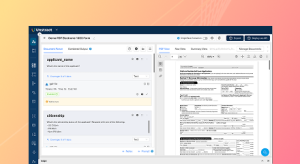
So over here you could, um. Upload documents of your own. So I’m just taking you through a sample credit card parcel project that I have. So in this project, I’m basically uploading credit card statements, and as you can see, I have a bunch of prompts that I’ve specified on the left hand side that extract different data from the
[00:30:00]
credit card statement.
And as I mentioned earlier, they cover what is the data to extract as well as. The structure or the schema of the extraction. So you could see that you can give detailed information of how the specific JSON needs to be extracted. What is the structure that you want to follow? And you can always choose from different data, uh, output types.
And in this case, I’ve, I’ve gone for JSON, so again, you can upload multiple documents onto your project. So you’re seeing one of the. Of the three credit card statements that I’ve uploaded. So if I just go into
[00:30:30]
another credit card statement over here, you can see that this is of a completely different format and layout.
However, the prompts work just fine. So what happens over here, folks, is the first step that happens once I upload my documents is the text extraction phase that I was talking about. So that is basically, uh, this is the extracted text from that particular, uh, document. And that is, this is basically what the LLM Whisperer does, and you can see how it has.
Preserve the original layout of the document. And it’s pretty precise because even if you look at the logo over here, the spacing
[00:31:00]
of the logo is also intact while this extraction is being done. And this, again, is a secret sauce. What powers the elements to work accurately on the extraction? So this is how the extraction is done, folks, and uh, you again have advanced settings over here that you can take a look at.
So, as I mentioned earlier, we have, uh, elaborate webinars on each of these features separately for the want of time. I would quickly be skimming through these. So we have a couple of accuracy enabling capabilities, and one of the, uh, prominent ones
[00:31:30]
is LLM challenge where we deploy an LLM as a judge implementation.
So we basically have a challenger element. Working alongside the extractor M that you would’ve defined for your project. And what happens is only if these two LLMs agree on the extracted output will it be given to the user. So this is a way for you to second check your output to make sure that you prevent LLM hallucinations and also improve the accuracy of your output.
So similarly, we have various other
[00:32:00]
capabilities and we also support highlighting. So what this basically means is that I could click on any of the extracted data. And the system automatically highlights the place from which this particular data was fetched from. So this is another way for you to validate your output within the prompt studio itself.
So that sums up very quickly what happens in the Prompt Studio. And, uh, what you could do is once you’re happy with the prompts and how your data’s being extracted, you could again deploy it as API deployments as ETL pipelines,
[00:32:30]
task pipelines, as well as human in the loop deployments. And, um, again, we do support NA 10 and MCP servers as well.
So with that, folks, I’ve, uh, quickly wrapped up, uh, what the p uh, what this, what Untract is all about and what Prompt Studio is all about. And we did go into a little more detail on the PDF Splitter API. So let me go back to the presentation with that. I’ve. I kind of try to cover all the, uh, uh, all, I mean all the points on my checklist today.
And, uh,
[00:33:00]
if you are interested in understanding how this works for your particular business, you could schedule a free demo with one of our experts and we’d be happy to sit on a one-on-one conversation with you to understand your specific business requirements and see how. The PF splitter, API or any of the other, uh, APIs that you saw, or untraced in general could fit in your specific use case.
So again, the links for that, uh, for you to book the demos. Again, given in chat, uh, by our team, you could take a look at that and
[00:33:30]
register for a demo right away. And with that we’ll be opening the floor for questions.
[00:34:00]
All right, one second. Uh, we’ll be joined by um, Naren, who will be taking up the questions.
[00:34:30]
Okay, I see that we don’t really have any questions remaining. I’ll just give you a minute or two and, uh.
[00:35:00]
All right folks, so I think we don’t have any questions remaining. And, uh, thank you so much for joining the session today. Uh,
[00:35:30]
it I hope you had a wonderful session and have a great day. We’ll be sending you the recording shortly. Thank you.
See Unstract in action with walkthroughs of core features and real extraction workflows.
Managed cloud, on-premise, or open-source. Unstract adapts to your infrastructure needs, so choose what works best for you.

Prompt engineering Interface for Document Extraction

Prompt engineering Interface for Document Extraction

Make LLM-extracted data accurate and reliable

Use MCP to integrate Unstract with your existing stack

Control and trust, backed by human verification

Make LLM-extracted data accurate and reliable




Spreadsheet data extraction: Handling multi-tab, multi-format files & more