Unstract reads resumes, offer letters, I-9s, W-4s and benefits elections as they arrive, checks them against the offer, the employee record and the job’s requirements, and delivers checked data to the systems your teams already work in.
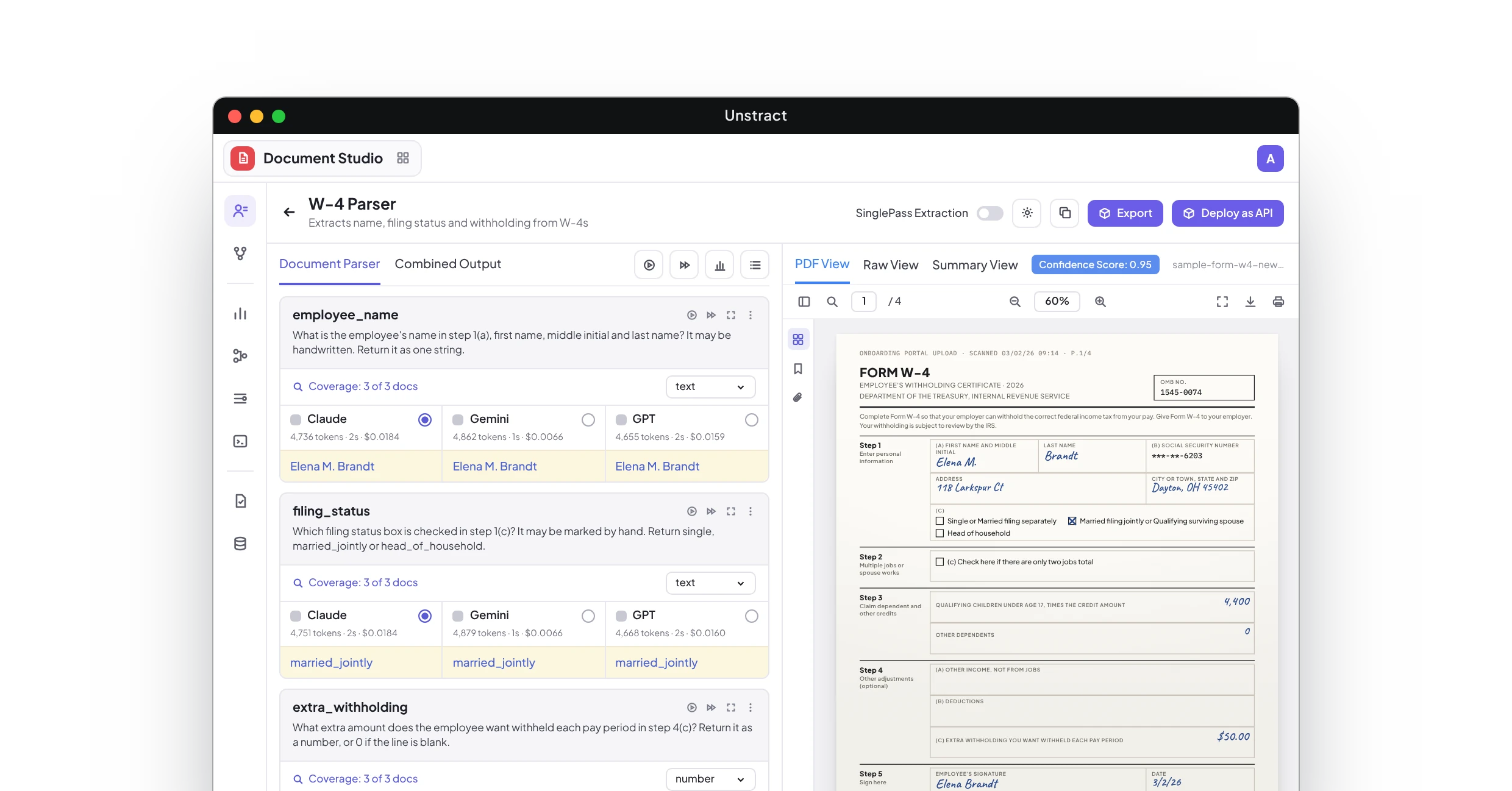
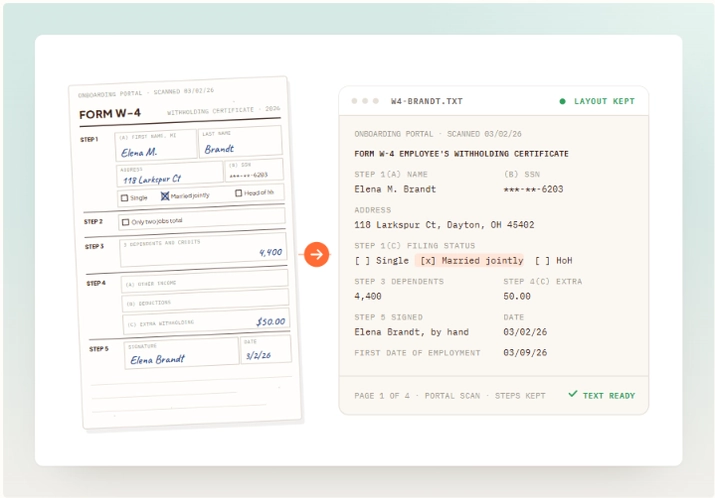
The new hire fills in the W-4 in pen on the first morning, crosses out one filing status, writes the extra withholding in the margin, and someone keys it into payroll.
First-day paperwork as one scan
The offer letter, I-9, W-4, direct deposit form and benefits elections come back as one 14-page scan, a page or two sideways, and HR splits it by hand.
Resumes in every layout
Two columns, tables, a photo, a PDF exported from a design tool. Every resume is laid out differently, and recruiters retype the same work history into the ATS.
Timesheets that don't add up
Paper timesheets come in from the floor with hours crossed out and initialed, and someone totals each one by hand against the schedule before payroll closes.
A name that doesn't match
The offer letter says Katherine Ruiz-Delgado. The W-4 says Kate Ruiz, and payroll finds out when the year-end W-2 doesn't match the employee's records.
An I-9 that wasn't finished
Section 1 is signed, but the document details in Section 2 are blank, and nobody notices until the third business day has passed.
HR process automation has to start with what arrives, and most of it looks like this. Every page is read, keyed in and checked against the offer, the employee record or the job’s requirements before an HR coordinator, a payroll specialist or a recruiter can act on it. Unstract takes that on, so the file is read, checked and in your system before anyone opens it.
Resumes parsed into structured profiles and checked against the job’s must-haves, with the line that shows each one, for a recruiter who makes every decision.
HR automation software, on one platform: parse any HR document, extract the fields you need, and run the whole process, connected to the HRIS, payroll and ATS you already use.
Parse any HR document
LLMWhisperer captures the full text of whatever reaches your desk, a W-4 filled in by hand, a two-column resume exported from a design tool, a timesheet with hours crossed out and initialed, with the layout preserved. Each amount stays on its step, a checked box keeps its label, and a job title is never read as an employer.
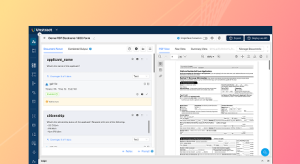
Document Studio turns every document into clean, structured JSON from a prompt that describes the fields you want, whichever resume layout, offer template or form edition it came on. A new benefits carrier’s enrollment form doesn’t need a new template, and a value that fails a check arrives flagged.
Flow picks up new hire paperwork and applications from the onboarding portal, the HR inbox and your ATS, checks them against the offer, the I-9 deadlines and the job’s must-haves, and posts the data to your HRIS, payroll and ATS. Only the files that meet your human-in-the-loop conditions stop for a person, with the reason attached.
from receipt to a checked record in your HRIS, payroll or ATS
%
1
of new hire forms posted without a person touching them; HR coordinators review 1 in 9
%
1
fewer hours on keying and checking in the first quarter
x
2
faster turnaround from signed offer to a new hire ready for first payroll
We have a use case where we need to manually process CVs (Word/PDF documents) into a structured JSON format… Unstract/LLM Whisperer has been a game changer for us because it automates this process and significantly reduces the amount of manual work required.
I have an [AI] application that analyzes payrolls. The input documents are [PDFs], and often weirdly formatted, with a mix of handwriting, typed text, logos, etc.
The no-code platform and intuitive workflow make it accessible for non-technical users, saving our team significant time on manual data extraction.
New hire forms carry Social Security numbers, bank accounts and ID document numbers; resumes carry candidates’ contact details and work history. Unstract is SOC 2, ISO 27001, GDPR and HIPAA compliant: documents are encrypted in transit and at rest, never used to train models, and retained only as long as you choose.
For the paperwork, it is document automation for HR: reading the resumes, offer letters, I-9s, W-4s and benefits forms HR receives into checked, structured data without templates, and then running the process around them: the checks against the offer, the employee record and the job’s requirements, the exceptions that stop for a person, and the post to your HRIS, payroll or ATS. Unstract covers the fourteen document types and two processes on this page.
02What is OCR in HR, and does it read handwritten W-4s and timesheets?
Yes. LLMWhisperer reads handwriting, faxes and rotated pages with the form’s layout kept, so a handwritten amount is read from the step it belongs to, and every field carries a confidence score. A value below the threshold you set stops for an HR coordinator with the page beside it rather than going into payroll as a guess.
03What HR automation tools do companies use?
Most run an HRIS and payroll system such as Workday or ADP and an ATS such as Greenhouse or Workday Recruiting, which expect data to arrive already keyed or imported. Unstract sits in front of them, turns new hire paperwork and resumes into checked data, and posts it through the connectors above.
04Does it check documents against each other and against our records?
Yes, and the checks follow the process. New hire paperwork is checked for names and dates that agree across the offer letter, I-9 and W-4, a Section 1 of the I-9 that is complete by the first day, and deposit details that match the voided check. E-Verify, where you use it, runs outside Flow, in your existing process. A resume is checked against the job’s must-haves, with the line that shows each one, and against candidates already in your ATS. A file that passes keeps moving; one that doesn’t stops with both values side by side.
05What happens when a file doesn't match?
It stops in a review queue, where the right person, an HR coordinator for new hire paperwork or a recruiter for a candidate, sees the field, the page it was read from and the record it disagrees with, side by side. They confirm, correct or send it back, the decision is recorded against the employee or the candidate, and everything else keeps moving. Every decision about a candidate is a recruiter’s.
06Where does the data go?
Wherever your teams already work: the employee record, tax withholding and deposit details in an HRIS and payroll system such as Workday or ADP, benefits elections in benefits administration, and structured candidate profiles in an ATS such as Greenhouse or Workday Recruiting. Flow posts it as part of the run through the connectors above, so there is nothing to download and re-key.
07Is it safe to upload new hire paperwork and resumes?
Unstract is SOC 2, ISO 27001, GDPR and HIPAA compliant: documents are encrypted in transit and at rest, never used to train models, and retained only as long as you choose. Self-hosted options are available for employers that need processing inside their own environment; details are in the Trust Center.
08Do we need developers, and how fast can we be live?
Not for Flow: in a process call we build the process around your own files, your checks and your HRIS, and most teams run their first live files within days. To try extraction today, start for free and upload a W-4, an I-9 or a resume.
Next step
Bring a week of new hire paperwork to the process call
The W-4 filled in by hand, the 14-page first-day scan, the two-column resume. We run them live and show every field, check and exception.