[00:00:00]
Hey everybody. Hope you’re doing well. Thanks for joining this session. I’m Mahashree product marketing specialist at Unstract, and I’ll be your host for today. But before we get started, here are a few housekeeping items that I wanted to quickly run over. So firstly, all attendees will automatically be on mute during the course of this webinar.
In case you have any questions, do drop them in the Q&A tab. One of us from the team will be able to get back to you with the
[00:00:30]
answers via text. Now you can also interact with fellow attendees using the chat tab, and this is also where you let us know in case you run into any technical difficulties.
And as a final point, when you exit the session, you’ll be redirected to a feedback form. I request you leave a review of the session so that we can improve our webinars going forward. So that said, let’s get this session started with. So in this webinar we are going to be looking at multilingual document extraction
[00:01:00]
across 300 plus languages that Unstr supports.
Now, documents are central to business operations and they make processes easy, but extracting data from those very documents and processing them has been historically quite challenging. So our efforts at Unst instruct have been just that to help you overcome challenges in document extraction and processing.
In this webinar, we’ll be doubling down on a very specific document challenge. That’s a pretty real
[00:01:30]
problem and not spoken about enough. That is multilingual document processing. So if your business deals with global operations or. Region specific processes, then there are high chances that you receive multilingual documents.
In fact, there are hundreds of languages in which businesses commonly receive documents in, but the problem is that your OCR systems are typically designed only to process documents of one specific language. So that is the gap that we’re here to solve.
[00:02:00]
By the end of this webinar, you’ll walk away with a clear blueprint for enabling multilingual documents from processing systems from start to finish.
So there are multiple segments in this webinar where we’ll be exploring this problem with in this, uh, in different aspects. We’ll be starting out by taking a look at why the existing systems or traditional OCR fails on multilingual documents. So firstly, traditional OCR is limited to Latin script
[00:02:30]
languages because it was mostly only trained on them.
When it encounters scripts like Arabic or CJK, that is the Chinese, Japanese, and Korean group of languages, it either produces garbage output or fails completely. Secondly, there is the layout and reading order complexity. So RTL, languages like Arabic, Hebrew, and Urdu are written from the right to left.
Traditional OC assistant read text directionally
[00:03:00]
from left to right, so RTL content comes out completely jumbled with words re reversed or sentences out of order. Languages like Japanese and traditional Chinese also use vertical text, so they also face similar kind of issues when it comes to their script.
Thirdly, there are mixed language documents. Many real world documents contain multiple languages on the same page, so think of an international invoice with English headers and
[00:03:30]
probably Arabic line items. Traditional OCR has no mechanism to detect language switches mid document, and it ends up applying the same single language model throughout the document, which again corrupts the extraction outputs.
Up next there is the font and typeface variability. So each language has its own typographic conventions and font families. Traditional OCR models were trained on a very narrow set of fonts, so regional or
[00:04:00]
handed in variations in non-Latin scripts, especially produce high error rates. And finally, we have ligatures and conjunct characters.
So languages like Arabic or are structurally different from space separated Latin text. So if you look at English or French or Spanish, you have these scripts with space separated characters. But if you take Urdu or Arabic or Hindi. These languages are more connected.
[00:04:30]
Uh, the letters are pretty connected with one another.
So traditional OCR used to treat each language independently based on their spacing, and this became a problem when we deal with connected forms and the extraction output becomes incorrect. And these are all the reasons why traditional OCR fails at the phase of multilingual documents. But that is not something that we need to still worry about because with the emergence of elements, we do
[00:05:00]
have the perfect solution in our hands.
And here’s why. Now, LLMs go beyond reading your characters, uh, from the scripts. They don’t, they don’t just understand the characters, but also the context so they understand what your document is communicating. So even when a document mixes languages or uses informal regional phrasing, the LLM can still extract the right information because they’re actually able to comprehend these languages.
Next, there
[00:05:30]
is no pre-configuration required, so you don’t need to train the system on any language. They’re already aware of them and good to go right away. Elements handle structured and unstructured documents so they can reason through, varied formats of documents across languages without needing rigid templates.
Finally, they have consistent output regardless of the, uh, input language that the document comes. So you can literally instruct your LLM to always
[00:06:00]
return extracted data in English or any target language. And it does that no matter what the input document, what is the language of the input document. And these are all the reasons why LLMs pose as the perfect solution for multilingual documents. But elements alone on their own are still not enough to give you production ready document processing systems.
And that is where Untract comes into the picture. Now, untract is an LLM-powered document ETL platform,
[00:06:30]
and here’s how Untract is an enabler. So if I had to briefly go over the capabilities of the platform, I’d be bucketing it into three major categories. That is the text extraction phase, the development phase, and finally the deployment phase.
Now in the text extraction phase, this is the first set of functions that ha uh, that occur within the platform after you upload your document. And it is also a very important layer that we need to address something that elements probably cannot do on their own. So documents
[00:07:00]
come in varied formats. They come as scanned documents, they come with handwritten text, or they could contain skewed scans, blurry text, just about anything.
So these kind of documents are still pretty difficult for LLMs to pick up on and extract data accurately from. So that is where the text extraction layer comes into the picture, because using Unstract you can connect with a range of text extracted tools that will be deployed on the uploaded documents. And what they do is they
[00:07:30]
extract the raw text from these documents in a format that is layout reserved before, before passing it on to the elements for further extraction.
So this layer converts even difficult scans into a format that is easy for the element to read. And we have multiple text extractor tools that you can connect with using Unstract. But we see that time and again, the popular choice has been LLMWhisperer, which is also our, um, in-house text extraction tool.
And depending
[00:08:00]
on your needs, you can also use LLMWhisperer as a standalone application. Now, we will see how this layer works when we go into the demo segments of this webinar, but once your raw text is extracted, the next step is to actually develop. Your prompts so that you can, um, facilitate data extraction.
So that goes into the de development phase where you can engineer prompts using the prompt engineering environment called prom Studio. Now, initially this used to be the stage where you had to do most of the heavy
[00:08:30]
lifting in because you’d have to specify the prompts and extract data accurately. So in these prompts, you’d be specifying two key details.
That is what is the kind of data you’re looking to extract? What is the schema or the structure? In which you want that data to be extracted. And the third operation that you had to do in the development phase is to ensure the accuracy of the extraction output. So that for that we had capabilities like LLMChallenge or grammar to ensure that your extracted output is correct.
And these were the three key
[00:09:00]
components of the development phase. Now, while this used to be done manually, this was being done manually. We have introduced the Agentic Prompt Studio today where you can just upload your documents, click on a couple of buttons, and the system actually does the heavy lifting for you.
So today you don’t even have to stop to actually enter your prompts or prepare your schema. The system takes care of everything and you just have to review this from, um, review this overall schema and output.
[00:09:30]
So we’ll take a look at how this works when we go into the demo segment. And finally, once you are developed, once your project is developed, and uh, once it’s ready to go, you can deploy it in multiple ways depending on your requirements.
So if your business requires an API deployment, we support that. We also support ETL pipelines, task pipelines, a human in the loop deployment if you want. The, uh, extraction output to pass through human review before going into, um, the downstream
[00:10:00]
operations and for certain advanced cases, we also support innate and workflows and MCP, uh, servers for both Untract as well as LLMWhisperer.
So you can deploy these as tools in your MCP environment. Now that kind of, uh, puts together the various capabilities of Unstract and if I had to throw out some numbers about the platform. We currently have 6.6 K stars on GitHub, a thousand plus members Slack community, and we’re currently processing over
[00:10:30]
10 million pages per month by paid users alone.
So that said, here are the different ways in which you can, um, use the platform. So Unstract comes in three major editions. We have the open source edition with limited capabilities. So you can use these features as for as long as you want, and you can really test them out on your particular documents. And you can also go for the cloud version where we have a free trial available and we also have an on-prem offering as well.
[00:11:00]
LLMWhisperer. I had spoken about this earlier where uh, I’d mentioned that we have a standalone offering for LLMWhisperer as well. So you can either test your documents on LLM Whisperer using the playground, where we have a generous offering of uploading a hundred pages per day, and the system would extract the raw text from these documents and, uh, you have the end-to-end access in the playground.
So none of the features are limited over here. And in case you need to go for the paid plan, then you can implement LLMWhisperer
[00:11:30]
as a Python client, a JavaScript client. As I, as I mentioned earlier, we now support eight and integrations and an MCP server for LLMWhisperer as well. And both Unstract and LLMWhisperer are compliant with the, uh, major regulations like ISO or GDPR or SOC 2 or HIPAA.
So that said, let’s move into the demo segment so that you can see how, um, unstuck actually plays in action.
[00:12:00]
Alright, so what you see over here is the Unstract interface. We are currently in the dashboard, and you can see it gives me overall metrics on how I’ve used my platform. Uh, what are the total number of pages, process, the documents processed and so on. Now if I was signing in, uh, for the first time, then I’d, uh, the first step I’d have to do is, uh, connect with certain prerequisite connectors.
So Unstract is an LLM-ready. I mean, it is an LLM enabled platform. So we have a bunch of models
[00:12:30]
for you to choose from over here and connect with. So these are the models that will be helping you with the data extraction in prompt engineering. So once you connect with the models of your choice, you would also have to similarly connect with Vector DBs.
Embedding models. And finally text extractors. So this is where you’d also find LLMWhisperer as a tool among other text extractors. So once you are connected with these four prerequisites, you are good to go and you can actually
[00:13:00]
move, uh, into, uh, I mean you can start uploading your documents, extracting text, and so.
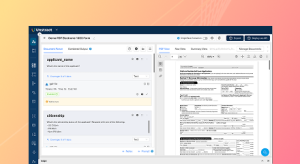
So for that, I will be going into the prompt studio. In this demonstration, I wanted to take you through the agent deck, prompt studio, uh, particularly where you do not have to upload any, uh, I mean, where you do not have to manually do the pro prompt engineering and the system takes care of everything. So, I will be creating a sample project for you in this session, and we are going to be processing multilingual documents.
So
[00:13:30]
let me name this multilingual. Document extraction and we’d also have to give it an appropriate description. So as you can see, this is the interface of my Agentic Prompt Studio. The first step I’d have to do is, uh, set the different LLM models that are going to be working on this particular project. And the Agentic Prompt Studio basically allows you to set different LLMs for different.
Operations. So
[00:14:00]
depending on any cost optimization requirements you may have or any, or if you think a particular LLM is more suited for a specific operation within document extraction, you have them split up and you can choose them accordingly from the connected models. So we have an extractor, LLM, that is used for running extraction prompts.
We have an agent Lum that is used to generate these prompts in schema, the LLM Whisperer Connector for text extraction. And finally, a lightweight LLM that is used for tasks like generating
[00:14:30]
prompt metadata. So you can see that these are all different tasks within document extraction, and you have the flexibility of choosing different elements for each of these tasks.
So once I’ve specified the different models that I want working in my project, I can actually, uh, go ahead and upload the documents that I want. So in this particular, um, project, I’m going to be processing invoices from diff in different languages. So we’ll be going over an Arabic invoice in English invoice, a
[00:15:00]
French invoice, as well as a Japanese invoice.
Now let me upload these documents and I’ll actually show you how they look. So you can see that the documents have been uploaded over here, and this is basically the Arabic invoice. We also have, this is a document that has mixed languages because you have invoices, orders, the order date, all of that given in English over here and all the headers are actually in English.
And the line items are the only ones that are in Arabic. So this is a typical challenge that we, uh,
[00:15:30]
we talked about earlier. This is an, um, English invoice, which, uh, is pretty easy for any traditional system also to process. And we have a French invoice over here. Finally a Japanese invoice. So these are the documents that I’m going to be processing with the system today.
And as I mentioned, the first step that you’ll have to do is extract the raw text from your documents. So you’d seen that we are actually under settings. We connected with the
[00:16:00]
LLMWhisperer connector. So what I’m going to be doing right now is enabling the raw text extraction, and this basically connects.
Uh, sends the documents to the LLMWhisperer connector and extracts the text in a layout preserved format. So we’ll just wait for a couple of seconds until this is done, and you can actually see the extracted text. So if I go into raw text, this is basically how the, um, text from the Japanese invoice is extracted with the layout intact.
[00:16:30]
So you can see that over here we have. A couple of aesthetic elements. There are colors and it’s printed on a document. So these might be factors where, uh, it’s difficult for extraction and you’ll, I, I mean, I will be subsequently taking you through an LLMWhisperer demo as well where you’ll see that we’ll also upload scan documents or disoriented forms and, um, LLMWhisperer is able to work on that.
So I just wanted to take you through these invoices and see, uh, you know, help you see how the raw
[00:17:00]
text is extracted with the layout preserved. So we have the French invoice over here, and if I go into the raw text tab, this is basically how my extraction looks and what this is, this is basically the context that is going to be sent to LLMs for further extraction.
So, uh, LLMs do not work on the PDF that you see over here. They actually work on the extracted raw text and elements. Again, understand documents very much similar to how humans do. Which is why
[00:17:30]
we, again, focus on keeping the layout of the original document intact because these documents are designed for human comprehension.
So they are probably the best way in which you need to pass them, uh, to an LLM for it to understand and extract data from. So once your raw text is extracted across all the uploaded documents, the second step is to produce the summary. So this again makes use of the agent ly to deploy a multi-agent system, which runs
[00:18:00]
on all the uploaded documents and searches for the important data fields from across these uploaded, uh, documents.
So typically. A good practice is that you upload all the test variance that your business incurs. So not only for an invoice, let’s say you’re developing a project for purchase orders, then you would have to upload all the different variance of that purchase order, uh, that you get from different vendors into the
System so that it can run across these different variants and collect all the important
[00:18:30]
data fields. So if I open the summary over here for the Arabic invoice, I basically have all the details of the important fields from this particular invoice. So we have the. Name of the data field that is given as the invoice number.
Over here we have a description which describes the field, A type A data type, which basically is used to represent that particular uh, data. And we also have example values to help the system understand better. And this is done, these four parameters are present for
[00:19:00]
all the data fields present in this particular invoice.
And the same holds true for all the other uploaded documents as well. So we have the French invoice over here, and again, we have the name, the description type, and examples for all the data fields. So this is automatically done as you’ve seen. We’d enable. The summary function is automatically done by the system, and once you summaries are ready, the next stage is to generate the schema of.
Your, uh, extraction output. So I, um, I’m just going to click
[00:19:30]
on generate schema over here. It’s a button away, and the system does the heavy lifting for me. So what happens in schema generation is that it unifies all the summaries that it just. Produced. So it goes through all the summaries. It looks at all the data fields.
It normalizes fields. So let’s say that the date format in one invoice is with the date first followed by the month, whereas in another invoice it could have the month first followed by the date. And again, when you’re dealing with multilingual
[00:20:00]
documents or documents that are, uh, circulated in global operations, you might have.
Different numbering systems, different currency outputs. So what the schema generation pipeline essentially does is it looks through all these data fields and it, uh, unifies them and also normalizes required fields to produce an extraction output. So we’ll just wait for a couple of seconds until this is done.
So meanwhile, I’ll actually
[00:20:30]
take you through, uh, I mean, because this particular, uh, in this particular webinar, we have a time constraint. So I’ll just take you through an already uh, created project where I’ve run these very documents. For extraction. So we have the multilingual documents here. So we will, I mean, be going back to, uh, this particular project, uh, once the schema is ready.
But to save time, I just wanted to take you through how it looks. So you can see we have the same documents over here. We have the Arabic invoice, English invoice, French and Japanese.
[00:21:00]
And once your schema is generated, it would probably look something like this. So it basically puts together all the data fields from across the different summaries.
And you have the invoice number, so you have the data field name, the data type of that particular, um, field. The descriptions. So what does that represent? And you have a bunch of examples. So this is basically the summary that is produced in just a matter of minutes. And this sum, uh, I mean this schema will then be used,
[00:21:30]
uh, to generate your prompt, which is going to be the next stage.
So the next stage is to click on create prompt. So we will be doing that in this project as well. And, uh, in, again, in a couple of minutes, the system generates a detailed, uh, seven segment prompt. So you have details like, uh, the field level guidance. What does each field represent? So you have, you can see that we have this schema given over here, and if I just scroll a little further beyond the schema, you also have
[00:22:00]
other.
Fields that the document, I mean other instructions that the system has given you. So you have general guidelines like reading the entire document carefully from the beginning, extract all the fields, use null for missing fields, match exact data types. So it gives you all these general guidelines. And then you have field by field instructions.
So if you take for instance, um, the invoice number, so you have the. Data type given over here, and it is a required field and you
[00:22:30]
have a very detailed instruction. So what to extract. So this is a unique identifier for this invoice that is the description. And the system gives you an idea of where to find this.
So typically you would look for labels like invoice. With the hash symbol invoice number and how it looks in different languages. So it gives you pretty clear identification marks on what is the kind of, uh, what is the data item that we are looking to extract and how it might come where you can find it in the document.
[00:23:00]
And you also have, uh, you, you, you are specifying whether it includes any prefixes or hyphens. What are some example values of an invoice number? And if missing, where can you look for it? So these are the kind of, this is a level of detail that you can go with, uh, with the automated, uh, automatically generated prompt.
So, prompt extraction especially is the most heavy lifting aspect of LLM enabled document extraction because teams, when you’re looking to extract,
[00:23:30]
So all of that effort in creating this detailed prompt manually is overcome with the, uh, Agentic Prompt Studio. And you have this document ready for you in just a couple of minutes. And this is also editable, so I just have to click on edit and I can edit any of the, um. I mean, I can edit this
[00:24:00]
prompt the way I want so I can add fields or I can just edit something that is already given over here.
So, for instance, in this particular invoice, let me just edit it. Um, I am not going to do something too drastic, but I will probably just. Remove one of the example values. So over here we have the format and we have a value given over here in Japanese. And I’m just going to remove this so I can edit the prompt in whichever way I want, in case I want to work on top of this.
[00:24:30]
And when I click save, the system basically nudges me to save this as a different version. So Agentic Prompt Studio also supports versioning. And I can give it a short description and a long description. In this case, I’ve just given it as V2. So once I save this, I have two different versions of this prompt, and in case I need to revert to an old version, I can always do that by clicking on history and going back to the older version.
And there is also the, um, capability to compare the two different versions. So you
[00:25:00]
have version one on your left and version two on your right. And you can compare these two different versions. And the system also automatically highlights the exact areas where the two versions differ. So this is something that can be done with, um, the agent tech Prompt studios extracted, prompt, and this is probably the most important, one of the most important operations.
So we spoke about how in prompt engineering there are three key operations. That is the schema generation, prompt extraction, and finally, accuracy validation.
[00:25:30]
So we’ve taken a look at schema generation, as well as the, uh, prompt extraction that can be done using the agentic prompt studio. And the next comes accuracy validation.
Now, before I go into that, let’s just check if the schema has been generated. So you can see that this is the output schema that has been generated with the, uh, project that we were running live. And, uh, you have all the details right here so I can go back to status. And now that my schema is generated, I am going to be clicking
[00:26:00]
on Create Prompt.
And this is basically again. Just a couple of buttons that I have to click, and the system is now working on creating an extraction prompt for this particular data set. So going back to the, uh, project that I have complete, we’ll now be covering what are some accuracy, validation features that, uh, the system has for us to use.
So, firstly. Um, a typical requirement that engineers or users have when extracting data from
[00:26:30]
documents is to create a golden standard of data. So that is basically what your verified data allows you to do. So, uh, what this does and how it works in Pro Studio is that once you extract your values. From the invoices, you run the first extraction and the system creates a verified data set with all the values extracted.
And what you’ll have to do is go through each of these values individually for all the documents and manually verify
[00:27:00]
whether or not they are correct. So in case I need to edit the verified data set, let’s say I need to edit the email over here. I can just click on edit. And change my values. So let’s say the extraction was incorrect.
I’m not saying it’s incorrect right now, but I’m just making a change over here to explain the concept to you. So the first time I would be manually, uh, ex, you know, reviewing the extracted output and how this actually helps me further. Is that when my prompt evolves, let’s
[00:27:30]
say that I have a different requirement to add a separate section to my prompt.
In the future I might do that and test run the prompt again on, uh, the document. Now with the previous versions of Prompt Engineering or Prompt Studio that we supported, we were not able to track how it affected the output of the other extracted fields. So sometimes when you make a change to a prompt, it might affect a certain extraction output that you did not intend to.
So that is basically what the golden set or the verified
[00:28:00]
data set over here is, uh, present to catch. So it constantly compares the extraction output with the verified data. Since this is being done manually. And if there are any discrepancies, it immediately flags that to your attention. So we are basically creating a golden standard for data, uh, over here for all the documents that we’ve uploaded.
So you can see that we have, uh, the verified data set for all the invoices, and once you have verified them manually, what you will have to do is run the extraction for
[00:28:30]
all the documents. So once you run the extraction, what happens is the system gives you an accuracy score. So this score basically indicates the percentage of match between the extracted output for each of these documents against the verified data.
And you also get an overall project accuracy score calculated over here. So you can see we have 97.65%, and these are the individual accuracy scores for each of the documents. But it does not stop here. I can actually click on any of
[00:29:00]
these, uh, scores and I will be able to immediate, the system immediately flags the exact areas where there is a mis mismatch.
So you can see that we have the, um, extracted output on the left and the verified data on the right. So you can see that. The verified data has 3,400 as the unit price, whereas it is given as 3,500 in the extracted output and the system is able to immediately flag that. So I, this is how I can also like easily find errors
[00:29:30]
when the data gets extracted and I can correct it and correct my prompts to see how I need to tune them accordingly.
So beyond this, we also support analytics for each of your projects. So under the analytics dashboard, you have, uh, key metrics, like the total documents extracted total fields, the overall accuracy, the number of failed fields, and what are the top mismatches that we found. And again, there is a mismatch metrics.
So this is something that was not available earlier where you have an
[00:30:00]
overview of how your documents, um. How your documents are, uh, you know, uh, across each of the, uh, data fields extracted. So right now we have the English invoice over here, and you can see that we have all the data fields over here, and I can easily spot the ones with the incorrect extraction because they are color coded.
So this is the mismatch matrix, and that brings me to the end of the Agentic Prompt Studio. So this is basically how I develop, uh, projects for data extraction
[00:30:30]
using the Agentic Prompt Studio. You saw how I did not really need to, you know, specify any manual, uh, prompts. I did not have to, uh, go through the hassle of, uh, going back and verifying each of my data fields for accuracy.
The system itself does that for me and highlights those fields for me as well. So now all I have to do is click on export, which is the final. Stage of the agent tech prom studio, and the system will be able to export this particular project as a tool, and I can then use that tool to deploy this
[00:31:00]
project either as an API, uh, deployment, an ETL pipeline, a task pipeline, and so on.
Now, this is basically how the Agentic Prompt Studio works, but I also wanted to take you through, uh, the traditional prom studio, just to give you an idea of how that works. So in the traditional prom studio, you would be. Entering the prompts manually and defining what you want to extract in the schema for output extraction.
Now, you might be wondering why you even need this in the first place, because with the Agentic Prompt Studio, you have the entire
[00:31:30]
system automated. But in certain cases where you are very particular on what data you want to extract, or you have very less number of fields, let’s say that you’re just looking to extract the invoice number and the invoice name from your documents, then you do not have to go through this.
Elaborate step. You can just mention that, uh, by yourself and you, and that would probably be less time consuming. And there are also certain areas where you want, uh, you might have the prompt ready already or you might have certain compliance issues. So in those cases, in those cases, even though they are less,
[00:32:00]
we do see that some users prefer the traditional prompt studio.
So I’ll be taking this opportunity to take you through the traditional prompt studio and show you how this works as well. And in this. Um, project particularly, we are basically extracting data from multiple, uh, multilingual documents. But this does not stop at just extraction with the previous, um.
Extraction project that we saw where we extracted data from invoices, we saw that, you know, we were just extracting data from the invoices, but elements,
[00:32:30]
as I mentioned earlier, are not just for data extraction. They go beyond that. You can also do semantic analysis on your documents, like understanding the text, highlighting the key points from a document, understanding the tone of the document, looking for critical analysis.
This. So these are all semantic analysis that can be done, uh, with the LLM and you will see that, um, in the project that I’m just about to open. So I have a multilingual document extraction project over here in the traditional
[00:33:00]
Prompt Studio as well. And you can see that each of my prompts are, uh, you know, they’re directed at not just extraction, but they go a step further at actually understanding the document.
There is an element of summarization that the LLM has to do. So this capability especially was something that was, that is definitely not pro possible with, uh, the early, uh, OCR models. So we have over here the first prompt that is, uh, created to understand the document. So it says, what type of document is this?
What is
[00:33:30]
its primary purpose? What is a core message or main idea of this document and, uh, who, who might this document be intended for? So that is the first prompt that we have. And the second prompt, we’re actually analyzing the tone of the overall document. Is it formal, urgent, persuasive information?
What is it? Then we have a summarization. So what are the three? Top three things someone would want to know after reading this particular document. And finally, there is critical analysis. So are there any contradictions or
[00:34:00]
inconsistencies within this document? If none, mention none. So these are the prompts that I’ve given and obviously I can fine tune them further if I want.
But, uh, just to, you know, give you an understanding of this, we have the PDF over here. So this is an excerpt from the famous, um, speech given by, given by Martin Luther King, and I have the extracted output over here. So, firstly, this is the raw text. This is basically the LLM whisperer output that will be sent, um, you know, to the LLM four data extraction.
So once I
[00:34:30]
send it, the system is actually able to perform semantic analysis. So I have. A type of document over here, it says that it’s a speech delivered at a public demonstration. So what is the primary purpose to advocate for civil rights and to inspire and mobilize supporters? Of the civil rights movement.
So we have a particular purpose, the core messaging that’s given here, the intended audience. And, uh, if you look at the tone and intent we have that the overall tone, tone of this document is persuasive, urgent, and inspirational.
[00:35:00]
So that is this kind of, uh, speech that, uh, it was, but now if I, let’s say I change the document to another one.
Let’s just load this.
Alright, so I have a, um. Have a document over here, which is a news article on paleontology of, I think this is in Spanish. So you have the document over here and you can see that the tone and intent of this particular
[00:35:30]
document is in informational. And again, if you go for the summary, uh, or understanding the document, you can see that this is a news article or a feature story from the New York Times.
What is its primary purpose? So you can really play around with, uh, the kind of documents that you upload and the kind of. Uh, you know, analysis that you’re looking to perform. So we do have an unstuck free trial where, uh, you can sign up for and explore the end-to-end capabilities for your particular documents.
And, um, if you are coming for this
[00:36:00]
webinar, now that you’ve registered for it, we also have a registration bonus if you’re not aware of it already, where, uh, you can contact our team. I mean, at the end of the session when you’ll be redirected to the feedback form, you can enter your email ID and we’ll help you, you know, avail an extended trial period.
So this is something that you can do, and we have the extracted raw text over here. And this is basically the context over which the LLM has run to extract this output. So we have the news article, I just wanted to take you through the documents so that you see different kinds of
[00:36:30]
documents that the system is able to, uh, process.
Now, let me take you. Through certain scanned documents so that, uh, you also have an understanding of that. So over here I have a scanned ID card in Serbian. So ID cards are, again, another common document set that come in different languages. And we have a Serbian ID card over here. So we have the first prompt, the tone and intent for the second prompt is again in, uh, informational.
And we have the summarization of the ID card over here. And finally, there is
[00:37:00]
a critical analysis being done. So you can, one other important aspect that I want to bring your attention to is that the system is actually able to produce the output in English, even though the, uh, language of the uploaded document could be different.
So if you take a look at, uh, each of the outputs over here, you can see that. Let’s say I am looking at the sum, uh, summarization for the particular, uh, this, this is a French invoice. This is again, a document that you’d seen earlier. So if you look at the
[00:37:30]
summarization, you can see that this is an invoice from Tech Solutions and the total amount is 8,520.
So you have all this information in English, even though the document is in a different language. So this is another powerful capability that you have, which is also something that we looked at earlier that no matter what your input document. Um, a language is you can get an output in a specific language, so that is another powerful capability of the elements, and that holds true for extracted output.
Um, I mean, over here we are
[00:38:00]
doing semantic analysis, but that holds true even if you’re just looking to extract data from, uh, your documents. So in the previous. Agent pick prom studio. Had I just entered a prompt or tweaked the prompt in a way where I mentioned that I want the, all the extracted output to be in English, then I, that is the way that I’d be getting the extracted output in.
So this basically comprises of the powerhouse that pro studio is and all the capabilities that are available over here. And again, you can, uh, export this project as a tool
[00:38:30]
and deploy it as an API, ETL pipeline or task pipeline. Now before I conclude this session, I just wanted to quickly take you through our human in the loop deployment.
So what happens over here is, um, I mean, I haven’t created a, a human in the loop deployment for these particular documents, but I’ll take you through a sample deployment so that you understand how this works. So we have a credit card, EL, um, passer, ETL Workflow. So basically what happens over here is. In this particular, uh, project, we are looking to process credit
[00:39:00]
card statements.
So while you set up, so once you export your project as a tool, the next stage is to actually create a workflow. So in this workflow, I am getting my, this is an ETL pipeline, so I’m getting my. Input document from a file system and I’m processing it using the credit card passer tool. Now, here’s where I can basically, uh, change the tool that I want as well.
So if I search for the multilingual invoice tool, I have that. So I can choose any tool that I want for, uh, data extraction.
[00:39:30]
And once I extract the data, I send it. To an output database. Now over here is where I can enable human in the loop. You can see that I’ve mentioned the output data, uh, base, the table name and all of that over here.
And under human in the loop settings, you have, um, uh, further customization options. So over here you can specify what percentage of your influx document do you want to send for human review because, um, I mean, we are not always going to, um, I mean with a. With a typical business, you’re processing hundreds and
[00:40:00]
hundreds of documents per day, and it is going to be impossible to go through all of them manually and check their output.
So what you can do is specify a certain limit on the percentage of documents that you want to send for human review. And we have the conditions, so what are the documents that actually make it into human review or that percentage of documents that we’re talking about. So we have the conditions over here where I can set up the field name based on confidence score.
So let’s say the confidence score of this particular. Customer is less than, uh, 0.7. Then I
[00:40:30]
want this particular document to go in for human review. Over here I’ve given that I can also filter it by value. So the, uh, customer name should be of a particular value for this to go into human review. I can add rules as well, so I can add rules based on the, not add, add or, uh, logic.
So over here, um, the first one was the customer name has to be of a certain value. Maybe the second one I could have or the customer address could have. Confidence that is less than 0.6, and I want this.
[00:41:00]
A document to go in for human review. And when it comes to these two conditions, I can, again, you know, as I mentioned earlier, uh, set it as an and condition, an or condition or a not condition.
So this is a level of customization that you can go to to actually set up your documents for review. And I will just be taking you through a sample, uh, review, uh, of any document that we have available. And they necessarily, they might not necessarily be a multilingual document. So
[00:41:30]
this is basically the review interface.
We had that on the left hand side panel in the Unstr dashboard. And let me just click on any of these test documents. So you have all these classes which contain documents for review. So I’ll be clicking on one of these so that you get an idea of it.
All right, so over here I have an airway bill that I’ve uploaded, and you can see that the system has automatically highlighted the scores, which
[00:42:00]
have a confidence score score that is less than nine. So right now in this particular document, all the fields have been highlighted because. Uh, this airway bill is quite blurry and it is difficult to read the text.
So if I just click on any of these data fields, the system also automatically highlights that particular, uh, document where it is, uh, you know, I mean that particular output, where it is present on the document. So this is basically where I can perform manual review and I can easily get it completed. And in case I need to change the values, I just have
[00:42:30]
to click on any of the extracted output and I can change the country.
So, for instance, over here, I can change it from us to India. And if I click on save, this is a value that will be sent for downstream review. So, I mean for downstream processes. So again, with the review interface on uns Strut, we have a two level, uh, review interface. So we have a reviewer working on this.
And then once I approve this particular review, it will go into an approvers workflow and the approver will have to again, go through this document and approve it before it goes.
[00:43:00]
For downstream operations. So this tool level review is something that you can choose to have or not. I just wanted to take, uh, you through how the review interface looks and what can be done using the platform.
And that actually brings us to the end of the session. So in the session we took a look at what are. The challenges when it comes to multilingual document processing. We took a look at how traditional OCR fails and why we need an LLM in the picture for extraction. And we also took a look at unstr. We, uh, we
[00:43:30]
saw how the agent prompt studio looks and how you can.
Uh, basically automate the entire process of, uh, prompt engineering end to end. And we also saw how semantic analysis works on multilingual language and how you can get an English output no matter what your input language is in, and you can basically use the system to understand your document in whichever way.
Possible. So this is something that was not possible with earlier models or earlier OCR models. And finally, we also took a look at the review interface and how that looks. And um,
[00:44:00]
that actually brings me to the conclusion of this webinar. But before we, uh, go into the q and a session, I actually wanted to take you through another important capability and Unstract that is the API hub.
So the Unstract API hub is basically designed for you to, um, immediately get started with data extraction from any document. So we have all the common documents over here, like the invoice, the bank statement, the bill of leading or purchase order, and we will be adding more and more APIs over here. And what this does is it’s basically a ready to
[00:44:30]
go API that you can just plug and play into your workflows and you can get started with extraction immediately.
So you can go through each of these API signup or, um, you know, just, uh, take a look at this and see how it works for your particular documents. So we have an overview of this, API. Uh, and we also have a sample output of how this looks, and we have sample documents that we’ve uploaded for each of these APIs.
I am going to be trying this out on a multilingual document. So let’s say that I’m uploading the Arabic invoice over here
[00:45:00]
and I just have to click on extract data and the invoice, basically the invoice API basically runs on. Uh, invoice and extracts the data for me. So what, how we’ve created this API is, our team has done detailed industry research and we’ve seen what are all the common fields that, uh, users usually extract from invoices.
It’s a pretty extensive list that we, uh, have over here. And what the system does is it immediately deploys that particular project. You don’t have to stop at the development phase at all.
[00:45:30]
You can just take this and deploy it immediately and get started. So this is basically the output that I have for the Arabic invoice that I’ve uploaded.
And, uh, this is basically how the, uh, API hub works and, um, you can also download any of the APIs available in the Hub as a Postman collection for, um, for you to explore in your own terms. And yeah, that basically covers the API hub that I actually wanted to. Take you through. And with that we’ll be moving on into the Q&A.
[00:46:00]
But before that, uh, I mean folks, I did talk about getting a free trial, uh, in case you want to explore the, um, platform on your own. And you can also get an extended free trial using, because you’ve registered for this webinar. But in case you want to talk to one of our team members, or you want to get an expert analysis on your particular business.
Uh, use case and see how, how Unstract can be customized for that. Then you can sign up for our one-on-one, uh, free demo where we will sit with you, understand your
[00:46:30]
use case and see how the platform can be a good fit. So we’ll drop the links to all these registrations in chat and you can just take a look at that.
Thank you everybody for joining the session today. Hope you have a great day and I look forward to seeing you in our upcoming evening.
See Unstract in action with walkthroughs of core features and real extraction workflows.
Managed cloud, on-premise, or open-source. Unstract adapts to your infrastructure needs, so choose what works best for you.

Prompt engineering Interface for Document Extraction

Make LLM-extracted data accurate and reliable

Use MCP to integrate Unstract with your existing stack

Control and trust, backed by human verification

Make LLM-extracted data accurate and reliable